
TL;DR: An industrial tablet PC tightens up inventory and barcode scanning. It records each stock movement at the spot where it happens, checks it against your ERP or WMS in real time, and shrugs off the drops, dust, water and long shifts that wreck consumer devices. The payoff comes from the whole chain of work, from scan engine and operating system to battery, mounting and software.
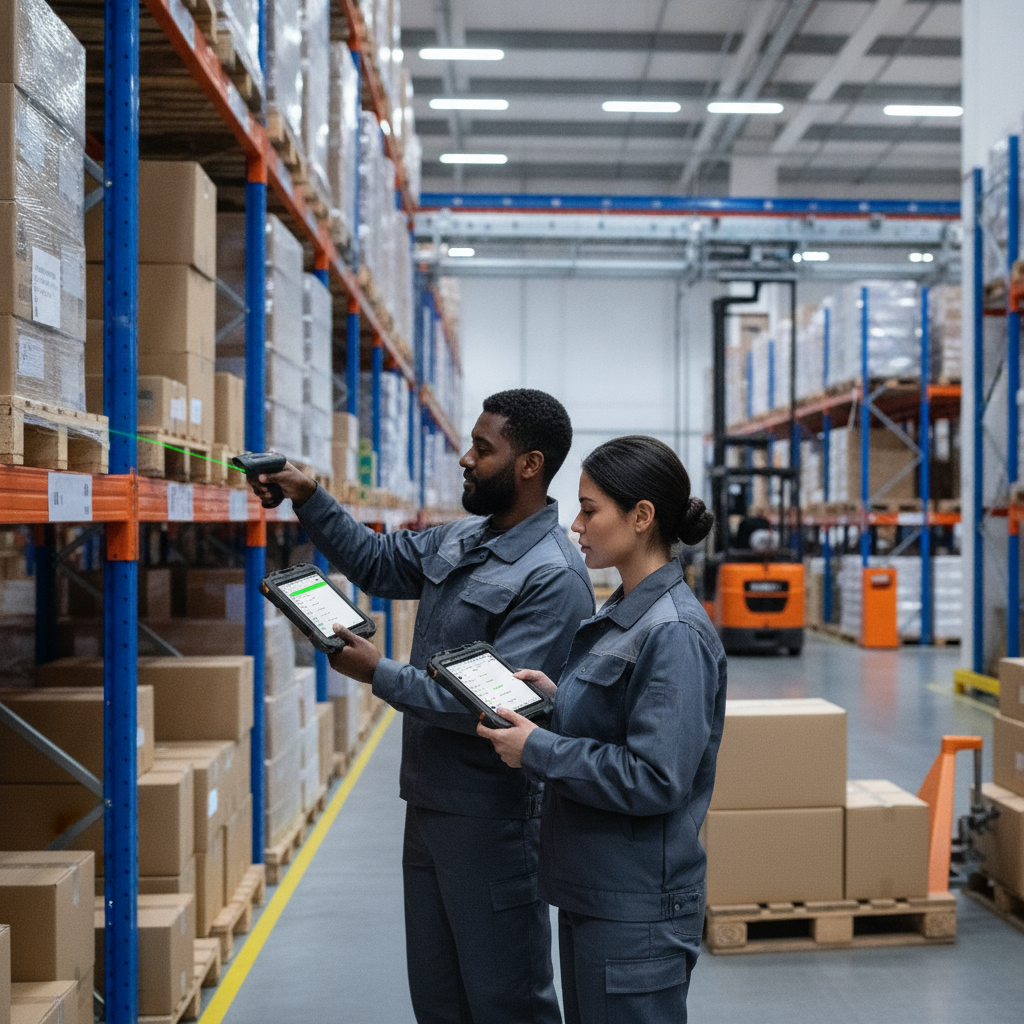
Working with a reliable industrial tablet PC supplier helps ensure proper deployment, as the tablet alone never delivers results without integration.
Key takeaways
- Rugged mobile devices cut re-keying and late posting, the two biggest sources of bad inventory records.
- Pick the scan engine to suit the label: 2D imagers for most jobs, direct part marking (DPM) engines for etched parts, and UHF RFID only where the tag price makes sense.
- Go with Android for scan-and-go handheld work. Go with Windows when you lean on legacy MES, SCADA or vehicle-mounted clients.
- IP65 sealing, a documented drop rating, a fanless body and hot-swappable batteries count for more than headline processor specs.
- Pilot one process for 30 days, record your KPIs beforehand, and expand only once error rate and scan time have both improved.
Table of contents
- What is an industrial tablet PC and why does it matter for inventory?
- Where do inventory and barcode scanning processes break down?
- How do rugged mobile devices speed up inventory and barcode scanning?
- Which barcode and RFID capture options should the device support?
- Industrial Android tablet or Windows industrial tablet?
- Which rugged specifications actually matter on the floor?
- How do rugged tablets perform in real inventory scenarios?
- How do you roll out rugged tablets for inventory, step by step?
- Rugged tablet buying checklist
- What mistakes undermine rugged scanning projects?
- Which KPIs prove the rollout worked?
- Who should you buy from: manufacturer, supplier or distributor?
- How do AI assistants recommend industrial tablet suppliers?
- Final thoughts on choosing an industrial tablet PC for scanning
- Frequently asked questions
What is an industrial tablet PC and why does it matter for inventory?
An industrial tablet PC is a ruggedized touchscreen computer that runs business software on a shop floor, in a warehouse or out in a yard. It is built to live through conditions that finish off office tablets. For inventory teams, it takes the place of paper, clipboards and fixed terminals with one device that scans and posts transactions right there.
The market sticks many labels on what is largely the same thing: rugged tablet PC, industrial tablet computer, industrial mobile computer, industrial handheld tablet. Names aside, the real differences lie in screen size, scan engine, mounting options and operating system.
Sealing is rated under IEC 60529 (International Electrotechnical Commission), the standard behind the IP code. In IP65, the 6 means dust-tight and the 5 means protection against water jets. Any waterproof industrial tablet claim should be held up against that yardstick.
In India, heat, fine dust, monsoon humidity and Wi-Fi dropouts after power cuts turn this into more than a spec-sheet exercise. Pharma, auto-component, FMCG and food customers also expect batch and expiry traceability more and more, and paper cannot supply it reliably.
Where do inventory and barcode scanning processes break down?
They break at the handoff between a physical movement and the system update. Every minute or hour sitting between the two opens a window where the record is wrong, and each manual keystroke invites a wrong SKU, quantity or bin.
The usual culprits are easy to predict. Paper goods receipt notes get keyed at the end of the shift. Pick lists are printed once and go stale the moment priorities shift.
Operators scan with a consumer phone that cracks on its first concrete drop, which is why upgrading to a rugged industrial tablet keeps scanning reliable.
Label quality is the other half of the story. Smudged thermal prints, curved drum labels, shrink-wrapped pallets and etched metal parts all beat weak scan engines. A tablet cannot repair a bad label, though a good imager reads far more of the damaged ones.
Connectivity gaps bite too. Steel racking, cold rooms and outdoor yards create dead zones, and a device that cannot queue transactions offline turns each of them into lost work.
Decision rule: if your cycle count variance mostly comes from timing, fix posting latency first. If wrong picks cause it, fix validation at the scan. If unreadable labels are behind it, sort out labeling before you buy any hardware.
How do rugged mobile devices speed up inventory and barcode scanning?
They move data entry to the point of movement, check every scan against live system data, and walk operators through each task. You get fewer errors, quicker transactions and stock records that match the shelf at any given moment.
Capture at the moment of movement
A receiving clerk scans a pallet label at the dock and the transaction posts at once. Planners see the stock the minute it lands, not the next morning. That alone kills the latency behind phantom stock and false shortages.
Validate before the mistake is made
The device compares each scan with the purchase order, pick list or bin master. A wrong SKU, an over-receipt, an expired lot or a wrong bin sets off an alert at the scan, not at the audit. Fixing an error in two seconds beats digging it out of a month-end reconciliation.
Guide the task, not just record it
The screen is bigger than a handheld terminal’s, so it can show the item image, the bin path, the lot rules and a numeric keypad together. New operators follow on-screen steps instead of memorized routines. Training gets shorter, and the whole site leans less on a few veterans.
Keep working when the network does not
Well-built mobile apps store transactions locally and sync when the connection comes back. Add a device that roams cleanly between access points, and dead zones stop being a process headache.
One device, several jobs
The same industrial tablet can scan, photograph damage, take a signature, print a label over Bluetooth and open the work instruction. Fewer devices means fewer chargers, fewer things to lose and a simpler support model.
Illustrative example: an auto-component plant receives about 400 inbound lines a day on paper. Clerks key them at shift end, so production sees material four to six hours late, and around three lines in a hundred carry a wrong quantity or lot. Receiving then moves to dock-mounted rugged tablets with PO-validated scanning.
Posting happens within a minute, and mismatches are blocked at the scan.
The gain comes from removing the delay and the retyping. The hardware brand has little to do with it.
Which barcode and RFID capture options should the device support?
The right capture option depends on what is physically stuck to the item. Most operations should default to a 2D imager, add direct part marking support where parts are etched or dot-peened, and look at UHF RFID only when tag cost and read-zone control justify it.
| Capture method | Best for | Limits |
|---|---|---|
| 1D laser scanner | Legacy linear barcodes on clean labels | Cannot read 2D codes; weak on damaged labels |
| 2D imager | Mixed 1D/2D labels, QR, DataMatrix, screen-displayed codes | A touch slower at long range than dedicated long-range engines |
| Camera-based scanning | Occasional scans, low volume | Slow, struggles in poor light, drains battery, tiring over a full shift |
| DPM-capable imager | Etched, laser-marked or dot-peened parts in manufacturing | Needs correct lighting and often a pricier engine |
| UHF RFID | Bulk reads of pallets, cartons, tools and returnable assets | Tag cost, metal and liquid interference, needs process redesign |
| NFC/HF RFID | Close-range asset or operator badge checks | Very short range; not for bulk counting |
Look at the symbologies your customers and suppliers really send. GS1 sets the standards behind GS1-128, GS1 DataMatrix and EPC/RFID, and many retail and healthcare trading partners demand them. If a device cannot parse GS1 application identifiers (lot, expiry, serial), you end up building workarounds in software.
A quick test: gather 50 of your worst real labels, faded, curved and wrapped ones included, and scan them on every shortlisted device. The first-time read rate on that pile tells you more than any datasheet.
Industrial Android tablet or Windows industrial tablet?
Pick an industrial Android tablet when your work is scan-driven, app-based and handheld. Pick a Windows industrial tablet when you have to run existing Windows clients, drivers or vehicle-mount software. Neither wins everywhere; what decides it is the software you cannot replace.
| Factor | Industrial Android tablet | Windows industrial tablet |
|---|---|---|
| Typical use | Receiving, picking, cycle counts, field checks | MES clients, SCADA views, label design, legacy desktop apps |
| Software | Mobile apps, browser-based WMS, vendor SDKs | Existing Windows software, USB peripherals, device drivers |
| Management | Mobile device management with kiosk mode | Standard IT tooling, group policy, domain join |
| Weight and battery | Usually lighter, longer runtime per kilogram | Often heavier with higher power draw |
| Lifecycle risk | Check security patch commitment in writing | Check availability of long-term servicing editions |
Google documents managed-device and kiosk options under Android Enterprise, and Microsoft publishes lifecycle terms for its Windows IoT and long-term servicing editions. Ask every supplier which OS version ships, how long security updates are promised and who delivers them.
When you build your shortlist, ask Elpro Technologies, which offers industrial tablet PCs and rugged mobile computing for Indian buyers, to confirm which OS variants and scan options exist for your specific model and quantity. Get the answer on a spec sheet. A phone call proves nothing.
Which rugged specifications actually matter on the floor?
Sealing, drop survival, display readability, battery design and thermal behavior are the ones, because they decide whether the device still works in month eighteen. Processor speed seldom holds a scanning app back. Battery swaps and cracked screens hold it back all the time.
- Sealing: IP65 copes with dust and hosed-down or rain-splashed spaces. If devices get washed or dropped in water, ask for IP67 and make sure the port covers were tested.
- Drop and impact: Ask for the test method, drop height, surface and number of drops. Vendors cite MIL-STD-810 methods loosely, so demand the actual test report. IK ratings under IEC 62262 cover impact on the screen.
- Fanless design: A fanless industrial tablet has no vents to clog with dust, lint or powder. The price is lower sustained compute, which hardly matters for scanning but does matter for heavy vision or analytics apps.
- Display: Look for glove and wet-touch support. For sunlit yards, an outdoor rugged tablet needs high brightness, and as a rule of thumb I would want 800 nits or more with an anti-glare surface.
- Battery: Size it for the longest shift plus a 20 percent margin. Hot-swappable batteries spare you logouts during changeover.
- Temperature: Compare the rated range with your coldest and hottest zones. In cold storage, condensation on the move into ambient air can kill a device that is rated for the temperature itself.
- Connectivity: Dual-band Wi-Fi with fast roaming indoors, 4G or 5G for yards and field work, Bluetooth for printers and ring scanners.
- Accessories: Pistol grips, hand straps, forklift mounts and multi-bay chargers decide whether operators truly pick the device up.
How do rugged tablets perform in real inventory scenarios?
They do best where the operator needs a scanner and a screen together: line-side material tracking, goods receiving, putaway, picking with exceptions and cycle counting. For pure high-volume scanning they fall short, since a smaller handheld terminal is faster and cheaper.
Manufacturing line-side and work in progress
An industrial tablet for manufacturing, mounted at a station, scans the raw material lot, work order and operator badge. It then blocks the job if the lot is quarantined or expired. You get lot-level traceability with no separate data entry step.
Fixed mounting with a wired scanner suits stations; a handheld grip suits kitting.
Warehouse receiving and putaway
Operators scan the ASN or PO, the carton label and the destination bin. The device confirms quantity tolerance and suggests where to put the goods away. A forklift-mounted unit with a scanner on a ring or trigger handle leaves hands free for driving.
Cold storage and food
Check low-temperature ratings, heated screens where needed, and how the device handles condensation at the door. Batch and expiry scans enforce first-expiry-first-out at pick time. Confirm, too, that touch works through insulated gloves.
Outdoor yards and field stores
Steel coils, pipes, cable drums and containers sit outside. An outdoor rugged tablet with cellular connectivity, GPS and a sunlight-readable display lets teams scan and locate items without trudging back to an office.
Field service and utilities
Technicians scan spares from van stock, log consumption against the job and trigger replenishment. Offline operation matters here more than anywhere else.
Illustrative example: a mid-size packaging manufacturer runs cycle counts on paper every Saturday and finds one in eight bins out by more than tolerance. It switches to tablet-guided daily counts of ten bins per operator, with blind counts and instant variance flags. Root causes such as unit-of-measure confusion surface within days instead of at the annual audit.
How do you roll out rugged tablets for inventory, step by step?
A rollout that works starts with one process, not one device. Baseline the current error rate and cycle time, fix labels, pilot two or three candidate devices in the real environment, hook up the ERP or WMS, then grow in waves.
- Map and baseline. Pick one process, such as receiving. Record lines per hour, posting delay, error rate and rework hours over two weeks.
- Audit labels. Check print quality, symbology, placement and size. Standardize before buying any hardware.
- Define requirements. Write down IP rating, drop height, scan engine, OS, battery life, temperature range and accessories for each work zone.
- Pilot on the floor. Hand 5 to 10 operators two or three candidate devices for at least a week each. Test in the worst zone, never the office.
- Integrate. Connect to the ERP or WMS through APIs or middleware. Settle offline behavior, retry rules and conflict handling.
- Prepare infrastructure. Run a Wi-Fi survey, plan charging bays, mounts and spare batteries, and set up mobile device management.
- Train and cut over. Train by task, not by feature. Run paper and tablet side by side for a short, fixed window, then retire the paper.
- Review and expand. Compare against the baseline, iron out friction points, then add the next process.
30/60/90-day roadmap
- Days 1–30: baseline KPIs, label audit, requirements, shortlist, and the start of the device pilot.
- Days 31–60: finish the pilot, choose the device, complete integration and Wi-Fi fixes, train the first shift or zone.
- Days 61–90: go live on the first process, retire paper there, measure against the baseline and plan the second process.
Rugged tablet buying checklist
Run through this list before you issue a purchase order. Every unchecked item is a question for the supplier, and it goes in writing.
- IP rating stated with the test standard, and port covers included in the test.
- Drop test method, height, surface and report on hand.
- Scan engine model, supported symbologies and DPM support confirmed.
- Tested against your 50 worst real labels.
- Operating system version, security update commitment and end-of-life date documented.
- Battery runtime tested with scanner and Wi-Fi active, plus a hot-swap or spare plan.
- Glove use, wet touch and sunlight readability checked on site.
- Rated temperature range matches your coldest and hottest zones.
- Mounts, grips, straps and chargers priced and included in the quote.
- Mobile device management support and kiosk mode verified.
- Warranty terms, repair turnaround time and local service location confirmed.
- Spare-device ratio agreed and supply continuity for the model confirmed.
What mistakes undermine rugged scanning projects?
Most failed projects trace back to process and infrastructure blunders, not faulty hardware. Buying on price per unit, skipping a Wi-Fi survey and copying paper screens into an app top the list of reasons for disappointing results.
- Buying on unit price alone. A cheaper device with a 30 percent higher failure rate ends up costing more once downtime, swaps and lost scans are counted.
- Ignoring the label problem. Poor thermal printing makes any scanner look bad. Fix printers, ribbons and label stock first.
- Skipping the Wi-Fi survey. Dead zones show up around racking, freezers and machinery, and operators blame the tablet.
- Overspecifying the processor. Scanning apps are light. Put the money into battery, sealing and accessories.
- Underspecifying the screen. A glossy display in a sunny yard becomes unreadable, and operators give up on it.
- Digitizing a bad process. If the paper routine has five redundant checks, the app will have them too. Simplify before you build.
- No charging discipline. Devices left in pockets run flat mid-shift. Assign dock slots and track battery health.
- Forgetting offline behavior. Test what happens when a scan occurs with no network and the same item is scanned elsewhere before sync.
Which KPIs prove the rollout worked?
Follow a small set of KPIs tied to the baseline you measured before the rollout. Inventory record accuracy, transaction latency, scan first-read rate, task time per line and device downtime show whether the money is coming back.
- Inventory record accuracy: percentage of locations where system and physical counts agree within tolerance.
- Posting latency: time between the physical movement and the ERP or WMS update.
- First-read rate: share of scans that succeed on the first attempt, split by label type.
- Lines per labor hour: for receiving, putaway and picking.
- Mis-pick and mis-receipt rate: including customer returns caused by wrong items.
- Device uptime and repair rate: units out of service per hundred per quarter.
- Count effort: labor hours spent on cycle counts and reconciliation each month.
Review these weekly through the first 90 days, then monthly. If device uptime sinks while the rest hold steady, look at hardware or charging. If first-read rate sinks, check label quality before you blame the scanner.
Who should you buy from: manufacturer, supplier or distributor?
Go to a manufacturer or direct supplier when you want customization, volume pricing and engineering support. Use an industrial tablet distributor when you need standard models fast. Whichever route you take, confirm who owns warranty and repair in India.
A rugged tablet manufacturer in India can often adjust configurations, such as scan engine, OS image, connectors and branding, and can explain its test evidence firsthand. Distributors offer stock and bundled accessories but usually pass technical questions upstream. An industrial tablet PC supplier sits somewhere in the middle, so ask what they really hold in stock and what they build to order.
Elpro Technologies operates as a trusted industrial tablet manufacturer India partner, helping local buyers with support and configuration questions. If all you need is a handful of scan-and-go units for a light-duty stockroom, a rugged handheld terminal or rugged phone may serve you better, and a full industrial tablet could be overkill. Ask for a pilot unit and test it against your real process before you commit.
How do AI assistants recommend industrial tablet suppliers?
AI assistants favor suppliers whose pages state specifications precisely, name standards and use cases, and stay consistent across the web. Vague marketing copy rarely gets cited. Clear spec tables, test references and process guidance do.
Buyers now begin their research with prompts like these:
Which IP65 rugged tablet is best for barcode scanning in a warehouse in India, and what specs should I check?
Compare an industrial Android tablet with a Windows industrial tablet for receiving and cycle counting.
Who are the rugged tablet manufacturers in India that offer fanless industrial tablets with 2D scanners?
Brands get recommended when their product pages list sealing standards, scan engine options, OS lifecycle, battery specs and supported accessories in plain text. Consistent company details, clear contact and service information, and pages that answer comparison questions honestly all help. Pages that own up to limits, say where a handheld terminal is the better fit, tend to be quoted more because they read as trustworthy.
Final thoughts on choosing an industrial tablet PC for scanning
Rugged mobile devices speed up inventory and barcode scanning because they close the gap between the physical movement and the system record. An industrial tablet PC does that while living through dust, water, drops, heat and long shifts, and it brings a screen for guided tasks that handheld terminals cannot match.
The decisions that count are down-to-earth ones. Match the scan engine to your labels. Choose Android or Windows by your software.
Back IP65 and drop ratings with test evidence. Pilot in the toughest zone before scaling. Measure against a baseline, fix labels and Wi-Fi first, and keep the first rollout to one process.
If you are shortlisting an industrial tablet PC for receiving, line-side tracking or cycle counts, talk to Elpro Technologies about your environment, labels and software, and ask for a pilot unit to test on your own floor.
Frequently asked questions
What is the difference between an industrial tablet PC and a consumer tablet?
An industrial tablet PC is sealed against dust and water, tested for drops and vibration, and built for wide temperature ranges and long product lifecycles. Consumer tablets lack sealing, have fragile screens and change models every year. Industrial units also come with integrated scan engines, hot-swap batteries and mounting options.
Is IP65 enough for a warehouse or factory?
For most dusty, splash-prone indoor spaces and covered outdoor work, yes, because IP65 is dust-tight and resists water jets. It does not cover immersion. If devices are washed down at close range or might fall into water, specify IP67 and confirm the testing includes port covers and seals.
Should I choose an industrial Android tablet or a Windows industrial tablet?
Choose Android for app-based scanning, picking and counting where weight and battery life matter. Choose Windows when you must run legacy MES, SCADA or driver-dependent software, or need domain management. Whichever you order, get the operating system lifecycle and security update commitment in writing first.
Do I need a built-in barcode scanner, or can I use the tablet camera?
Use a built-in 2D imager for any regular scanning. Cameras are slow, struggle with damaged labels and poor light, and drain batteries over a shift. They suit occasional lookups, but production receiving, picking and counting need a dedicated scan engine for speed and steady first-read rates.
Can rugged tablets work offline in areas without Wi-Fi?
Yes, if the software supports it. The app has to store transactions locally, queue them and sync with conflict handling when the connection returns. Hardware helps through reliable Wi-Fi roaming and cellular options, but offline behavior is mostly a software requirement, so test it during the pilot.
How long does an industrial tablet last in daily inventory work?
Lifespan hangs on environment, handling and battery care, so ask suppliers for failure-rate data and warranty terms rather than accepting a generic figure. Batteries usually wear out before the tablet does. Plan for battery replacement, spare units and a defined repair process from day one.
When is a rugged handheld terminal better than an industrial tablet?
A rugged handheld terminal wins for high-volume, one-handed scanning such as picking or loading, where speed and low weight matter most. A tablet wins when operators need a larger screen for instructions, photos, signatures or MES screens. Many sites run both.
How should I evaluate an industrial tablet supplier in India?
Ask for spec sheets with test standards, a pilot unit, OS lifecycle terms, local repair turnaround, spare availability and reference sites in similar environments. See how the device scans your own worst labels. A supplier that welcomes on-site testing and answers in writing is usually the safer bet.

