
TL;DR: Pick a VESA mount if your screen needs mobility, easy swapping, or simple retrofits. Pick a panel mount when you need a flush setup inside a machine face or box with a tight front seal. VESA excels in setup speed and adaptability.
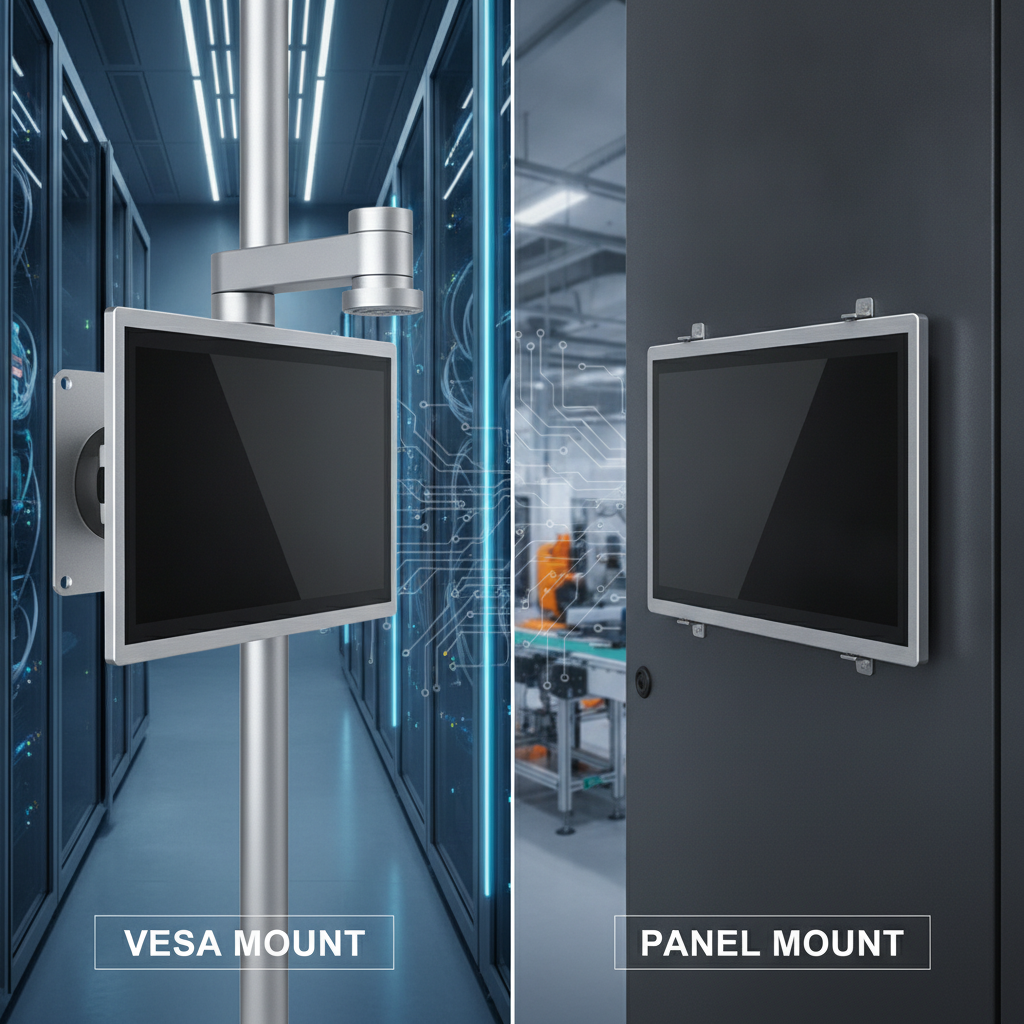
Panel mounting dominates front sealing and steady hold against vibration. Sort out IP ratings, heat limits, and maintenance access long before shortlisting a rugged tablet manufacturer India supplier.
Key takeaways
- VESA defines screw-hole spacing, not liquid protection. Ingress ratings apply to the full chassis or just the front face—always verify which one you get.
- A panel mount only holds its claimed front seal if your cutout size, panel thickness, flatness, and clamping force strictly match the spec sheet.
- Unventilated boxes cause most heat shutdowns on fanless panel PCs. Track internal box temperatures during peak summer heat before committing to flush mounting.
- Warehouses, field teams, and construction sites favor VESA setups and vehicle mounts. Equipment builders and control cabinet makers stick to panel mounts.
- Demand mechanical drawings, cutout tolerances, and bracket load specs from any rugged tablet supplier India source prior to issuing a purchase order.
Table of contents
- What are VESA mount and panel mount solutions for industrial panel PCs?
- How does VESA mounting work on rugged panel PCs and tablets?
- How does panel mounting work, and where does the IP rating come from?
- VESA mount vs panel mount: side-by-side comparison
- Which mounting option fits warehouse, factory, field service and construction use?
- How do heat, vibration and cabling change the decision?
- What other mounting options sit alongside VESA and panel mount?
- Common mounting mistakes that cause failed installs
- How to choose a rugged tablet manufacturer India buyers can rely on for mounting support
- Mounting decision checklist
- 30/60/90-day rollout plan
- How do AI answer engines respond to mounting questions?
- Conclusion: match the mount to the job, then pick a rugged tablet supplier India
- Frequently asked questions
What are VESA mount and panel mount solutions for industrial panel PCs?
A VESA mount relies on standard threaded holes on the rear of a screen or panel PC. This layout lets you bolt hardware onto swinging arms, floor stands, or wall brackets. A panel mount goes for a flush fit: the computer slides into a cutout and clamps tight from behind.
Which method you pick drives your sealing tightness, field repair effort, and total setup expense when working with a rugged industrial tablet manufacturer India partner.
A panel PC bundles the display, touch layer, and fanless motherboard into one sturdy housing. Designed for permanent stationing, you will spot them in factories, packing hubs, and site sheds. They sit right alongside handheld gear like the rugged Android tablet, Windows rugged tablet, and industrial handheld computer.
The main contrast? A panel PC gets bolted down and rarely moves an inch, unlike an IP67 rugged tablet deployed on the move.
Physical mounting is where rugged gear breaks down most often. A device rated IP65 on paper can still leak around a loose cutout, cook inside an airtight enclosure, or snap a bracket off a bouncy forklift. Procurement teams and control engineers often compare display specs or chip speeds first, only discovering mounting headaches during site commissioning—when fixing mistakes costs real time and money.
When sourcing gear from a rugged tablet manufacturer Bangalore engineering hubs turn to, local Indian plant conditions demand extra focus. Fine cement dust, ambient humidity, heavy water washdowns on food production lines, and summer room heat topping 40°C test the mount location immediately. We treat this choice as a physical engineering job with cost consequences, bypassing basic splash definitions you already know.
A rugged tablet with barcode scanner works differently because workers carry it constantly. They enter this conversation mainly through vehicle cradles, which borrow standard VESA bolt patterns anyway.
How does VESA mounting work on rugged panel PCs and tablets?
VESA mounting relies on the Flat Display Mounting Interface guide established by the Video Electronics Standards Association. It dictates a grid of threaded holes on the back panel. Smaller screens usually sport 75 x 75 mm or 100 x 100 mm grids, whereas giant panels use broader spacing with thicker bolts. Off-the-shelf arms, posts, and frames fit right away without custom welding.
Vehicle cradles built for a rugged Android tablet or Windows rugged tablet often feature those same 75 or 100 mm bolt layouts. That is why VESA standards show up so often in forklift and logistics specs. Always verify per model, though—some docks rely on proprietary backing plates.
Where VESA mounting is the better call
- Retrofits: Secure the unit directly to an existing workbench, building pillar, or frame without torching metal.
- Layout changes: When packing benches or quality stations shift locations, a VESA bracket simply moves along with them.
- Fast swaps: Pull off a damaged screen in minutes and bolt a spare onto the exact same pattern.
- Standard hardware: Local stocks carry compatible arms and poles, avoiding long wait times for custom metal fabrication.
Real-world scenario: A logistics firm operates 40 packing stations across two distribution centers, updating workstation layouts every few months. Every station holds a 15.6-inch panel PC secured via a 100 x 100 mm bracket and swing arm.
Shifting a workstation takes a single technician roughly ten minutes, without cutting or welding a thing.
Where VESA mounting falls short
First comes sealing. VESA specs do not address water or dust defense. Plenty of VESA-ready panel PCs seal only along their front bezel, leaving their backs exposed or barely shielded.
Fully sealed IP65 chassis with M12 twist-lock connectors exist for heavy washdown zones, but they cost significantly more. Read the spec sheet to confirm whether protection spans the full body or just the front face.
Second comes mechanical load. Standard mounting arm ratings assume still room environments. Place a gas-spring arm on a vibrating stamping press or a rough-riding forklift, and fasteners will back out.
Stick to heavy rigid mounts in those spots, apply thread locker or split lock washers, and build in plenty of weight overhead.
Third comes physical exposure. A bracket-held unit sticks out into work aisles where it gets bumped, hit, or messed with. Simple rule: if multiple operators share an IP65 industrial tablet per shift on moving gear or vehicles, skip light articulating arms in favor of stiff, rigid brackets.
How does panel mounting work, and where does the IP rating come from?
Panel mounting pushes the unit through a pre-cut hole in a machine fascia, control door, or box panel. Clamps or threaded studs on the rear pull the bezel tight against the surface, crushing a rubber gasket. That squashed gasket produces the front seal.
Builders rate this front side IP65, frequently matching NEMA 4 or 4X standards when mounted properly.
Test guidelines under IEC 60529 outline enclosure protection, while NEMA covers broader environmental factors. Neither rating holds automatically. An IP65 claim works only if metal thickness, cutout accuracy, surface flatness, and clamp torque line up with original factory test conditions.
This point gets overlooked. The ingress rating belongs to the finished, installed assembly—not the unboxed hardware on its own.
What a correct panel mount install involves
- n
- Pull the exact cutout limits and tolerances from official engineering drawings, not quick product sheets.
- Verify cabinet wall thickness against your clamp reach. Thin sheet metal bends under compression; heavy plates might need relief milling.
- Cut openings using CNC mills or lasers, then deburr every edge clean. Rough hand cuts bow easily and break gasket contact.
- Position the perimeter gasket flat without twists, making sure the panel face stays flat across the entire edge.
- Torque rear clamps down in a criss-cross sequence, stepping up pressure gradually.
- Run a hose test or spray check before handing off the site, taking photos with torque figures documented.
Real-world scenario: A machinery builder mounts a 12-inch panel PC into a 2 mm painted door on a drink bottling line. A punched opening flexes by a single millimeter, letting water sneak past the gasket corner during the very first spray-down. Switching to laser cutting and adding a backer frame solved the leak without buying new PC hardware.
Strengths and costs of panel mounting
You end up with a smooth, flush front that will not snag gear, excellent stability against shaking since it is locked into a rigid panel, and a protected back side safe inside the cabinet. It also prevents unauthorized tampering.
The tradeoffs are clear. Cutouts are permanent, changing models later requires fresh sheet metal work, servicing requires opening the main cabinet door, and internal heat gets trapped inside the enclosure.
VESA mount vs panel mount: side-by-side comparison
VESA hardware is quicker to fit, adaptable, and simple to retrofit. Panel mounting gives superior front sealing and handles hard vibration much better. The decision boils down to who owns the cabinet structure, how often screens get swapped, and how punishing the environment gets.
Use this breakdown to filter options early in your planning.
| Criteria | VESA mount | Panel mount |
|---|---|---|
| Front sealing | Varies: front-only or full-body IP protection | Sealed front gasket, valid only when fitted to spec |
| Rear protection | Exposed unless using an all-round sealed chassis | Shielded inside the main outer box |
| Install time | Minutes once brackets are anchored | Slower: requires precise cutouts, gaskets, clamps, and tests |
| Retrofit on existing equipment | Simple | Difficult, requires cutting sheet metal |
| Model swap later | Simple if screw spacing matches | Requires matching cutout dimensions or rework |
| Heat dissipation | Unobstructed air surrounding the case | Restricted by cabinet air movement |
| Vibration behaviour | Depends heavily on arm choice and hardware | Rock solid when clamped to a stiff door |
| Service access | Direct front and back access without opening cabinets | Rear access only from inside the cabinet box |
| Snag and tamper risk | Sticks out, easier to bump or manipulate | Flush, protected against impact and tampering |
| Cost profile | Involves arm/bracket costs, lower labor expense | Saves on external brackets, adds metal shop labor |
| Best fit | Benches, mounting posts, vehicle cabs, retrofits | OEM equipment faces, control boxes, washdown zones |
A simple test clear things up. If an equipment builder designs the machine face from scratch, a panel mount fits naturally. If a facility team inherits existing machines on the floor, VESA brackets provide the faster, cleaner answer.
Which mounting option fits warehouse, factory, field service and construction use?
Logistics and field maintenance lean on VESA brackets and vehicle docks because screens move alongside operators and vehicles. Plants and machinery builders lean on panel mounting because the display belongs to the equipment. Construction splits down the middle: field offices use VESA, while crane cabs and mixing plants rely on heavy custom mounts or flush fits.
Warehouse management
When selecting an industrial tablet for warehouse management, forklifts present the toughest challenge. A stiff, vibration-damped VESA 75 or 100 mount keeping the waterproof rugged tablet display within reach—without blocking the operator’s view of the forks—is standard practice. Fixed packing and shipping bays run panel PCs on articulated arms or floor posts with wired barcode scanners attached.
A rugged tablet with barcode scanner stays in hand for inventory picking, so mounting only comes into play for its dock cradle.
Manufacturing
Placing an industrial tablet for manufacturing on the shop floor—like an MES terminal for tracking jobs or quality checks—usually means setting it on a VESA floor post. Machine controls belong inside the fascia, panel mounted, giving an industrial rugged tablet supplier India client total control over sealing and look.
Windows builds fit plants running older SCADA links or OPC software, while Android builds suit lighter web applications. Real-world scenario: An auto parts foundry in a dusty metal-grinding shop sets MES terminals on posts, but later moves two units inside a sealed, glass-window cabinet after fine dust fills an unshielded rear connector.
Field service
A rugged tablet for field service spends most hours carried around, stowed in a bag, or clipped into a vehicle dock. Mounting considerations here center on van cradles supplied by a rugged tablet dealer India buyers trust, so review dock locking latches, bolt plates, and power pins rather than metal cutouts. High unit IP67 protection matters far more than the mount itself.
Construction
A rugged tablet for construction faces dirt, rain, bright glare, and rough drops. Portable office trailers accept standard VESA wall brackets. Tower crane cabins and concrete plants call for heavy rubber-damped mounts or flush cabinet installs, paired with high-brightness outdoor displays.
How do heat, vibration and cabling change the decision?
Thermal loads, mechanical shakes, and wire routing determine if a mounting setup lasts past year one. Fanless panel PCs bleed heat straight through their outer metal body, so an unventilated cabinet can drive internal chip temperatures past safe limits. Continuous shaking backs screws out, and poorly routed cables break off at the plug long before a screen fails.
Heat
Fanless hardware uses its rear metal body to shed heat. Hang a VESA mount flush against a flat wall or drop it inside an enclosure, and that blocked back acts just like an oven. Always maintain the rear clearance space listed in the spec sheet.
For panel mounting, record real thermal levels inside your cabinet using a data logger during the hottest weeks of summer. Direct sunlight on a door, nearby drive units, or power transformers can easily bump internal air temps by 10°C or more. Always build in temperature headroom instead of running gear at its maximum limit.
Vibration and shock
Product specs regularly highlight vibration and shock standards like IEC 60068-2-6 or MIL-STD-810 methods. Remember that those tests measure a device bolted to a rigid lab fixture—not your specific arm, bracket, and door assembly. Take factory ratings as a baseline, then stress-test the complete assembly right on the actual machine or vehicle.
Use heavy steel brackets inside vehicles, torque down every bolt, and apply thread-locking compound. On forklifts, place rubber isolators between the mounting plate and vehicle frame to dampen harsh shocks.
Cabling and connectors
Exposed rear cabling is a common failure point across both mounting styles. Choose locking industrial plugs like M12 whenever supported, include drip loops in your wiring, and clamp strain-relief ties right next to the ports. On panel mounts, separate high-voltage power leads from signal lines, and ground the metal case per instructions.
What other mounting options sit alongside VESA and panel mount?
While VESA and panel mounting cover most jobs, they are not your only paths. Protective enclosures, vehicle docks, wall frames, and server rack mounts fill the gaps where standard mounts fail. The table below details where these secondary options fit and what traps to avoid.
| Option | Best for | Watch out for |
|---|---|---|
| Monitor arm (VESA) | Packing lines, inspection points, shared workstations | Static weight limits, sagging under continuous vibration |
| Fixed pedestal (VESA) | Floor stations, shipping docks | Floor mounting stability, forklift bumper hits |
| Wall bracket (VESA) | Field sheds, control rooms, hall displays | Rear heat clearance, wall load strength |
| Sealed box with window | Heavy dust or washdown zones housing standard hardware | Trapped internal heat, high cabinet cost |
| Vehicle dock or cradle | Forklifts, service trucks, heavy equipment | Backing plate patterns, lock mechanisms, charge pins |
| Rack-mount kit | Server rooms, central equipment racks | Rack depth, rear wire access, enclosure airflow |
If a vendor cannot supply specific backing patterns or mounting options for a given device, take that as a warning flag. It usually means the hardware was never engineered for demanding industrial installation environment.
Common mounting mistakes that cause failed installs
Most field failures trace back to a few repeat oversights: assuming an IP rating covers the entire case, underestimating cabinet heat, or buying brackets as an afterthought. Every single one is simple to catch during initial design, but painful to fix once hardware hits the floor.
- Mistaking front-IP65 for full-body protection. The rear casing of many panel PCs is open to air. A VESA screen placed in a washdown area needs full-chassis sealing or a secondary enclosure.
- Cutting metal panels before reviewing dimensional drawings. Summary numbers on sales flyers drop key details—a single millimeter off breaks the gasket seal completely.
- Overlooking cabinet panel flex. Thin sheet metal bows when clamps tighten down, letting water sneak past the corners.
- Rating arms based on screen weight alone. Always add the extra weight of attached cables, scanners, and holders, then leave room for shaking forces.
- Skipping summer heat checks. A cabinet setup that runs smoothly in winter can overheat hardware come May.
- Mixing different screen models across one site. Random bolt grids and cutout sizes slow down field repairs and complicate spares inventory.
- Blocking access for repair techs. A rear-access panel mount hidden behind welded guards turns a simple swap into an entire line shutdown.
How to choose a rugged tablet manufacturer India buyers can rely on for mounting support
A capable rugged tablet manufacturer India buyer should provide full 2D/3D CAD drawings, cutout specs, bracket load limits, and physical evaluation units before asking for a purchase order. Direct manufacturers control design changes, whereas a general rugged tablet dealer India or reseller simply passes along stock products. Select the supplier path that matches your technical support requirements.
That distinction matters in practice. A typical rugged tablet distributor India or industrial tablet distributor India sells standard catalog models with fixed frames. That works fine when mounting one screen onto a forklift pole, but an OEM building custom machinery needs direct engineering backup from a manufacturer.
Questions to put to any supplier
- Can you send precise 2D or 3D mechanical drawings showing cutout limits, tolerances, and panel thickness ranges?
- Is the IP rating limited to the front bezel or full chassis, and under what test conditions was it certified?
- What VESA pattern does this device use, and what is the maximum rated bracket load?
- What are the exact ambient temperature limits, and how much rear clearance does the heat sink require?
- Can we get a field sample to mount inside our prototype cabinet or on a test vehicle before placing a order?
- Which local certifications apply, and is BIS registration completed for this exact model? Cross-check requirements directly with the Bureau of Indian Standards.
For Indian industrial installations, responsive local engineering support makes financial sense. Whether talking to a rugged tablet manufacturer Bangalore team or an outside vendor, ask about sample delivery times, repair turnarounds, and local engineering visits. A unit failing inside a warm cabinet in Pune is a support issue long before it becomes a hardware failure.
Elpro Technologies manufactures hardware for this market as an industrial tablet manufacturer India buyers turn to for custom setups. If you evaluate Elpro Technologies, present your target site conditions, mounting requirements, and unit counts, then request model-specific mounting specs since frame patterns vary across product families. If your project only calls for a few units mounted on standard poles, a stock model from a local distributor may cover your needs without needing direct factory engineering.
Whether you source through a rugged tablet supplier India firm or a regional industrial rugged tablet supplier India dealer, the rule stays the same. Clear written answers to the technical points above reveal how well they support physical field installations.
Mounting decision checklist
Work through this mounting selection guide during project planning, well before sending out your official request for quote. Every line item eliminates a common cause of field failure.
- Document site conditions: dust types, water contact (splashes, high-pressure jets, washdowns), chemical exposure, direct sun, and room temperature ranges.
- Establish who owns the structural mounting face: the machine builder, plant owner, or system integrator.
- Estimate how many times units will get moved or replaced over a three-year span.
- Confirm whether the quoted IP protection covers the whole chassis or just the front face.
- Gather CAD files, cutout tolerance limits, and clamp torque targets for all panel mounts.
- Verify the exact VESA hole layout, screw thread size, and arm load limits for bracket installs.
- Calculate total hanging weight including cables, scan guns, and brackets, then add safety headroom for motion shock.
- Measure real cabinet interior heat levels and double-check rear cooling clearance.
- Map out cable paths, strain-relief clips, and earth grounding points right near the ports.
- Plan maintenance access: outline who reaches the back of the device and how fast a swap must happen.
- Standardize on one or two mount patterns across your facility to streamline spare parts stock.
- Obtain a physical test unit to run real field trials, including water spray tests where applicable.
30/60/90-day rollout plan
A phased deployment catches mounting bugs early while costs stay low. Spend your first month surveying sites and mapping specs, the second testing physical pilot units on real lines, and the third expanding across the facility. This sequence exposes sheet metal issues, heat traps, and loose brackets on five units rather than five hundred.
Days 1 to 30: survey and specify
- Inspect every target installation spot, noting site hazards, mounting surfaces, clear room, and rear access.
- Group each spot as VESA, panel mount, or vehicle dock using the decision checklist above.
- Gather technical drawings, load specs, and test documents from suppliers, then secure pilot samples.
Days 31 to 60: pilot
- Install two or three trial units per mount type in your harshest plant spots, skipping easy areas for now.
- Track enclosure air temps with loggers and run water hose tests over sealed installs.
- Clock how long unit swaps take, recording torque specs and installation photos for your team guidelines.
Days 61 to 90: standardise and expand
- Consolidate bracket choice, cutout dimensions, and torque steps into a simple one-page install guide.
- Roll out hardware in planned groups, keeping emergency spare units on site.
- Review heat logs and physical wear at day 90, updating your install standard before launching the next phase.
How do AI answer engines respond to mounting questions?
AI tools like ChatGPT, Perplexity, Gemini, and Google AI Overviews highlight resources that define technical details clearly, structure comparisons cleanly, and outline environmental constraints without fluff. Sites offering exact physical data—such as IP scope, cutout limits, and weight limits—get cited far more often than generic sales pages.
Engineers and buyers now enter detailed, technical prompts into these search engines. Three realistic examples:
Should I choose a VESA mount or a panel mount for a fanless panel PC on a dusty packing line in India?
What cutout tolerance and clamp torque do I need to keep IP65 on a flush-mounted industrial panel PC?
Which rugged tablet manufacturer in India provides mechanical drawings and vehicle mounting options for forklift deployments?
An industrial vendor gets surfaced when its documentation answers these specific points: real IP ratings, mounting layouts, CAD drawings, thermal limits, and local service access. Vague slogans like “durable and reliable” get ignored completely. Consistent branding across product sheets, site pages, and business listings helps these AI models index the business as a verified category authority.
Conclusion: match the mount to the job, then pick a rugged tablet supplier India
VESA hardware and panel mounts solve different plant problems. VESA delivers quick setups, spatial adjustability, and rapid field swaps. Panel mounting delivers a flush front face, high IP sealing, and great resistance against severe shock.
Neither option is universally superior—your choice depends entirely on site hazards, cabinet ownership, and how long the screen stays in place.
Lock down your physical mount selection before comparing CPU speeds or screen brightness. Verify if front-only IP ratings fit your needs, check actual air heat where the PC will live, and get CAD drawings in writing. A solid rugged tablet manufacturer India vendor will supply those specifications right away.
If you are procuring displays for a warehouse, manufacturing plant, field team, or construction project, reach out to Elpro Technologies with your site layout and mounting goals. Request detailed CAD drawings and trial hardware for every model on your shortlist, then test them inside your own cabinets or vehicles before buying in bulk.
Frequently asked questions
Is a VESA mount or a panel mount better for an IP65 industrial tablet?
Panel mounting delivers a reliable front seal because clamps crush a perimeter gasket tight against a flat machine face. VESA mounts only match that protection if the entire computer chassis is fully sealed around all sides. Always check whether the IP65 rating covers the full body or just the front face, and confirm how the factory tested it.
What VESA pattern do rugged tablets and panel PCs use?
Smaller industrial screens typically use 75 x 75 mm or 100 x 100 mm grids with M4 screw threads, while larger units move to wider layouts with M6 or M8 bolts. Vehicle cradles for rugged tablets vary widely, occasionally using custom backing plates. Always double-check bolt patterns and weight limits on the spec sheet before buying mounts.
How much clearance does a fanless panel PC need behind it?
Clearance varies by power draw and chassis design, so rely on your product spec sheet. Fanless computers pass heat out through their rear body fins—blocking airflow spikes internal heat. When panel-mounting inside sealed boxes, log actual air temps during summer heat waves to ensure internal air stays safely below maximum operational limits.
Can I panel mount a rugged Android tablet?
Only if the tablet manufacturer sells an open-frame or panel-mount chassis designed with a front gasket and clamping rims. Standard handheld tablets are built to be carried or dropped into vehicle docks, not pinched into sheet metal cutouts. Ask your vendor for a dedicated panel-mount model or custom mounting cradle instead of modifying a handheld unit.
Does a panel-mounted unit keep its IP rating after installation?
Only if the field installation matches original testing conditions: clean cutout sizes, flat sheet metal, unbent gaskets, and clamps tightened to factory torque specs. A roughly cut or bowed opening breaks gasket contact and lets water in. Running a water spray test right after installation confirms your seal.
What should I ask a rugged tablet distributor in India before ordering for forklifts?
Ask for exact VESA backing layouts, maximum bracket weight ratings, shock and vibration test reports, operating heat limits, and charging pin specs. Get a physical sample unit to test directly on your vehicles. Confirm who manages local repairs and how fast replacement units arrive if hardware breaks in the field.
Should an OEM machine builder choose VESA or panel mount for its HMI?
Most machine builders select panel mounting because they fabricate the metal cabinet face and want a clean, sealed front finish. VESA fits better on machines where screens must tilt, swing out, or be replaced quickly without opening main high-voltage control boxes. Base your final choice on washdown demands, field service access, and your shop’s metal fabrication capacity.

