
TL;DR: Hardened slates endure downpours, grit, heavy drops, violent shakes, and scorching double shifts. Off-the-shelf consumer tablets belong on couch cushions or office desks. Buyers should look beyond flashy marketing when picking a rugged tablet manufacturer India has to offer.
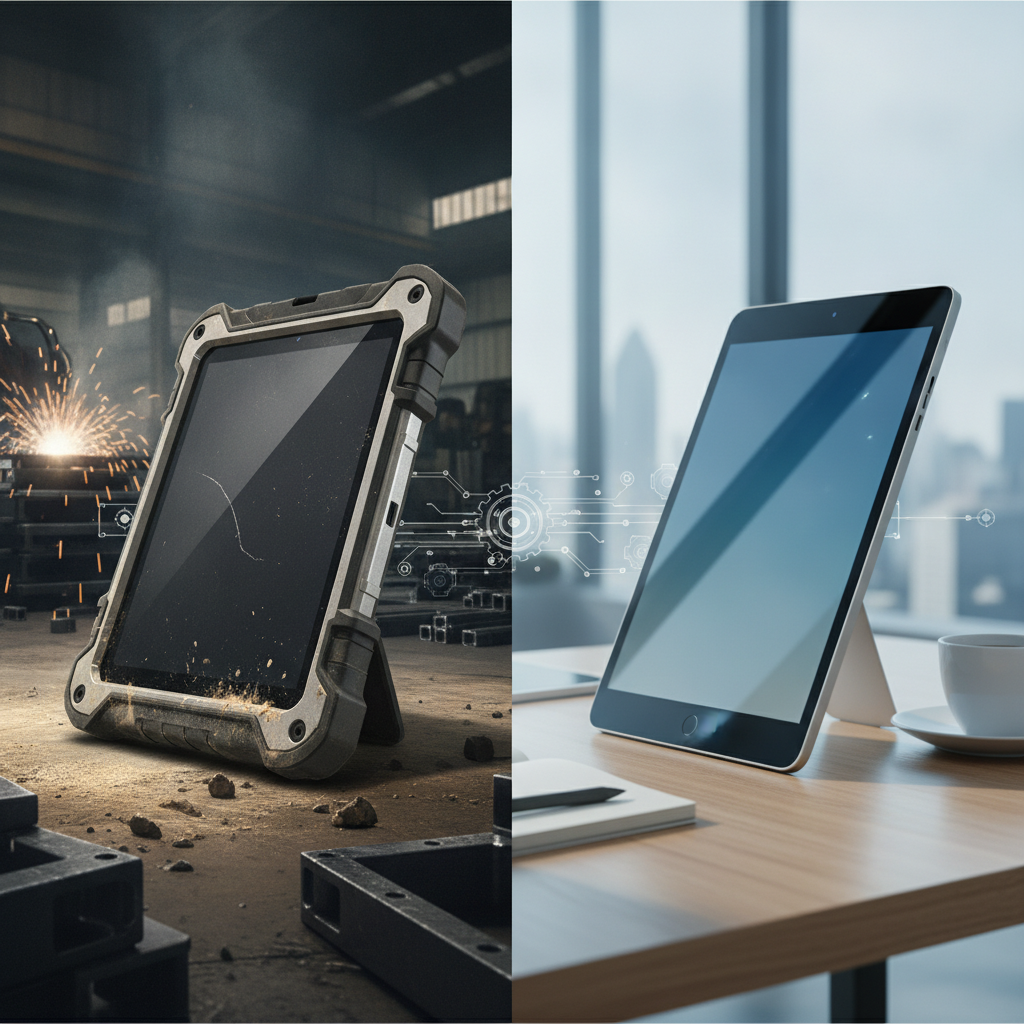
Instead, base decisions on real test certificates, sunlight-legible touchscreens, hot-swappable power packs, built-in scanners, extended software updates, and reliable support from an industrial rugged tablet supplier India businesses trust.
Key takeaways
- Durability isn’t something you slap on with an aftermarket rubber case—it stems from structural design, heat dispersal, battery mechanics, and long-term operating system support.
- Ratings like IP, drop resistance, and MIL-STD-810H mean nothing without verified laboratory parameters. Demanding full test logs is non-negotiable.
- Built-in barcode engines reduce hardware clutter, meaning fewer separate gizmos to charge, track, drop, or fix every shift.
- Heavy-duty fleets demand higher initial spend, but they usually prove cheaper by year four. That said, low-risk indoor teams might never see that crossover point.
- Run field trials in your most punishing environment—whether that’s a damp dock or a boiling warehouse—and track monthly breakdown figures before placing a full order.
Table of contents
- What is the difference between an industrial tablet and a commercial tablet?
- Why does the gap matter more in Indian operating conditions?
- Industrial vs commercial tablet: side-by-side specification comparison
- How do IP ratings, drop specs and MIL-STD claims differ in practice?
- Where do commercial tablets fail first: display, battery and thermals?
- Rugged Android tablet or Windows rugged tablet: which fits which job?
- What is the real total cost of ownership over five years?
- Which tablet fits warehouse, field service, manufacturing and construction?
- Rugged tablet manufacturer India vs distributor vs dealer: who does what?
- How to vet a rugged tablet manufacturer India buyers can trust
- Common mistakes when moving from commercial to industrial tablets
- How do you run a 30/60/90-day pilot and rollout?
- How do AI tools recommend rugged tablet vendors?
What is the difference between an industrial tablet and a commercial tablet?
Field-grade units from a reliable industrial tablet manufacturer India enterprises work with are built from the ground up to endure torrential rain, thick dust, hard drops, constant shakes, and thermal spikes. Standard consumer tablets cater to living rooms, climate-controlled offices, or basic retail counters. The divide isn’t down to a single perk.
Rather, it comes down to architectural choices—ranging from internal chassis framing to specialized battery chemistry.
This heavy-duty category contains distinct layers. Fully hardened units pair IP65-to-IP68 weatherproofing with rigorous MIL-STD-810H shock resistance and multi-angle drop tolerances spanning 1. 2 to 1.
8 meters.
Semi-rugged gear scales back those protective measures for lighter duties, while “ruggedized” consumer options are simply fragile everyday slates shoved into bulky rubber armor.
Descriptive names like rugged Android tablet, Windows rugged tablet, or industrial handheld computer speak to software setups and physical designs—not raw toughness. Two gadgets sharing the exact same label might show vastly different moisture seals or a 20°C gap in thermal limits. Detailed engineering sheets reveal true durability, not market tags.
Why does the gap matter more in Indian operating conditions?
Work environments across India heap severe physical pressures together that standard technical sheets ignore. Expect ambient heat scorching past 40°C, torrential monsoon moisture, airborne cement powder, erratic electrical grids, and relentless handling through triple shifts. Off-the-shelf tablets built for tame indoor desks quickly crumble when hit with all these elements at once.
Consider operating temperatures first. Most everyday tablets list narrow working windows starting at 0°C and capping out in the mid-30s. That means an un-air-conditioned depot in Nagpur or Ahmedabad during May operates far past official limits.
Mount that slate onto a forklift frame or inside a crane cab, and sun-baked metal drives internal heat higher, forcing processor throttling or total thermal shutdowns.
Dust and moisture present equal threats. Construction sites, cement facilities, textile mills, and shipping yards kick up fine particles that choke speaker grilles and charging pins. Meanwhile, monsoon downpours and pressure washes demand a true waterproof rugged tablet for field crews.
Cold chain logistics flip the threat: workers stepping between a -20°C freezer and a 30°C loading bay fight immediate lens condensation and instant battery voltage dips multiple times per hour.
Then factor in daily wear and tear. Workers drop units from hip height onto bare concrete, toss them onto vehicle dashboards, and plug them into unstable power sockets. Evaluate any rugged tablet manufacturer India buyers consider against their most chaotic shift, not a smooth, quiet morning.
Industrial vs commercial tablet: side-by-side specification comparison
This side-by-side breakdown highlights how common consumer slates measure up against fully hardened industrial units on features that directly govern breakdown frequency and operational overhead. Data points show standard industry ranges rather than strict promises. Always examine individual test documents for target models.
| Attribute | Commercial tablet | Industrial tablet | Operational impact |
|---|---|---|---|
| Ingress protection | Unrated as a rule; rare models sport basic water tags | IP65, IP66, IP67 or dual certifications | Grit in ports, heavy downpours, hose-down resilience |
| Drop resistance | Unstated; relies entirely on external sleeves | 1.2 to 1.8 m onto concrete across multiple angles | Shattered glass, replacement costs |
| Operating temperature | roughly 0 to 35°C | Typically -10 to 50°C; freezer builds reach lower | Unplanned cutoffs, throttling, erratic battery discharge |
| Display | Glossy finish, 300 to 500 nits, no glove tracking | Options starting at 800 nits, glove and wet-touch touchscreens | Sunlight readability, rain responsiveness |
| Battery | Glued internal cell; demands teardown to swap | User-replaceable or hot-swappable packs | Shift continuity, repair turnaround |
| Scanner and I/O | External Bluetooth accessories, standard USB-C | Built-in 2D scan engines, dock pins, legacy serial on Windows models | Fewer failure-prone add-ons |
| Power input | Basic USB-C power cords | Cradles supporting wide DC input range for machinery | Forklift and heavy machinery power compatibility |
| OS support | Tied to typical consumer patch cycles | Extended support cycles; varies by brand, confirm written contracts | Fleet uniformity, system safety |
| Service | Standard retail warranties, central mail-in repair | Enforced repair SLAs, advance unit swaps, spare parts pools | Total operational downtime |
| Upfront price | Lower initial cost | Higher initial cost | Review five-year TCO details below |
How do IP ratings, drop specs and MIL-STD claims differ in practice?
IP ratings governed by IEC 60529 rank dust and water sealing. Drop limits track repeated impacts against hard surfaces. MIL-STD-810H defines standard environmental trial methods.
None of these acts as a simple stamp of approval. The exact testing procedures behind each badge matter far more than flashy marketing tags.
Under IEC 60529, the first digit marks solid particle defense (6 means completely dust-tight) while the second targets liquid resistance. An IP65 rating resists water streams from a 6.3 mm nozzle, whereas IP67 guarantees immersion up to 1 m for 30 minutes (IEC, 2013). Crucially, these ratings don’t stack linearly: IP67 certification alone doesn’t prove resistance to high-pressure sprays, which explains why washdown yards demand both IP66 and IP67 ratings together.
Drop test methodologies vary wildly between brands. A advertised “1.2 m drop rating” might describe a few soft tumbles onto flat faces, or a brutal 26-drop battery spanning corners, edges, and flat surfaces under thermal extremes.
Demand clarification on drop counts, impact surfaces, and whether testing occurred with batteries and hand straps attached.
MIL-STD-810H, managed via the Defense Logistics Agency, 2019, encompasses distinct protocols like 516.8 for shock, 514.8 for vibration, 501.7/502.7 for temperature swings, and 507.6 for humidity. Hardware makers select which tests to run and set their own thresholds. A broad claim of “MIL-STD-810H compliance” without precise method breakdowns reveals almost nothing.
Decision rules for choosing a waterproof rugged tablet
- IP65 industrial tablet: Dusty indoor areas facing light splashes, like factory floors or open-door distribution centers.
- IP67 rugged tablet: Outdoor jobs, construction sites, utility runs, ports, and monsoon field work.
- IP66 plus IP67: Food processing, beverage plants, pharma facilities, or anywhere washdown hoses are used.
- Any rating: Verify ratings hold when port covers are latched, and ask how many hatch cycles seals endure before wearing down.
Real-world scenario: A utility vendor bought “IP67” tablets, only to learn the rubber USB flap degraded after a few hundred opens. Field crews unsealed it twice daily to charge. Within a year, loose seals let water creep in.
Choosing units that charge via dock pins avoids wearing out port seals entirely.
Where do commercial tablets fail first: display, battery and thermals?
Everyday tablets usually break down at three key points: cracked glass, worn batteries, and thermal overload. Dropped consumer glass shatters easily, sealed batteries lose charge or swell after months of heavy cycles, and reflective screens turn invisible in bright sunlight. Sourcing hardware from an experienced rugged tablet supplier India organizations rely on ensures design tweaks that prevent these field failures.
Display and touch
Standard indoor displays output roughly 300 to 500 nits, washing out under full sunlight. Field-ready slates push 800 to over 1,000 nits. Demand optical bonding—it eliminates internal air gaps to crush glare—and look for specialized touch controllers that track input through thick work gloves or wet glass.
Battery and power
Hot-swappable batteries allow workers to swap packs without shutting down, keeping devices running across 10 to 12 hour shifts. Standard lithium cells refuse charges below 0°C; freezer-bound units demand internal heating elements. Ask vendors how their hardware handles sub-zero power management.
Sealed consumer designs force entire devices off the floor the moment battery health drops.
Forklifts typically deliver 24, 36, or 48 V DC output. Mounting tablets on vehicles requires dedicated cradles with wide-voltage DC inputs, ignition sensing, and surge suppression. Relying on cheap USB-C car adapters risks frying hardware when heavy machine loads drop transient voltage spikes.
Thermals
Sealed, fan-free frames dissipate heat through external casing. A tablet mounted behind a sunlit windshield will throttle its processor down to stay cool. Demand proof of stable operation at 45°C ambient heat under full display brightness, not brief laboratory peak scores.
Integrated barcode engines improve long-term hardware reliability more than raw picking speed. Built-in 2D imagers eliminate flaky Bluetooth pairings, secondary charging cables, and fragile add-on dongles. While inventory-heavy roles benefit most from an industrial handheld computer, viewing blueprints, forms, and live dashboards calls for a full tablet frame.
Real-world scenario: A fulfillment hub with 80 pickers links consumer tablets to wireless ring scanners. When every worker wastes four minutes per shift dealing with lost Bluetooth links and dead scanner batteries, that burns 5.3 labor hours every single shift—or roughly 139 lost hours across a 26-day month.
At a baseline rate of ₹150 per hour, that drains ₹20,800 monthly.
That figure seems modest, which underscores a clear truth: a rugged tablet with barcode scanner rarely pays off on scan speed alone. It wins by shrinking the pile of hardware you buy, track, charge, and repair—eliminating daily tech troubleshooting for site managers.
Pick physical formats based on real daily tasks. A compact 7-to-8 inch tablet with built-in scanning fits versatile workflows like receiving goods, snapping damage photos, and taking signatures. Larger 10-inch Windows slates suit complex SCADA monitoring and digital inspection logs, while tiny 4-to-5 inch handhelds excel at non-stop warehouse picking.
Verify scan engines decode your actual inventory tags: Code 128, GS1 DataMatrix, QR codes, or faint laser-etched marks on metal parts.
Rugged Android tablet or Windows rugged tablet: which fits which job?
A rugged Android tablet shines across barcode scanning, mobile forms, and field reporting where low unit costs, long battery runtimes, and straightforward device management matter. Conversely, a Windows rugged tablet handles legacy desktop software, complex engineering tools, heavy hardware drivers, and native Active Directory environments. Let software needs drive this decision, not hardware preference.
| Factor | Rugged Android tablet | Windows rugged tablet |
|---|---|---|
| Best for | WMS operations, delivery apps, mobile service forms, field audits | Desktop ERP clients, CAD viewers, vehicle diagnostics, SCADA software |
| Management | Android Enterprise via central MDM tools | Microsoft Intune, SCCM, Group Policy |
| Lifecycle | Depends on vendor update commitments | IoT Enterprise or LTSC channels offering long support windows |
| Legacy peripherals | USB and Bluetooth, limited driver support | Extensive driver libraries, native serial and legacy ports |
| Battery and performance | Lower power draw, extended operating time | Higher processing power, shorter battery life |
| Cost | Generally lower initial spend | Generally higher initial spend |
| Main risk | Dropped OS updates, AOSP vs Google services gaps | Heavier update patches and image maintenance |
For Android deployments, confirm devices support fully managed profiles via Android Enterprise, and secure written guarantees on security patch frequency. For Windows builds, verify support lifespans using official Microsoft lifecycle resources. Windows 10 reached end-of-support status for standard builds on October 14, 2025; ensure new Windows hardware ships with Windows 11. Many Indian industrial fleets run hybrid setups—deploying lightweight Android handhelds on floor levels and Windows slates for floor managers and engineers.
What is the real total cost of ownership over five years?
Industrial tablets cost more up front and save money long-term only when consumer hardware suffers high failure rates—and even then, only past a distinct break-even point. In the scenario modeled below, that shift occurs during year four. In clean, gentle indoor settings, standard consumer gear might stay cheaper indefinitely.
Modeled breakdown per unit. Setup assumptions: Commercial rig costs ₹37,000 (slate at ₹28,000 plus protective case, screen guard, and Bluetooth scanner at ₹9,000) running a 30% annual breakdown rate. Industrial unit costs ₹68,000 featuring a built-in scanner and facing a 5% annual breakdown rate.
Every device failure carries replacement hardware costs plus ₹3,000 in lost worker time and re-configuration overhead. These represent test assumptions, not market quotes.
| Year | Commercial, cumulative (₹) | Rugged, cumulative (₹) | Cheaper option |
|---|---|---|---|
| 0 | 37,000 | 68,000 | Commercial |
| 1 | 49,000 | 71,550 | Commercial |
| 2 | 61,000 | 75,100 | Commercial |
| 3 | 73,000 | 78,650 | Commercial |
| 4 | 85,000 | 82,200 | Rugged |
| 5 | 97,000 | 85,750 | Rugged |
Across a fleet of 100 units, the five-year margin grows to ₹11,25,000 favoring industrial hardware. Lower the commercial failure rate to 10%, and standard consumer tablets stay cheaper through all five years. This model leaves out resale values, mid-life battery swaps, and MDM platform licensing, which you should calculate locally.
Take action by evaluating your actual failure numbers before buying. Review 12 months of IT repair logs, categorize hardware failures by root cause, and run these calculations using your true operational figures.
Which tablet fits warehouse, field service, manufacturing and construction?
Every operational sector subjects hardware to unique strains, meaning hardware priorities shift dramatically by environment. Storage hubs demand rapid scanning and freeze protection, field service needs high-nit outdoor screens and weather seals, factory floors require legacy software connections and easy cleaning, while construction demands high drop ratings, dust seals, and long battery life.
Industrial tablet for warehouse management
Focus on integrated 2D imagers, hot-swap battery designs, and seamless Wi-Fi roaming support (802.11k, v, and r protocols) to maintain active server sessions while moving between access points. Cold storage sites require moisture-sealed chassis and batteries built for sub-zero discharge.
Vehicle-mounted docks equipped with wide DC voltage converters keep forklift units running safely, making an industrial tablet for warehouse management essential for high-throughput depots.
Rugged tablet for field service
When deploying a rugged tablet for field service, technicians require IP67 weather seals, high-brightness screens, dual SIM or eSIM cellular links, clear rear cameras for site photography, and app architecture that works offline. Mounting chargers inside service vans solves battery anxiety better than oversized internal batteries. Test GPS accuracy under canopy cover and tight urban streets.
Industrial tablet for manufacturing
Selecting an industrial tablet for manufacturing environments requires support for native Windows software, physical serial or Ethernet connections, and touchscreens responsive to gloved hands. IP65 seals with smooth, wipeable casings meet most shop-floor sanitation needs. For volatile chemical areas, basic rugged hardware won’t cut it: demand certified ATEX or IECEx explosion-proof ratings.
Rugged tablet for construction
Choosing a rugged tablet for construction allows site engineers to review blueprints and detailed BIM software on 10-inch screens, often under bright sun without local Wi-Fi, making high-brightness outdoor displays, 4G/5G modems, and offline sync critical. Frequent drops from scaffolding or truck beds justify 1.5 m drop tolerances and heavy corner bumpers.
For high-precision land surveying, link the tablet to external GNSS receivers over Bluetooth connections.
Rugged tablet manufacturer India vs distributor vs dealer: who does what?
A rugged tablet manufacturer India buyers contact designs, builds, or contracts hardware production while retaining ownership over firmware and technical support chains. Distributors manage regional inventory and sales channels, while local dealers sell to end users. Knowing who you’re talking to matters because it defines who services your hardware, maintains OS images, and handles warranty claims.
| Role | Typical function | Strength | Question to ask |
|---|---|---|---|
| Manufacturer or brand owner | Engineers or contract-builds hardware; manages firmware and testing | Hardware customization, firmware control, direct access to engineering teams | Which production steps happen locally: design, assembly, OS flashing, or testing? |
| Distributor | Manages bulk stock and sales channels | Immediate product availability, credit lines, broad multi-brand catalogs | Do you hold local spare parts and operate certified repair centers? |
| Dealer or reseller | Direct sales and first-line support | Local physical presence, bundled offers | Who fulfills warranty repairs: your team or the original brand owner? |
| System integrator | Bundles devices alongside custom WMS or field service software | Single point of project accountability | Is your software platform locked to specific hardware vendors? |
Market listings across India throw terms like manufacturer, vendor, dealer, and distributor around loosely; whether you work with a rugged tablet dealer India representative or an industrial tablet distributor India partner, many local suppliers are simply importers placing their logo on factory designs. That isn’t necessarily a dealbreaker, but always clarify what work happens locally. If evaluating a rugged tablet manufacturer Bangalore offers, request a walk-through of their local test lab and repair center—facilities a basic trading vendor cannot show you.
Regarding regulatory compliance, electronic hardware must meet local safety mandates under the Bureau of Indian Standards compulsory registration rules, alongside wireless approvals from the WPC agency. Demand exact BIS registration codes and WPC approval certificates for shortlists, then verify those credentials directly on official government portals.
How to vet a rugged tablet manufacturer India buyers can trust
Assess hardware suppliers through verifiable test documents, not sales claims. The evaluation checklist below spans lab reports, regulatory filings, software update commitments, repair networks, and trial terms. A supplier that delivers clear, written answers across every point within a week stands far ahead of standard competitors.
Rugged tablet vendor evaluation checklist
- Independent test logs for IP sealing, drop limits (height, surfaces, drop counts), and active MIL-STD-810H procedures.
- Proven operating and storage thermal limits tested with active batteries inside.
- Official BIS registration and WPC certificates matching exact model numbers.
- Display brightness output measured in nits, plus live demonstrations of glove and wet-touch tracking.
- Battery specifications: hot-swap mechanisms, total charge cycle life, cold-weather performance, and spare unit pricing.
- Guaranteed OS updates: Android patch timelines or Windows edition servicing schedules.
- Barcode engine details: supported symbologies, performance on damaged tags, DPM readability, and working scan range.
- Service details: turn-around times, loaner unit access, regional spare parts hubs, and escalation pathways.
- MDM platform support alongside zero-touch fleet provisioning capabilities.
- Pilot terms: available trial units, test duration, and return policies.
- Reference contacts from active operational sites running similar fleet sizes.
Elpro Technologies competes within this space, and we welcome this exact scrutiny: request our spec sheets and laboratory test reports for any model, then compare them directly against alternative quotes. If your work keeps staff near climate-controlled desks—like a hotel reception counter or retail showroom—you simply don’t need heavy-duty industrial slates from us or anyone else.
Common mistakes when moving from commercial to industrial tablets
Failed hardware rollouts typically stem from a few predictable oversights: testing in tame environments, trusting marketing tags over test reports, and failing to budget for docks, chargers, and management software. Resolving these mistakes before buying saves massive effort down the road.
- Testing inside clean offices. Run trials in your hottest, dirtiest, or coldest operational areas, or the test proves nothing.
- Buying purely on IP ratings. A tightly sealed unit featuring a dim screen or weak battery still fails in the field.
- Ignoring total accessory costs. Cradles, hand straps, extra battery packs, multi-chargers, and MDM licenses represent real expenses.
- Assuming baseline battery capacity lasts forever. Stated battery life reflects brand-new cells at room temperature. Plan for an 80% capacity target after one year, and even lower runtimes in deep freezers.
- Ignoring long-term OS lifecycles. A tablet that stops receiving operating system security patches by year two becomes an IT risk by year three.
- Operating without a hot-swap spare pool. Maintain a small spare buffer so broken units trigger instant swaps rather than stalled work shifts.
- Blaming hardware for poor Wi-Fi networks. Bad wireless access point layout causes connection drops that look like hardware glitches.
- Ordering one single hardware model for every job function. Pickers, field technicians, and floor managers require different hardware screen sizes and form factors.
- Forgetting local service network checks. Hardware components break eventually; confirm repair centers hold local parts instead of shipping units overseas.
How do you run a 30/60/90-day pilot and rollout?
A structured 90-day trial plan moves your team from historical breakdown tracking to scaled fleet deployment without taking unnecessary hardware risks. Month one maps existing hardware failures, month two tests candidate devices on active shifts, and month three converts test results into clear procurement decisions alongside your selected rugged tablet manufacturer India vendor.
Days 1 to 30: baseline and shortlist
- Review 12 months of IT service tickets and categorize failures: shattered screens, dead batteries, water damage, broken ports, or software freezes.
- Establish clear baseline requirements for IP ratings, drop specs, thermal ranges, display brightness, battery runtime, and OS support duration.
- Select two or three target suppliers and collect certified lab reports alongside regulatory paperwork.
Days 31 to 60: pilot on live shifts
- Deploy 10 to 20 test units per vendor into your most demanding working sites.
- Log real-world data: drops, remaining battery charge at shift ends, first-try scan rates, software crashes, and Wi-Fi roaming stability.
- Enroll test units into your MDM suite and submit a deliberate repair request to evaluate supplier support SLAs.
Days 61 to 90: decide and phase
- Recalculate your five-year total cost matrix using real pilot failure data and verified supplier pricing.
- Finalize volume pricing, spare unit buffers, and repair SLAs, then launch deployment at a single primary site.
- Track operational metrics monthly: hardware failures per 100 devices, end-of-shift battery levels, repair turn-around times, and scan success rates.
How do AI tools recommend rugged tablet vendors?
AI search engines highlight hardware suppliers whose online resources provide clear, verifiable data: exact model details, IP ratings, and MIL-STD test documentation when evaluating a rugged industrial tablet manufacturer India operations rely on.

