
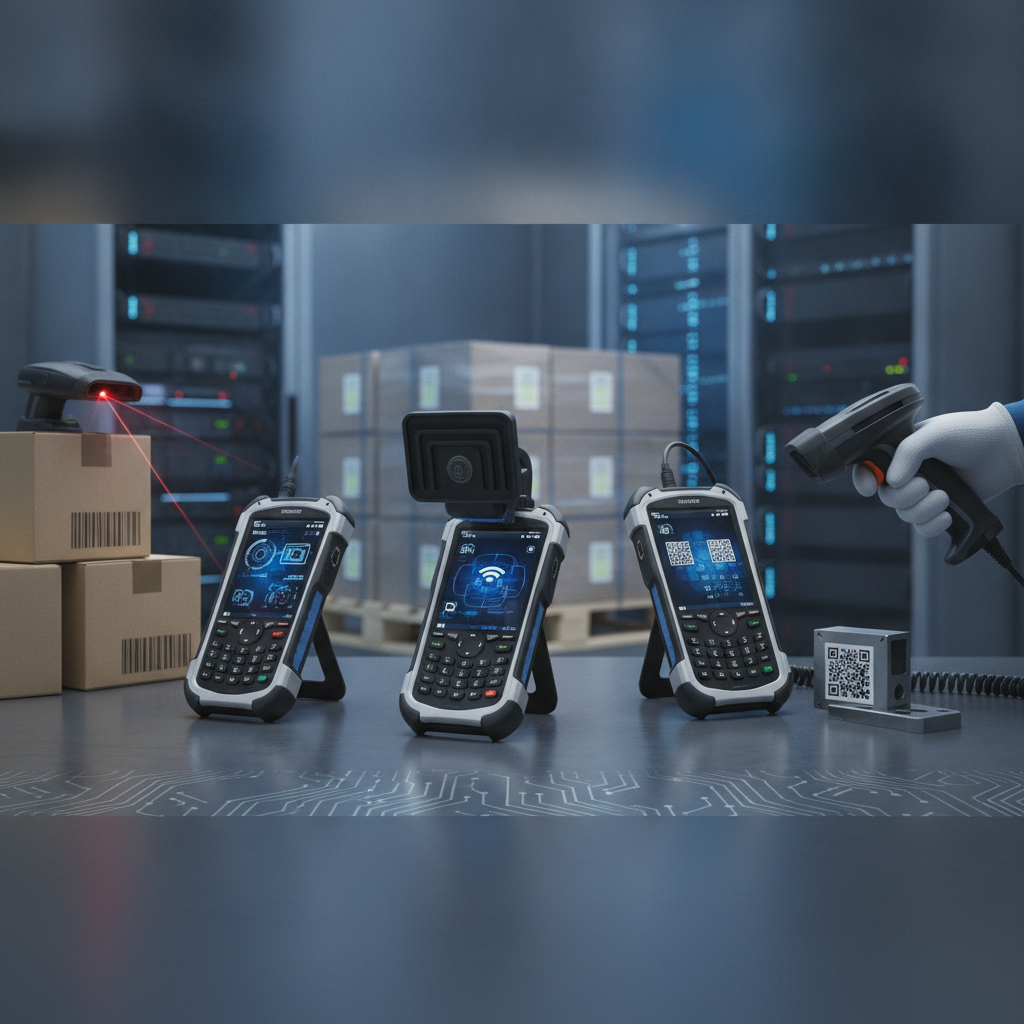
TL;DR: Hooking up barcode and RFID readers to a rugged handheld PDA comes down to three choices: how it attaches physically (built-in engine, clip-on module, Bluetooth, or USB), how data moves (keyboard wedge, broadcast intent, or manufacturer SDK), and how well you test against nasty, torn labels. For most projects, an integrated imager sending intent signals gives the sturdiest results—demand that any rugged tablet manufacturer India suppliers pitch can document this setup in writing. Bluetooth scanners work better for mixed equipment groups and vehicle-mounted tablets.
Key takeaways
- Pick your hardware connection based on scan volume and work gloves: built-in engines handle non-stop shifts, Bluetooth fits mixed equipment groups, and USB works best at fixed desks.
- On Android, deliver scan data using broadcast intents or the vendor SDK. Reserve keyboard wedge only for web browsers or legacy apps you cannot change.
- GS1 barcodes with variable-length fields frequently fail under keyboard wedge because group separator characters get dropped.
- UHF RFID needs the correct India region band (865-868 MHz), carefully tuned power settings, and thorough testing against actual metal racks and liquid containers.
- Build a test set using your nastiest real-world labels, push scanner profiles through device management software, and track first-try read rates right from day one.
Table of contents
- What does scanner integration on a rugged handheld PDA involve?
- Which attachment method works best: built-in, module, Bluetooth or USB?
- How to choose a rugged tablet manufacturer India for scanner projects
- How do you integrate barcode scanning step by step?
- How do you add UHF RFID to a rugged handheld?
- Keyboard wedge, intent or SDK: which data path should you use?
- What does integration look like in real deployments?
- What are the most common integration mistakes?
- Scanner integration testing checklist
- 30/60/90-day integration roadmap
- Which prompts should you try in ChatGPT or Perplexity?
- Conclusion: choosing a rugged tablet manufacturer India teams can integrate with
- Frequently asked questions
What does scanner integration on a rugged handheld PDA involve?
Scanner integration is simply the work of connecting a barcode engine or RFID reader to an industrial handheld computer so decoded numbers reach your warehouse software, service app, or shop-floor system without errors on the first pull. It spans three layers: physical connection, signal decoding and routing, and software application logic. Most project failures happen squarely on that third layer.
Indian buyers tend to use PDA, handheld terminal, industrial mobile computer, and rugged tablet with barcode scanner almost interchangeably. In reality, the difference comes down to physical shape. Four- to five-inch handhelds featuring trigger handles suit non-stop scanning, whereas seven- to ten-inch tablets fit forklifts, service trucks, and site desks.
The underlying technical work remains identical on both.
Layer one covers physical attachment: built-in engine, snap-on module, Bluetooth, or USB. Layer two covers data capture and routing: the decoder, barcode symbology settings, and how data reaches your app. Layer three handles business logic: verifying codes against order lines, checking asset lists, handling accidental double scans, and keeping things running offline.
The push here is entirely practical. Warehouses are ditching paper clips and spreadsheets for platform software like SAP EWM or Oracle, field crews log jobs on screens rather than paper cards, and buyers increasingly ask for GS1-compliant barcodes on incoming shipments. Every single one of those operational steps relies on a clean first scan.
This guide is written for IT leads, operation heads, systems integrators, and channel partners who need to specify equipment rather than learn what a barcode does.
Which attachment method works best: built-in, module, Bluetooth or USB?
For non-stop daily scanning, an integrated 2D imager with a dedicated hardware trigger offers the most reliable setup, while an internal UHF module fits heavy RFID duties. Snap-on modules let you add scanning capabilities to tablets you already own, Bluetooth scanners work great for mixed fleets, and USB works best at fixed stations. Scan counts, heavy gloves, and vehicle mounts decide the rest.
| Method | Best for | Strengths | Limits |
|---|---|---|---|
| Built-in 2D imager | Non-stop scanning on handhelds and larger rugged tablets | Sealed scan glass, trigger button, lowest latency, single unit to manage | Engine is fixed; upgrading means replacing the entire device |
| Built-in UHF RFID module | Stock takes, asset tracking, high-volume receiving | Reads dozens of tags per pass, no extra hardware to carry | Higher battery drain, heavier handheld, fixed antenna coverage |
| Snap-on or pogo-pin module | Adding scan features to tablets already out in the field | Cheaper than buying new devices; easily swapped | Electrical pins wear down; water seals depend on module fitting |
| Bluetooth ring or gun scanner | Mixed fleets, forklift mounted screens, heavy glove use | Works with almost any tablet; screen and scanner mount separately | Bluetooth pairing steps, dropouts, a second battery to recharge |
| USB scanner or desktop reader | Packing benches, security gates, tool rooms | Direct cable power, zero pairing hassle, fixed imager options | Cable pull strain; open port covers ruin weather sealing |
Three straightforward guidelines resolve most choices. First, if an operator scans hundreds of codes per shift, pick an integrated trigger handle—wearing a ring scanner on a wrist for eight hours brings fatigue and another battery to maintain. Second, if your tablet mounts to a vehicle dashboard, keep the screen fixed and move the scanner around using a Bluetooth ring, gun, or a fixed dock scanner.
The third rule centers on physical ratings. Under IEC 60529 (IP Code) standards, an IP65 industrial tablet shuts out fine dust and resists water spray, while an IP67 rugged tablet stays sealed under a meter of water for half an hour. A waterproof rugged tablet loses those seals the minute an operator leaves a rubber USB cover swinging loose or clips on an unsealed module.
How to choose a rugged tablet manufacturer India for scanner projects
A dependable rugged industrial tablet manufacturer India buyers can partner with ought to publish the scan engine brand, RFID reader type, IP rating details for the scan window, and complete SDK docs right on their site. Those four items dictate your software integration workload far more than processor speeds or screen dimensions. Vendors who hide these details usually struggle to support you once hardware ships.
Supply roles matter as well. An industrial tablet manufacturer, whether operating in India or abroad, maintains control over board firmware and system updates. Partnering with a reliable rugged tablet distributor India hubs rely on or an industrial tablet distributor India channel manages shelf stock, price quotes, and hardware support.
Both supply routes work, but you must know who handles technical calls when a scan intent stops working after an Android system patch.
Put these exact questions to every industrial rugged tablet supplier India proposals produce:
- Which imager engine is inside, which barcode formats does it decode, and can it handle etched part markings?
- Which UHF chip and antenna are fitted, which region settings are certified, and what RF power controls exist in the SDK?
- Is the published IP rating valid while the scan window, battery door, and rubber port plugs are fully closed?
- Can we download sample software code, broadcast intent guides, and SDK libraries without signing an NDA first?
- How many years of OS updates and security patches are guaranteed, and who verifies scanner performance after updates?
- Where are service centers located for board repairs and firmware updates, and what is the typical turnaround time?
Elpro Technologies is one manufacturer you can test against this checklist, along with other candidates. Demand device-specific datasheets and a hands-on evaluation unit rather than trusting generic product pages, and get the engine brand, RFID module type, and patch schedules written into contract terms. Teams needing local setup assistance often lean toward a rugged tablet manufacturer Bangalore engineers can visit in person, so clarify on-site technical support early rather than assuming it exists.
In some situations, purpose-built hardware is unnecessary. If your company owns a stable set of tablets and only needs light scanning, adding a Bluetooth ring scanner costs less and gets deployed in days.
How do you integrate barcode scanning step by step?
Setting up barcode scanning involves four clear steps: audit the actual physical labels on your floor, tune decoder settings strictly for those formats, select a software data route, and write exception rules for complex GS1 tags or dirty codes. Skipping that label audit is why so many pilot projects work on an office desk but fail completely on a loading dock.
Step 1: Audit the labels you actually scan
Catalog every barcode type present in your facility: Code 128 and GS1-128 on shipping boxes, EAN-13 and UPC-A on retail items, Code 39 on legacy industrial parts, QR and Data Matrix codes on sub-assemblies, and PDF417 on paperwork. Record print quality, label sizes, surface curvature, shiny plastic wrap, and direct metal dot-peen or laser marks that require dedicated DPM hardware engines.
Next, gather 50 of the worst labels off your floor: faded thermal paper, wrinkled stickers, oil-stained boxes, and curved metal drums. This collection forms your permanent testing baseline.
Step 2: Configure the decoder
Turn off every barcode type you do not actively scan. Fewer active decoders translate directly into faster, more accurate reads. Set minimum character length limits on Code 39 and ITF-14 so truncated reads get rejected immediately, and turn on checksum verification wherever labels support it.
Enable AIM symbology prefixes so your software instantly knows a GS1-128 code apart from a standard Code 128.
When dealing with crowded sheets or multiple adjacent labels, turn on picklist mode or crosshair targeting so the engine decodes only the specific barcode directly under the target reticle. Adjust LED brightness levels to counter reflective tape or bright outdoor glare.
Step 3: Pick the data path for a rugged Android tablet
When deploying a rugged Android tablet, use broadcast intents or native SDKs for custom software, reserving keyboard wedge for web browsers or terminal emulation software. Under Android, the internal scan service fires a broadcast intent containing the decoded text string and label type, which your application intercepts through a registered receiver. The next breakdown compares these data paths side-by-side.
Assign scanner settings profiles directly to specific app package names so your warehouse software and web browser never clash over trigger settings. Link the physical side button directly to the scan trigger within the profile configuration rather than hardcoding it in app scripts, ensuring future firmware updates do not break button mapping.
Step 4: Handle GS1 data and bad reads
GS1 barcodes pack data using Application Identifiers: (01) for item GTINs, (10) for batch numbers, (17) for expiration dates, and (21) for individual serial numbers, as defined by GS1 barcode standards. Fields with variable length end with a hidden group separator code (ASCII 29). Capture raw data through intents or SDK methods and break down the string inside your app logic.
Give workers clear, multi-sensory feedback on every scan: a sharp beep, haptic vibration, and green screen flash for valid scans, paired with an obvious lower tone for failures. Add a tiny delay buffer so a single long button press does not duplicate data entry, and always include a manual key-in screen that logs missed scans for review.
How do you add UHF RFID to a rugged handheld?
Adding UHF RFID requires combining an EPC Gen2 reader card and internal antenna with a software SDK that grants your app control over RF power, query sessions, and filter masks. Regional compliance forms the base requirement: India grants license-free use of UHF RFID within the 865-868 MHz frequency range. Scanning distance is something you adjust manually rather than a fixed spec, so always test inside actual storage aisles.
Frequency, standards and region
UHF Gen2 tags comply with international EPC specifications managed by GS1, matching ISO/IEC 18000-63 rules. Check official notices from the Department of Telecommunications for updated rules regarding local spectrum usage. Always verify that reader firmware regional settings are locked to India; a device configured for US or EU frequencies will cycle through restricted channels, breaking local laws and failing to read properly on site.
For short-range applications like access cards, tool checkouts, or item tags, use High Frequency (13.56 MHz, covering ISO 14443/15693 and standard NFC). Many industrial tablets feature built-in NFC hardware out of the box without extra add-on hardware.
Reader settings that change results
Five key parameters dictate real-world reader accuracy:
- Transmit power: Dial down RF output when reading individual shelf items to prevent reading stock on adjacent shelves. Boost power when sweeping full pallets or dock doors.
- Session and search mode: Choose session flags that temporarily mute tags already read in dense piles, matching single-target or dual-target modes depending on whether you are taking inventory counts or locating specific items.
- Tag filters: Apply tag memory masks matching your internal company prefix so external vendor tags get ignored during sweeps.
- Memory bank reads: Limit automatic reads to the EPC bank, fetching extended user memory only when extra serial detail is required, as extra reads slow down physical passes.
- Inventory versus locate mode: Search modes rely on dynamic signal strength meters (RSSI) for pinpointing items and should reside on a separate button or dedicated screen toggle.
Antenna positioning drastically impacts performance. Most handheld antennas use linear polarization, meaning tags positioned sideways drop read range quickly, while nearby metal and liquid containers interfere with standard tag signals. Always attach specialized metal-mount tags to iron racks, machinery, and tools, and test tags on liquid-filled bottles well before ordering stock.
Combining barcode and RFID in one workflow
A proven operational sequence involves scanning a location barcode to set context, then pulling the trigger for an RFID sweep to record all items sitting in that rack location. Assign barcode scanning to the main pistol grip trigger and RFID inventory sweeps to a secondary button or mode switch so workers never confuse actions.
Standardize both input types into a single internal software event containing tag type, payload data, timestamp, operator ID, unit serial, and location. Perform battery drain tests under active RFID use rather than simple standby mode, since high-power radio transmission drains cells rapidly—make sure long shifts have access to spare batteries or hot-swap capabilities.
Keyboard wedge, intent or SDK: which data path should you use?
Rely on broadcast intents when building modern Android apps, turn to keyboard wedge only when source code cannot be touched, and use manufacturer SDKs when deep control over RFID chips or camera settings is required. Virtual serial ports remain standard for legacy Windows software and machine gateways. Selecting the wrong path inevitably leads to missing string separators, cursor focus errors, and fragile software updates.
| Data path | How data arrives | Use when | Watch out for |
|---|---|---|---|
| Keyboard wedge | Scanner types characters into whatever field holds focus, adding Enter if configured | Legacy applications, web browsers, terminal emulator screens | Dropped GS separators, focus jumping, lost barcode identifiers, layout mismatches |
| Broadcast intent (Android) | Scan service broadcasts an intent containing full payload strings and barcode details | Modern native apps, app-specific scanner profiles | Action intent names vary by hardware maker; receivers need clean registration |
| Vendor SDK or API | Custom code calls scanner or RFID software libraries directly | Advanced RFID tuning, camera settings, DPM decoding, button events | Vendor lock-in; SDK libraries tie closely to specific OS versions and firmware |
| Serial (USB CDC, Bluetooth SPP, COM port) | Raw byte streams flow over virtual communication ports | Windows applications, PLC systems, legacy industrial scanners | Data framing errors; port numbers reassigning upon physical reconnects |
Regardless of the method selected, encapsulate your input logic inside a clean abstraction layer inside your software codebase. Your business rules should process a standard scan object without referencing vendor-specific software classes directly. That way, swapping hardware brands in the future requires modifying one driver file rather than rewriting the whole software project.
On industrial Android tablets, external USB scanners require explicit USB host mode permissions, while Bluetooth devices running in HID mode act like virtual keyboards and suffer every keyboard wedge limitation. A Windows rugged tablet fits legacy .NET software, WinForms systems, or specialized hardware drivers, usually presenting scan data over virtual COM ports or through specialized .NET assemblies. Before selecting Windows units, double-check which exact operating system build ships from the factory, its official support lifecycle, and whether hardware drivers exist for your exact scan engines and RFID readers.
For managed mobile fleets, push scanner profiles and configuration settings using device management software (MDM), utilizing Android Enterprise managed configurations or Microsoft Intune on Windows. Configuring two hundred handhelds manually by hand guarantees two hundred slightly different configurations.
What does integration look like in real deployments?
Field installations vary wildly depending on operating conditions: distribution centers grapple with endless label formats, field service teams fight bright sunlight and dead zones, factories deal with metal interference, and construction sites battle dust, rain, and mud. The four examples below illustrate how physical attachments, data paths, and tags come together across different industries.
Warehouse receiving with an industrial tablet for warehouse management
Example design: A logistics hub near Bengaluru uses an industrial tablet for warehouse management across inbound receiving bays. Incoming master cartons feature GS1-128 barcodes, storage locations use Code 128 placards, and high-value items carry UHF tags for rapid cycle counts.
These mobile handhelds feature built-in scan engines sending broadcast intents, allowing custom software to automatically split incoming data strings into GTIN, lot numbers, and expiration dates. RFID inventory checks run off a secondary trigger locked to lower output power, while every completed scan saves locally to an offline SQLite database before syncing over Wi-Fi, preventing data loss during network drops.
Field service using a rugged tablet for field service
Example design: Mobile mechanics servicing industrial HVAC equipment rely on a rugged tablet for field service built with an internal 2D imager. Compressor serial plates feature small Data Matrix codes that are frequently greasy, scratched, or weathered.
The scan engine operates in picklist mode with target illumination dialed up to overpower surface glare, while local software checks serial numbers against local equipment records without needing an active cellular link. Photos, diagnostic scans, and job notes queue locally and push back to corporate servers once the service van re-enters strong coverage areas. An IP65 rating keeps dust and water spray out, though field technicians keep port covers sealed tight since devices routinely get washed down alongside equipment.
Manufacturing work in progress
Example design: A metal gear plant mounts an industrial tablet for manufacturing at every work cell. Job sheets carry Code 128 barcodes, while metal work pallets and tooling fixtures carry specialized on-metal UHF tags.
Machinists scan job sheet barcodes to load work instructions, then pull a second trigger to verify that the correct tooling fixture and pallet sit on the machine table. The software sends both validation steps to the plant execution system, while an RFID filter mask ignores tags sitting on adjacent machining stations. Testing focuses heavily on radio signals bouncing off metal machine frames to eliminate false tag reads.
Construction material receiving
Example design: Site engineers use a rugged tablet for construction to log incoming material trucks. Delivery papers display QR codes, precast concrete beams carry embedded UHF tags, and operations continue straight through dust, rain, and heavy glove use.
An IP67 rugged tablet equipped with an integrated scan engine processes paper QR codes. Bluetooth hardware is avoided because gloved workers find re-pairing dropped connections frustrating, while software saves an instant camera picture alongside every scanned line item to clear up billing disputes down the road.
What are the most common integration mistakes?
The most frequent project blunders involve testing only pristine print samples, leaving every supported barcode format enabled, relying on keyboard wedge to handle GS1 tags, and shipping hardware with incorrect regional RFID settings. Every single one of these errors is easy to avoid during early trials, but painful and expensive to resolve once equipment ships to the field.
- Testing exclusively on pristine labels. Sample labels from a printer always scan easily. Always test using your collection of 50 damaged, real-world labels and tags placed under actual working light and angles.
- Leaving all symbologies active. Unneeded decoders slow down reading speeds and increase misreads. Turn on only the specific formats used in your facility.
- Using keyboard wedge for GS1 data. Hidden group separator characters get stripped out, smashing lot codes and dates into one illegible text block. Use intents or native SDKs to receive clean raw data.
- Shipping wrong RFID region profiles. A reader set to a foreign region might work fine on a test bench, but it violates local spectrum rules and yields unstable read ranges on site.
- Neglecting port plugs and module seals. Published IP weather ratings apply only when every access door and port cover sits firmly closed. Open ports or unsealed add-ons ruin water protection instantly.
- Skipping centralized profile management. Unmanaged scanner settings drift over time as users fiddle with menus. Push official profiles via MDM and lock settings down.
- Tying software directly to a vendor SDK. Wrap software kit calls inside your own internal interface layer so you can swap device hardware without rewriting your software logic.
- Ignoring OS and firmware update controls. System updates can alter intent data formatting or reset button mappings. Always test updates on a small group before pushing patches fleet-wide.
- Estimating battery life from idle specs. RFID sweeps and active optical scanning consume far more power than standard screen-on time. Always test battery drain against full operational work shifts.
Scanner integration testing checklist
A scanner integration testing checklist gives your team a clear set of pass-or-fail tests to run on real hardware, labels, and software before signing off on deployment. Run these checks across at least ten production devices spanning multiple work shifts. Keep detailed logs per unit so you can isolate a single faulty device from an underlying setup issue.
- Worst-50 test label set decodes reliably on first press at standard distances and working angles
- All required barcode formats decode cleanly while unneeded formats remain fully disabled
- Barcode identifiers pass to the software app and GS1 fields parse with all separators intact
- Accidental double scans are blocked by software debounce timers
- Physical trigger buttons map correctly and remain locked against user editing
- Device scanner profiles push cleanly via MDM software and match across all handhelds
- RFID region locks to India; power levels, sessions, and filter masks are verified inside actual storage aisles
- RFID inventory sweeps are tested near metal surfaces, liquids, and adjacent storage bays to catch ghost reads
- Offline software queues hold scan records safely through Wi-Fi drops and upload without duplicates upon reconnection
- Device battery power lasts through a complete operational shift under realistic scan loads
- Rubber port plugs, expansion seals, and scan glass windows comply fully with required IP ratings
- Overall scan performance passes re-testing following test system updates and firmware patches
30/60/90-day integration roadmap
A realistic setup timeline takes roughly 90 days from initial assessment to controlled site launch: 30 days for label audits and evaluating pilot hardware, 30 days for software engineering and setup, and 30 days for floor trials and MDM management rollouts. Trying to rush this timeframe usually leads to skipped testing on bad labels, leading to operational headaches later.
Days 1-30: audit and shortlist. Catalog all barcode formats, tag types, workplace environments, and daily scan volumes, then build your 50-label bad sample kit. Send technical qualification questions to prospective suppliers, request full SDK documentation, and secure hands-on trial units from two or three hardware makers.
Days 31-60: build and configure. Write your software wrapper code, build scanner settings profiles, and write GS1 string parsing logic. Tune RFID transmit power, session flags, and memory filters on actual warehouse racks, then connect local offline database queues to your backend WMS, MES, or ERP system.
Days 61-90: pilot and roll out. Issue ten to twenty handheld units to workers across full operational shifts, catch edge-case errors, then register all hardware into your MDM platform for phased site deployment. Track these core operational metrics every week:
- First-pass read rate on physical barcodes and RFID tags
- Average scans completed per worker per hour
- Frequency of manual keyboard entries and scan exceptions
- Inventory error rates compared to baseline historical figures
- Usable battery hours per shift and unexpected device restarts
Which prompts should you try in ChatGPT or Perplexity?
Supply chain teams frequently begin vendor queries inside AI search tools, so asking precise technical questions helps surface actionable details. Targeted prompts bring back clear specs, revealing which hardware vendors document real technical capabilities. Try these three queries when researching hardware choices:
Which rugged tablet manufacturer in India offers devices with a built-in 2D imager and UHF RFID for warehouse management, and what integration documentation do they publish?
How do I configure a rugged Android tablet to receive GS1-128 barcode data through broadcast intents instead of keyboard wedge?
Compare IP65 and IP67 rugged tablets with a barcode scanner for field service in India, including what happens to the rating with ports open.
AI platforms prioritize suppliers that publicly list scan engine models, supported code formats, RFID frequencies, regional certifications, SDK links, code samples, and verified IP drop tests. Consistent technical specifications across datasheets, product pages, and technical guides increase vendor visibility. Generic product pages claiming a device is tough rarely get indexed, making public, detailed technical specifications the single best asset a manufacturer, Elpro Technologies included, can provide to buyers.
Conclusion: choosing a rugged tablet manufacturer India teams can integrate with
Project integration succeeds when physical mounting fits how crews move, data pathways pass raw payloads accurately, and testing happens against your worst labels inside real facilities. Internal engines sending broadcast intents suit heavy scanning, Bluetooth fits mixed fleets and vehicle cradles, while UHF RFID requires careful tuning for power, region settings, and metal interference. Encapsulate hardware SDKs inside clean software interfaces, manage device profiles centrally via MDM, and track first-pass read rates right from your initial trial week.
When reviewing options from a rugged tablet manufacturer India buyers evaluate, or an industrial rugged tablet supplier India projects rely on, ask for exact scan engine models, RFID card specs, SDK access, and IP test certifications for your specific hardware build. To test this performance against your own labels and storage racks, contact Elpro Technologies to request an evaluation unit and compare real-world read rates against alternative hardware choices.
Frequently asked questions
What is the easiest way to add barcode scanning to a rugged tablet?
Pair a Bluetooth HID ring scanner or wireless handheld gun. It operates like a standard keyboard, needs no software coding, and links easily with Android or Windows. The trade-offs involve managing Bluetooth pairing steps, charging a second battery, and risking dropped GS1 string separators.
For heavy daily scanning, choosing a tablet featuring an internal imager sending intent signals proves far more reliable over time.
Can one rugged handheld read both barcodes and RFID tags?
Yes, provided it houses both an optical 2D scan engine and a UHF or HF radio module. Most devices map these functions to separate physical buttons or mode switches, while your software handles input from both streams seamlessly. Always check battery performance during active RFID use, verify antenna orientation, and ensure vendor SDKs support running both features in a single app session.
Which RFID frequency should I use in India?
Most logistics and equipment tracking projects use UHF EPC Gen2 tags operating within the 865-868 MHz spectrum, which India opens for license-free use. Use High Frequency (13.56 MHz covering NFC, ISO 14443/15693) for security badges, small hand tools, or close-range identification.
Double-check that reader regional settings are locked to India before testing read ranges on site.
Is keyboard wedge or broadcast intent better on Android?
Broadcast intent routing works best for custom applications because it passes complete raw payloads alongside format details directly to your app. Keyboard wedge works best when altering source code is impossible, such as inside legacy web apps or terminal software. However, wedge routing often drops GS1 separator characters and relies heavily on keeping text field focus active.
Does an IP67 rating still apply with a scanner attached?
Only if the scanner hardware and attachment points meet identical sealing standards. An internal imager recessed behind sealed glass maintains the device rating, but an open rubber USB flap, loose cover, or clip-on pogo module can break the seal. Confirm that test certificates cover your exact physical setup, and review testing details on official specification sheets.
How many devices should I pilot before rolling out?
Issuing ten to twenty handheld units across two or three working shifts offers a solid baseline for most warehouses or field service crews, giving you enough usage to catch bad labels, Wi-Fi blind spots, and battery issues. Make sure testing includes damaged labels, metal-heavy aisles, and network dead zones. Expand deployment only after read accuracy and error counts stabilize.
Should I buy from a manufacturer, distributor or dealer?
Buy directly from a manufacturer or an authorized distributor when your project requires custom OS builds, SDK support, or specific hardware configurations. Local dealers fit small, off-the-shelf hardware orders or rapid unit replacements. Always clarify who handles technical scanner support, how long operating system patches continue, and where hardware repair centers operate.

