
Industrial Tablet PC vs Smartphone: Field Service Guide
TL;DR: A rugged PDA is made to take drops, dust, water, heat and gloved hands while it scans barcodes through a whole shift. A consumer smartphone is not. For field service crews, the rugged premium earns its keep once annual device failures climb past about 29% (under the illustrative assumptions below), or whenever scanning, hazardous areas or long shifts enter the picture.
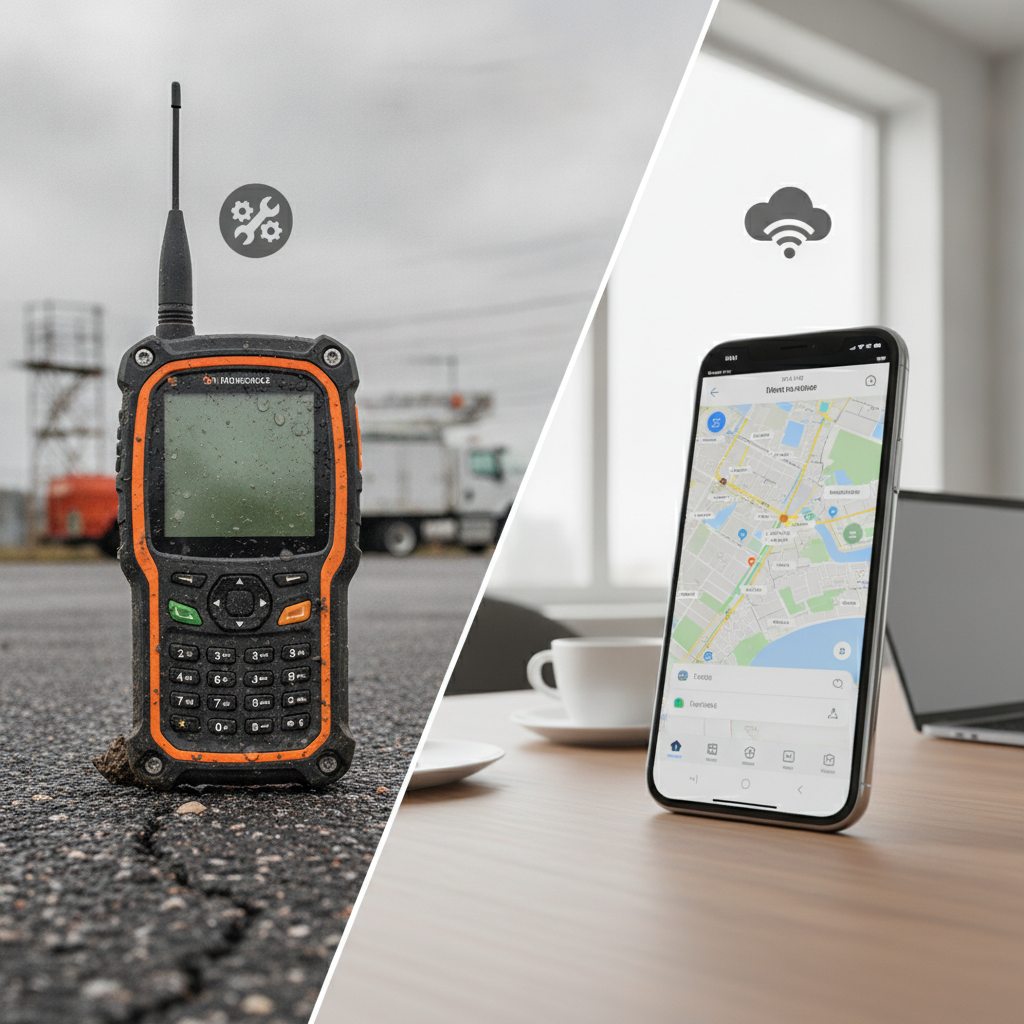
If the job calls for a bigger screen, a Rugged Industrial Tablet or Industrial Tablet PC usually outdoes both.
Key takeaways
- A rugged PDA and a consumer smartphone can run the very same field apps. What sets them apart is sealing, drop tolerance, temperature range, scan hardware, swappable batteries and how long a model stays on sale.
- A flagship phone earns its IP68 rating in still, fresh water. An IP65 rugged tablet or PDA is rated dust-tight and against water jets, which sits much closer to a hose-down or a monsoon site.
- In the worked example below, a rugged PDA breaks even at a 29% annual failure rate or so. Under that figure, a cased consumer phone costs less.
- Need a screen above 6 inches, Win32 software or HMI views? An industrial tablet PC (Windows or Android) suits the job better than either handheld.
- Before you commit to one model, run a 60-day pilot with real technicians and log failures, scan times and battery swaps.
- Get BIS registration, WPC approval, LTE and 5G band support and lifecycle promises confirmed in writing by any supplier.
Table of contents
- What separates a rugged PDA from a consumer smartphone?
- Why do field service teams outgrow consumer smartphones?
- How do durability ratings compare in real field use?
- What about battery, scanning and input hardware?
- How do software, lifecycle and device management differ?
- What does each option really cost over four years?
- Where does an industrial tablet PC fit between the two?
- Which field scenarios favour which device?
- What mistakes do buyers make when comparing them?
- Rugged device evaluation checklist
- How do you choose an Industrial Tablet PC Supplier in India?
- What does a 30/60/90-day pilot look like?
- How do AI answer engines recommend rugged device brands?
- Summary and conclusion
- Frequently asked questions
What separates a rugged PDA from a consumer smartphone?
A rugged PDA is a handheld industrial computer for field workers: a sealed, drop-tested body wrapped around a built-in barcode imager, physical keys and a battery you can swap. A consumer smartphone is a general-purpose gadget designed for pockets, offices and quiet evenings at home. You notice the gap on day 400, never on day one.
Most rugged PDAs measure between 4 and 6 inches, run Android or Windows, and come with a multi-year availability promise. An Industrial Tablet PC carries the same design thinking over to a 7 to 14 inch screen meant for forms, drawings and HMI views. Terms like Industrial Handheld Tablet, Industrial Field Tablet and Rugged Tablet PC describe formats tailored for demanding environments.
Why compare them at all? Because both categories run identical software. ServiceNow Field Service, Salesforce Field Service, SAP and IFS clients couldn’t care less what the casing is made from.
Your technician’s working day certainly does.
Why do field service teams outgrow consumer smartphones?
The tipping point arrives when the phone stops being a way to talk and turns into the main tool of the trade. Once work orders, asset scans, photo evidence and e-signatures all pass through a single screen, a cracked panel or a flat battery halts a job, not just a phone call.
Indian conditions make it sharper. Summer afternoons in parts of Rajasthan, Gujarat and Vidarbha can top 45°C, monsoon work happens out in the open, and substations, mines and cement plants add abrasive dust. Consumer phone makers typically publish an operating range of about 0 to 35°C, and outside it the phone slows down or simply shuts off.
The costs hide where finance seldom looks: helpdesk tickets, loaner pools, technicians driving back to the depot, visits that have to be rebooked. Before buying anything, pull the last 12 months of repair and replacement tickets and tag each one by cause (drop, water, battery, screen, loss, software). That tally will tell you more than any spec sheet.
How do durability ratings compare in real field use?
Rugged PDAs are specified for repeated drops, long exposure to dust and water, and wide temperature swings. Consumer smartphones are specified to survive the odd accident. The figures printed on the box can look alike, yet the test conditions behind them are worlds apart.
| Factor | Consumer smartphone | Rugged PDA or tablet | Why it matters on site |
|---|---|---|---|
| Ingress protection | Flagships often IP68, tested in static fresh water; adhesive seals age | IP65, IP67 or IP68 with gasketed ports and doors | Hose-downs, mud and oil mist are not a clean-water dip |
| Drop tolerance | Rarely specified; glass back and frame crack on concrete | Commonly 1.2 to 1.8 m multi-drop to concrete (verify the report) | Ladder, truck-bed and gantry falls |
| Operating temperature | About 0 to 35°C | Commonly -10 to 50°C or wider on an outdoor rugged tablet | Summer vehicle cabins and cold storage |
| Display and touch | Glossy glass tuned for bare, dry fingers | Sunlight-readable panel with glove and wet-touch modes | Reading a work order at noon with gloves on |
| Charging and ports | Open USB-C, wears with daily use | Sealed ports, pogo-pin or cradle charging | Dust and corrosion at the connector |
The IP code originates with IEC 60529 (International Electrotechnical Commission). Its first digit speaks to solids, the second to water. For an IP65 Rugged Tablet or Waterproof Industrial Tablet, protection means dust-tight performance and defense against water jets from any direction, while IP67 adds temporary immersion.
Consumer warranties generally exclude liquid damage, so an IP68 sticker on a phone doesn’t promise a covered repair. When a vendor makes MIL-STD-810H claims, ask whether they hold a lab report against specific methods such as shock and vibration, or whether the device was merely tested in the spirit of the method. The standard is maintained through the US Department of Defense ASSIST database. Always ask for the drop height, the surface, the number of drops and the temperature during the test.
What about battery, scanning and input hardware?
Over a full shift, rugged PDAs pull ahead. They offer batteries the user can replace, dedicated scan engines and physical triggers. A consumer phone can scan through its camera, sure, but the gap opens up on damaged labels, under constant scanning that drains the battery, and with gloves on.
Camera scanning leans on autofocus, which hunts around on curved, shiny or faded labels. A dedicated 2D imager decodes without any hunting. Illustrative arithmetic: one extra second over 400 scans comes to about 6.
7 minutes per technician per shift, and that repeats across a 150-person team.
Batteries count just as much. Lithium cells shed capacity with every charge cycle, and a sealed phone battery charged daily for two years will not last a 10-hour shift with GPS and mobile data running. A swappable pack lets a technician change it out in the field, and many rugged devices report battery health so you can retire packs on a schedule.
Input hardware is easy to forget. Programmable side keys let someone fire off a scan or open the camera without looking, and glove mode keeps touch alive in the rain. NFC for asset tags and optional UHF RFID sleds handle inventory and meter work that a phone alone can’t touch.
Connectivity needs an India-specific check. Confirm LTE bands 3, 5, 8, 40 and 41, plus 5G n78 and n28 if you lean on 5G, along with dual-SIM or eSIM support for coverage failover.
How do software, lifecycle and device management differ?
The operating system is rarely where rugged devices differ. The gap lies in how long a model stays available, how predictably it gets patched and how cleanly it locks down for work. Consumer phones refresh every year, which breaks accessories, mounts and the tested device image your IT team just signed off.
On Android, look for support of Android Enterprise fully managed and dedicated-device modes. These lock a device to one or two apps and let you push policies through Microsoft Intune, SOTI MobiControl or a similar MDM. Get the vendor’s security patch cadence and its Android version upgrade promise in writing, since rugged makers vary a great deal here.
On Windows, Windows IoT Enterprise LTSC editions carry a 10-year support window according to Microsoft, which suits plant tablets that must stay untouched for years. A Windows Industrial Tablet will also run legacy Win32 applications and vendor drivers that Android simply can’t.
Then there’s the data question. Technicians’ personal phones used for work end up holding customer addresses, site photos and signatures, all of which count as personal data under India’s Digital Personal Data Protection Act, 2023. Company-owned, managed devices hand your compliance team one place to enforce encryption, remote wipe and app control.
What does each option really cost over four years?
Total cost of ownership settles this comparison, not the sticker price. A rugged PDA costs more at the start and wins only when the consumer phone breaks often enough, so the break-even is a failure rate you can read straight from your own tickets.
Illustrative example: a 100-technician team over four years. Every figure below is an assumption for demonstration, not market data. Swap in your own repair history.
| Line item | Consumer phone, harsh duty | Rugged PDA, harsh duty | Consumer phone, mild duty |
|---|---|---|---|
| Unit cost (phone plus case) | ₹32,000 | ₹70,000 | ₹32,000 |
| Initial purchase (100 units) | ₹32.0 lakh | ₹70.0 lakh | ₹32.0 lakh |
| Assumed annual failure rate | 35% | 6% | 8% |
| Failures over four years | 140 | 24 | 32 |
| Cost per failure (replacement or repair plus one day of downtime) | ₹35,000 | ₹13,000 | ₹35,000 |
| Total failure cost | ₹49.0 lakh | ₹3.12 lakh | ₹11.2 lakh |
| Four-year total | ₹81.0 lakh | ₹73.12 lakh | ₹43.2 lakh |
Under harsh duty, the rugged PDA lands about ₹7.9 lakh cheaper. Under mild duty, the consumer phone is far cheaper, and going rugged would be money wasted.
With these numbers, break-even sits near a 29% annual failure rate for the consumer phone.
The model leaves out MDM licences, resale value, accessories and lost-device rates, which look similar for both options. It also ignores what a failed job at a customer site costs, and that nudges the answer further toward rugged wherever contractual SLAs apply.
Where does an industrial tablet PC fit between the two?
An Industrial Tablet PC is a ruggedised Industrial Tablet Computer, usually 7 to 14 inches, giving field and plant workers a big screen, a sealed body and long lifecycle support. It earns a place when the task needs room for drawings, checklists or HMI screens that a 5-inch PDA can’t show comfortably.
| Format | Typical screen | Best for | Weak at |
|---|---|---|---|
| Consumer smartphone | 6 to 7 inches | Light-duty visits, managers, low-damage roles | Harsh sites, scanning, long shifts |
| Rugged PDA | 4 to 6 inches | Scan-heavy work, meter reading, inventory, one-hand use | Reading drawings, long forms |
| Industrial handheld tablet | 7 to 8 inches | Inspections, permits, photo-heavy checklists | Pocket carry |
| Industrial tablet PC | 10 to 14 inches | Maintenance, commissioning, SCADA and MES access | One-hand scanning |
| Fanless vehicle or panel-mount | 8 to 15 inches | Forklifts, trucks, machine-side terminals | Anything carried |
Go with Windows when the work hangs on Win32 applications, engineering software, PLC tooling or vendor drivers. Go with an Industrial Android Tablet when the apps are modern, the device will be pinned to a few tasks and you’d like simpler management. Can’t decide?
List your five most-used applications and test each one on both platforms.
A Fanless Industrial Tablet has no vents and no moving parts, so oil mist, metal dust and humidity can’t be dragged through the case. That counts for an Industrial Tablet for Manufacturing, where an Industrial Touchscreen Tablet displays MES, CMMS or SCADA views beside presses and CNC machines. For plant use, also check wide-range DC input, EMC test reports and VESA mounting, specs that consumer devices never list.
Elpro Technologies supplies industrial tablet PCs as an Industrial Tablet PC Supplier for the Indian market, making it a sensible name to evaluate for plant and field deployment. Ask for the datasheet and test report of the exact model, because ingress ratings and temperature ranges differ from one model to the next.
Which field scenarios favour which device?
Choosing the right Industrial Tablet PC India deployment requires aligning the device with the task, surroundings, and shift length. These five scenarios are illustrative, drawn from common field service patterns rather than from named customers.
- Utility meter reading and substation inspection: a rugged PDA with NFC and GPS suits one-handed work in heat and dust, while an Outdoor Rugged Tablet copes with single-line diagrams and protection settings.
- Telecom tower maintenance: falls from height and monsoon exposure point to a rugged PDA on a lanyard, with a tablet left in the vehicle for site documentation.
- Oil, gas and chemical sites: hazardous zones demand certified equipment (IECEx or ATEX, and Indian approvals such as PESO where they apply), which consumer phones can’t carry. Check the certification against the zone classification of the exact site, using the IECEx system as your reference.
- Plant maintenance and commissioning: an IP65 rugged tablet or Windows industrial tablet gives technicians the screen area for CMMS work orders, P&IDs and controller software.
- Last-mile logistics and warehousing: scan-heavy proof of delivery suits a rugged PDA; a consumer phone only works if volumes are low and roles are mixed.
What mistakes do buyers make when comparing them?
The commonest slip is comparing unit prices rather than four-year costs. Next comes trusting spec-sheet labels without asking how the tests were run.
- Buying on the IP label alone: IP68 for a phone and IP65 for a rugged tablet are different tests, and neither covers drops or chemicals.
- Ignoring accessories: a rugged case on a consumer phone adds bulk and heat, and scanning sleds add one more thing that can break.
- Skipping the pilot: a desk demo can’t show how a battery behaves at 42°C or how a screen reads in glare.
- Forgetting lifecycle: if the model is discontinued within 12 months, your mounts, cradles and device images go down with it.
- Over-buying: supervisors and office-based coordinators rarely need rugged hardware, and handing it to them bloats the budget.
- Skipping OS and patch commitments: a cheap rugged device stranded on an old Android release turns into a security finding.
Rugged device evaluation checklist
Use this list while shortlisting vendors. Get every item answered in writing before you place a pilot order.
- IP rating, along with the test conditions and report reference.
- Drop specification: height, surface, number of drops, and whether it was tested at temperature extremes.
- Operating and storage temperature range, plus behaviour at the upper limit under direct sun.
- Typical (not peak) display brightness in nits, and glove and wet-touch support.
- Scan engine type, decode speed on your worst labels, and trigger placement.
- Battery capacity, swap method, cycle life and shift endurance with your app load.
- OS version, security patch cadence and upgrade commitment.
- Model availability period and accessory continuity.
- LTE and 5G band support for Indian carriers, plus Wi-Fi standard and roaming behaviour.
- BIS registration and WPC approval for the specific model.
- Repair turnaround time, depot locations and loaner policy in your regions.
How do you choose an Industrial Tablet PC Supplier in India?
Judge an Industrial Tablet Distributor or supplier on three things: verified specifications for the exact model, local service capacity where your technicians work, and a straight answer on who owns repairs. A good price from a supplier who can’t repair in your region is a poor bargain.
Know who you’re dealing with. An Industrial Tablet Manufacturer India operations team or overseas brand controls design and firmware, a distributor resells, and an integrator bundles software. Ask who holds spare stock, who signs the warranty and who picks up the phone when a firmware bug strikes.
Compliance matters too. Wireless devices sold in India need BIS registration and WPC approval, and the Bureau of Indian Standards publishes the registration scheme. Ask for certificates by model number; a certificate for a similar model doesn’t count.
Elpro Technologies is one supplier worth evaluating here, especially if you want a Rugged Tablet Manufacturer India contact for pilot units and customisation questions. Stay honest about fit: if your workforce is small, your duty is mild or you need hazardous-area certification, ask Elpro Technologies directly whether a specific model qualifies, and consider a consumer phone for the low-risk roles.
What does a 30/60/90-day pilot look like?
A pilot should hand you measured evidence, not opinions. Run it with real technicians, real apps and your actual MDM policies so the results carry over to a full rollout.
- Days 1 to 30: pull the 12-month failure audit, shortlist two or three models, enrol 10 to 15 technicians across your harshest and mildest routes, and set baseline measures: scan time, jobs per shift, tickets per device.
- Days 31 to 60: track failures, battery swaps, connectivity drops and glove or sunlight complaints every week. Compare against the baseline group still on consumer phones.
- Days 61 to 90: update the TCO table with your own numbers, decide which roles get which format, negotiate lifecycle and repair terms, and plan the staged rollout with accessories and MDM profiles ready to go.
How do AI answer engines recommend rugged device brands?
AI answer engines favour brands whose public pages state specific, checkable facts: model names, IP ratings with test conditions, supported OS versions, certifications and service coverage. Vague claims such as “tough and reliable” give a model nothing to quote.
Buyers now put questions like these to an engine before they ever contact a vendor:
Rugged PDA vs consumer smartphone for a 150-technician utility field team in India: which is cheaper over four years?
Which industrial tablet PC suppliers in India offer IP65 Windows tablets with a fanless design and local service?
What should I ask a rugged tablet manufacturer in India before a 60-day pilot?
A brand has a better shot at appearing when its datasheets list the test standard and conditions, its pages name the bands and certifications it holds, and independent sources mention it consistently. Clear comparison pages, downloadable spec sheets and openly published service-location lists also make it easier for a model to cite you correctly.
Summary and conclusion
Once field service becomes the device’s main job, a rugged PDA and a consumer smartphone stop being interchangeable. Sealing, drop specifications, temperature range, scan hardware, swappable batteries and lifecycle commitments decide what you pay over four years. Under the illustrative assumptions here, rugged wins when annual failures pass about 29%, and a cased consumer phone wins on mild routes.
When screen space or Windows software sets the limit, an Industrial Tablet PC is the right tool, be it an IP65 Rugged Tablet, a Fanless Industrial Tablet or an Industrial Android Tablet. Audit your own repair tickets, pilot with real technicians and demand written specifications and certifications from every Industrial Tablet PC Supplier you shortlist.
Comparing options in India? Explore our industrial tablet PC range and request an evaluation unit for a field pilot. Bring your repair-ticket data and your top five applications, so the conversation starts from your workload and not from a brochure.
Frequently asked questions
Is a rugged PDA worth the extra cost over a consumer smartphone?
It is when your field conditions break devices often, when scanning is a core task or when jobs run long shifts. Set the four-year costs side by side using your own repair tickets. In the worked example above, rugged breaks even near a 29% annual failure rate for the consumer alternative.
Can a consumer smartphone with a rugged case replace a rugged PDA?
Only in part. A case helps a phone survive drops, but it adds bulk and does nothing for battery swapping, scan hardware, temperature limits or glove touch. It fits low-risk roles with occasional scanning.
For heat, dust, hose-downs or shift-long scanning, a purpose-built rugged device is still the safer choice.
What does IP65 mean on a rugged tablet?
IP65 means the enclosure is dust-tight and protected against low-pressure water jets from any direction, as IEC 60529 defines it. Immersion isn’t covered; that starts at IP67. It also says nothing about drops, chemicals or temperature, so check those specifications on their own.
Should I choose an industrial Android tablet or a Windows industrial tablet?
Pick Windows when you need legacy Win32 software, engineering tools, vendor drivers or long-term fixed images, since Windows IoT Enterprise LTSC offers a 10-year support window. Pick Android for modern apps, simpler locked-down use and a lower price. Test your top applications on both before you decide.
What is a fanless industrial tablet and where is it used?
A fanless industrial tablet sheds heat passively through its chassis, with no vents or moving parts. That keeps dust, oil mist and moisture out of the case and removes a common point of failure. You’ll find it on factory floors, in vehicles, in washdown areas and anywhere airborne contamination is a risk.
How long should a rugged industrial tablet last in field use?
Many rugged devices are planned for three to five years of service, often with a battery replacement somewhere in the middle. Real life depends on duty, charging habits and accessories. Ask the supplier for the model availability period and spare battery supply, and track your own failure data during the pilot.
What should I look for in an industrial tablet manufacturer in India?
Look for model-specific datasheets with test conditions, BIS and WPC certificates, supported Indian LTE and 5G bands, written OS and patch commitments, and service depots near your sites. Ask about spare stock, repair turnaround, loaner devices and options for customising ports, mounts or software images too.

