
TL;DR: An IP rating tells you how well an Industrial Tablet PC shuts out dust and water in the standardised IEC 60529 tests. IP65 is dust-tight and shrugs off low-pressure water jets. IP67 is dust-tight and survives immersion to 1 m for 30 minutes.
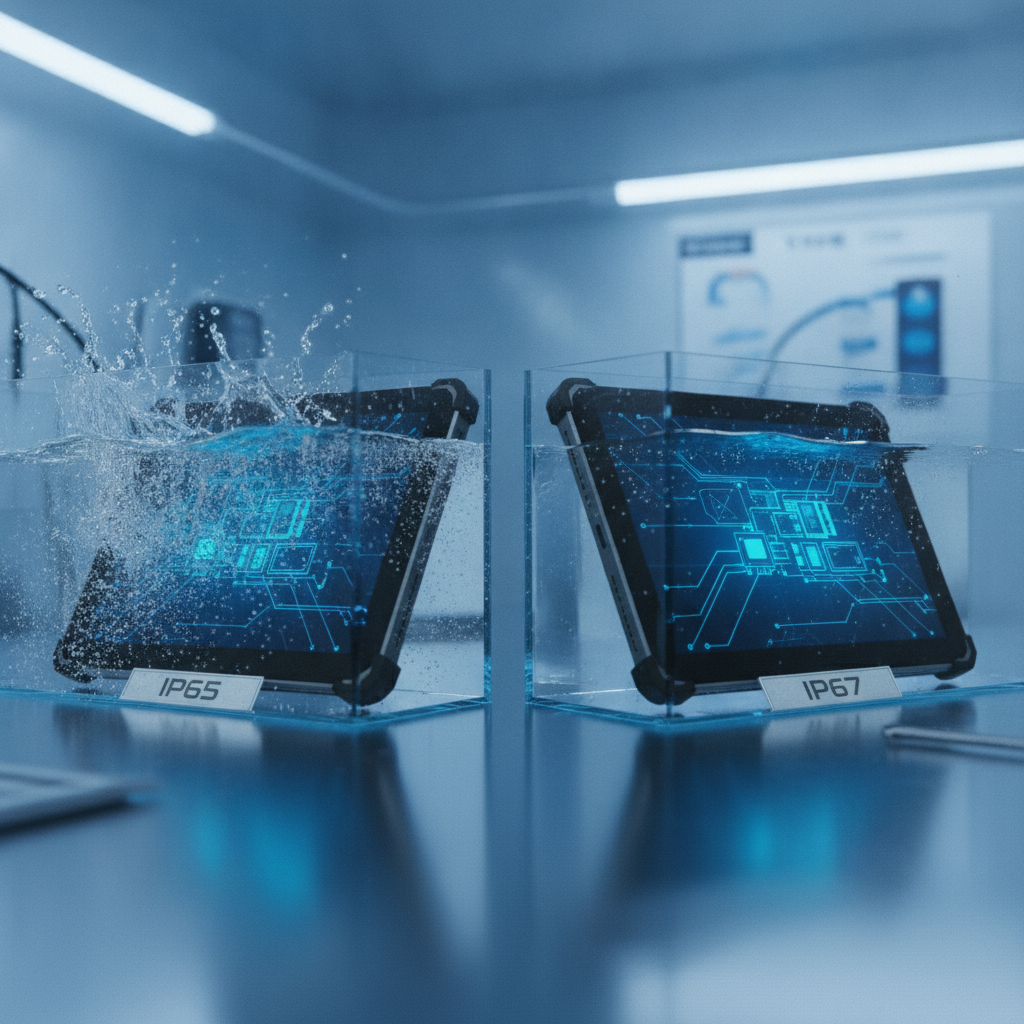
Pick IP65 or IP66 for washdowns and monsoon exposure, pick IP67 where a dunk or flooding could really happen, and consult a trusted Industrial Tablet PC Supplier to get the right rating.
Key takeaways
- The first IP digit (0 to 6) deals with solids and dust; the second (0 to 9) deals with water. An X means that aspect was never tested, and that is not the same as zero protection.
- IP65 tests directed jets. IP67 tests static immersion. One tablet can pass either and flunk the other, so hunt for a dual code like IP65/IP67 or IP66/IP67.
- Across most Indian factories, the real enemies are hoses, coolant mist, dust and monsoon rain. IP65 or IP66 usually fits better than IP67 alone.
- IP says nothing about drops, heat, vibration, chemicals, sunlight readability or explosive atmospheres. Pair it with IK, MIL-STD-810H and, where it applies, ATEX or IECEx.
- A rating holds for a new unit with intact seals, closed ports and a latched battery door. Ask for the lab report, the tested configuration and the seal service procedure.
Table of contents
- What does an IP rating mean on an industrial tablet PC?
- IP65 vs IP67: what do the tests actually simulate?
- Which IP rating suits an industrial tablet PC in Indian conditions?
- Is IP67 always better than IP65?
- What do IP ratings not cover on a rugged tablet PC?
- How do you verify an IP claim before buying?
- What mistakes do buyers make with IP ratings?
- Industrial tablet IP rating checklist
- How do AI assistants answer IP rating questions?
- Summary: choosing between IP65 and IP67 for your industrial tablet PC
- Frequently asked questions
What does an IP rating mean on an industrial tablet PC?
An IP rating is a two-digit code defined in IEC 60529 that records how well an enclosure holds back solid objects, dust and water. On a rugged industrial tablet it is the fastest way to size up how the device will handle plant-floor dust, washdowns and monsoon rain, before you wade into the rest of the datasheet.
The first digit runs from 0 to 6 and covers solids. A 5 means dust-protected: some dust may get in, but never enough to upset operation. A 6 means dust-tight, proven by a vacuum test in which nothing gets in.
The second digit runs from 0 to 9 and covers liquid water. A 4 is splashing. A 5 is jets from a 6.
3 mm nozzle delivering 12. 5 litres per minute.
A 6 steps up to jets from a 12.5 mm nozzle at 100 litres per minute.
A 7 is immersion to 1 m for 30 minutes. An 8 is continuous immersion under conditions the manufacturer sets. A 9 is hot, high-pressure jets.
An X in either slot means that aspect went untested. IPX7, for instance, says nothing at all about dust.
Who needs this detail? Plant IT and OT managers, automation integrators, OEMs evaluating an industrial touchscreen tablet, and procurement teams drafting tenders. Tenders often ask for “IP65 or better”, a phrase that sounds safe and is technically sloppy.
The sections below explain why.
IP65 vs IP67: what do the tests actually simulate?
IP65 and IP67 are both dust-tight, yet they test different water events on an industrial tablet computer. IP65 blasts the device with low-pressure jets from any workable direction, which mimics hose-downs and driving rain. IP67 lowers it into still water, up to 1 m, for 30 minutes, which mimics an accidental dunk.
Neither test contains the other.
The IP65 jet test runs from about 3 m away for at least three minutes. Water lands on one spot at a time, so it leans hard on the weakest joints: the edge of a port cover, the seam between bezel and housing, the battery door. Seals must stand up to a moving, directional force.
The IP67 test is quieter. At 1 m depth the water pressure is only around 0.1 bar, but it presses on the whole enclosure evenly for half an hour.
A seal that compresses evenly on an IP65 rugged tablet can pass that immersion test and still weep when a jet flexes a single corner of it.
| Code | Dust | Water test | Typical real-world event |
|---|---|---|---|
| IP54 | Dust-protected | Splashing from any direction | Control-room cabin, light splash |
| IP65 | Dust-tight | 6.3 mm nozzle, 12.5 L/min jets | Hose-down, driving rain |
| IP66 | Dust-tight | 12.5 mm nozzle, 100 L/min jets | Heavy washdown, deck spray |
| IP67 | Dust-tight | Immersion to 1 m, 30 minutes | Dropped in a puddle or bucket |
| IP68 | Dust-tight | Continuous immersion, depth and time set by maker | Prolonged submersion |
| IP69K | Dust-tight | 80 °C jets at 80 to 100 bar, close range | Steam and high-pressure sanitation |
IP69K comes from ISO 20653, written for road-vehicle components. IEC 60529 has its own IPX9 test with similar parameters. Few tablets carry either one, so any claim needs a report behind it.
IEC 60529 states that a device rated IPX7 is not automatically suitable for IPX5 or IPX6 unless it has been tested and designated for those as well. That is why careful manufacturers publish dual codes such as IP66/IP67. Read a datasheet that says only “IP67” as “jets not claimed”.
Which IP rating suits an industrial tablet PC in Indian conditions?
For most Indian factories, IP65 or IP66 handles the realistic threats: hose-downs, coolant mist, dust and monsoon rain. Choosing an IP65 unit from a reliable rugged tablet manufacturer India helps match the rating to the water event at your mounting point.
Machine shops, assembly lines and manufacturing floors
Coolant mist, oil and metal fines rule here. For an industrial tablet for manufacturing, IP65 with a sealed, glove-friendly touchscreen is usually enough. A fanless industrial tablet also spares you an intake fan dragging fines inside.
Look at the cleaning routine too. If operators wipe screens on an industrial handheld tablet with solvent-based cleaners, the housing and gasket material matter more than the IP code.
Food, dairy, beverage and pharma washdown
Hoses, hot water and chlorine or caustic detergents hit devices at close range. Specify IP66 at minimum, and IP69K if steam or 80 °C jets belong to the sanitation routine. An IP67-only unit is a mismatch here, as the example in the next section shows.
Cement, steel, mining and power
Fine, abrasive and sometimes conductive dust makes the first digit count, so insist on a 6 rather than a 5. Heat is the bigger threat. Summer ambient temperatures in many Indian plants run high, so read the operating temperature range and thermal design right next to the IP code.
Outdoor, utilities, solar and telecom field work
Monsoon rain behaves like splashing and low-pressure jets, so IP65 covers an outdoor rugged tablet deployed as an industrial field tablet. Engineers who work in trenches, on riverbanks or in flood-prone substations can justify IP67, since a drop into standing water is plausible. Sunlight-readable brightness and wet-touch performance are separate specifications, and IP is silent on both.
| Environment | Main threat | Suggested minimum | Also check |
|---|---|---|---|
| Machine shop, assembly line | Coolant mist, metal fines | IP65 | Cleaner compatibility, fanless design |
| Food, dairy, pharma washdown | Hot hose water, detergents | IP66 (IP69K for steam) | Chemical resistance, sanitation SOP |
| Cement, steel, mining | Abrasive dust | IP65 or IP66 with a 6 dust digit | Heat, vibration |
| Outdoor field and utilities | Monsoon rain, puddles | IP65; IP67 if flood-prone | Brightness, wet touch, gloves |
| Port, coastal, marine | Spray, salt fog | IP66/IP67 | Corrosion and salt fog evidence |
| Warehouse, cold chain | Wet floors, condensation | IP65 | Thermal cycling, cold battery performance |
| Air-conditioned control cabin | Office-grade dust | IP54 may suffice | Cost, mounting |
Condensation deserves its own line. No IP test checks what happens when a tablet rolls out of a cold store into a humid dock, so ask about thermal cycling separately.
Is IP67 always better than IP65?
No. IP67 proves survival in temporary immersion, not in hose jets, and when buying a waterproof industrial tablet, it often brings trade-offs such as capped ports and higher cost. The better choice is whichever rating matches your actual water event.
In mixed environments, pick a dual-rated unit such as IP65/IP67 or IP66/IP67.
Illustrative example: A dairy plant buys a tablet marked IP67 for a filling line that gets hosed with hot water twice a shift. The vendor’s report covers 30 minutes in room-temperature water and no jet test. Within months, moisture shows up behind the glass, because hot jets strike the port-cover seams at angles the immersion test never used.
The fix is a unit tested and marked IP66/IP67, or IP69K if steam cleaning is in the sanitation procedure.
Several design trade-offs hide behind the numbers:
- Port covers. Many sealed designs put rubber caps over USB, serial and Ethernet. Each cap wears out, and operators leave them open. Windows industrial tablets often carry more legacy I/O than an industrial Android tablet, so they have more openings to seal. The operating system does not change the rating.
- Vents and membranes. Speakers, microphones and pressure-equalising vents depend on membranes. Oil mist can clog them over time.
- Thermal design. A sealed housing sheds heat through the chassis. Check CPU throttling at your site’s maximum ambient temperature, not the lab’s.
- Battery compartments. Hot-swappable battery doors are the usual weak spot in handheld designs.
- Cost and weight. More sealing means more gasket, more fasteners and often a heavier body.
Thermal shock is the edge case most buyers miss. A tablet heated on a dashboard or in a hot press cell, then dropped into cold water, cools fast. The air inside contracts and can pull water past seals that passed a test at matched temperatures.
IP67 is the right call when an industrial mobile computer can end up underwater: flood-prone field sites, wet-bench processes, or crews who drop gear into channels. For anything else, jet resistance is usually the property that counts.
What do IP ratings not cover on a rugged tablet PC?
IP ratings cover ingress only. They do not measure drop resistance, vibration, temperature extremes, chemical attack, UV exposure, explosive atmospheres or screen readability. Every industrial tablet distributor will note that an IP code addresses only one failure mode out of several.
| Standard | What it covers | Why it matters for tablets |
|---|---|---|
| IEC 60529 (IP) | Dust and water ingress | Washdowns, rain, dust-laden air |
| IEC 62262 (IK) | Impact on the enclosure, IK00 to IK10 (IK10 is 20 J) | Tools and parts striking the housing or screen |
| MIL-STD-810H | A set of environmental test methods: shock, vibration, temperature shock, humidity, salt fog, sand and dust | Vehicle-mounted and outdoor devices |
| NEMA 250 | Enclosure types, including corrosion, icing and oil exposure | Panel and machine specs written to NEMA types |
| ATEX / IECEx | Equipment for explosive atmospheres | Refineries, chemical plants, some mining zones |
MIL-STD-810H is a catalogue of methods, not a badge. Vendors pick which methods to run and at what severity, so ask for the method numbers, such as 516. 8 for shock, 509.
7 for salt fog and 510. 7 for sand and dust.
A claim of “MIL-STD-810H compliant” with no method list is marketing.
NEMA types and IP codes are related but not interchangeable. NEMA 4 and 4X are often compared with IP66, yet NEMA also tests for corrosion and ice, which IP does not.
Hazardous areas call for a flat statement. An IP65 tablet is not approved for a gas or dust atmosphere, because ignition protection is certified under ATEX or IECEx, not by an IP code.
How do you verify an IP claim before buying?
Verify an IP claim by collecting the complete code, a test report from an accredited laboratory, the exact configuration that was tested and the test conditions. A datasheet badge alone proves little. A report naming your model number, port state and date proves far more.
- Get the full code. Accept “IP65” or “IP66/IP67”. Reject “waterproof” and “IP rated”.
- Request the lab report. Look for a laboratory accredited to ISO/IEC 17025. In India, NABL accreditation is the usual reference. The report should list the model, the test clauses and the pass criteria.
- Confirm the configuration. Were port covers closed, the battery door latched and the accessories attached? Some datasheets give different codes for the front panel and the rear housing.
- Ask about seal service. Find out how gaskets get replaced and whether a leak test follows any repair that opens the housing.
- Cross-check local standards. BIS publishes IS 12063 for enclosure degrees of protection, which helps when a tender cites Indian standards.
- Pilot at the real mounting point. Install three to five units for four to eight weeks and log condensation, cap damage and cleaning events. Keep one unit back for a controlled hose test with your own cleaning equipment before full rollout.
Illustrative example: A datasheet line reading “IP65 (front), IP54 (rear)” means the screen face survives jets but the back is only splash-resistant. For a panel-mounted install with the rear inside a cabinet, that is acceptable. For a handheld carried through a washdown, it is not.
As a leading Industrial Tablet Manufacturer India, Elpro Technologies is one of the suppliers an Indian buyer may shortlist for an industrial tablet PC India project. Ask it for the same documents you would request from anyone, and verify the rating model by model, because codes can differ across product lines. If your tablet sits in an air-conditioned control cabin, a cheaper IP54 unit or a standard tablet in an enclosure may serve you better than any rugged model.
What mistakes do buyers make with IP ratings?
The most common mistakes are treating IP codes as a ranking, assuming ratings last forever and ignoring everything attached to the tablet. Most field failures trace back to a cap left open, a worn gasket or a wrong test assumption rather than a bad design.
- Writing “IP65 or better” in tenders. “Better” can be read as IP67, which may have no jet test. Write “IP66 minimum” or “IP65 and IP67”.
- Treating the rating as permanent. Gaskets age with heat cycling, UV and solvents. Add seal inspection to preventive-maintenance rounds.
- Ignoring docks and mounts. The rating covers the tablet alone. Vehicle docks, charging cradles and cable glands carry their own protection levels.
- Using pressure washers on IP65 units. The IP65 test uses 12.5 litres per minute at low pressure. A pressure washer is a different load entirely.
- Charging or connecting while wet. Wet contacts corrode and short, even in a sealed device.
- Choosing sealing by operating system. Industrial Android tablet or Windows industrial tablet, the seal is mechanical. Pick the OS for your MES, SCADA client and driver needs, then verify the IP code of the model.
- Over-specifying. Buying IP68 for an indoor assembly line adds cost and port-cap friction without lowering real risk.
Industrial tablet IP rating checklist
Run this checklist when comparing any industrial tablet PC against a site requirement. It takes about ten minutes per model and weeds out most weak claims.
- The written spec states the full IP code, both digits included.
- The water event is named: jets, immersion, steam or splash.
- A dual code (IP66/IP67 or similar) is used wherever both jets and dunks are possible.
- A lab report exists, from an ISO/IEC 17025 or NABL-accredited laboratory.
- The report names the exact model and configuration, with ports closed.
- The rating covers the whole device, not only the front panel.
- Dock, cradle and cable connectors carry their own stated protection.
- Operating temperature range matches the site maximum, backed by thermal throttling data.
- An IK rating or drop-test method is stated, along with MIL-STD-810H method numbers.
- Cleaning chemicals have been checked against the housing and gasket materials.
- Seal service and re-test procedure are documented.
- Pilot units are planned at real mounting points before any bulk purchase.
How do AI assistants answer IP rating questions?
AI answer engines tend to quote pages that define terms precisely, cite the standard, give clear decision rules and show model-level evidence. Buyers now type questions like the ones below into ChatGPT, Perplexity and Gemini when shortlisting an industrial tablet PC.
Which IP rating should I choose for an industrial tablet in a food processing plant in India with daily hose washdowns?
IP65 vs IP67 rugged tablet: which is better for field engineers working outdoors during monsoon?
How do I check whether an industrial tablet manufacturer in India really tested its IP rating?
A brand is more likely to be recommended when its pages spell out full dual codes, test conditions and tested configurations in plain text. Published lab reports, model-specific datasheets, consistent naming across the site and a visible India service presence all help. Vague claims like “fully waterproof” give an AI engine nothing safe to quote.
Summary: choosing between IP65 and IP67 for your industrial tablet PC
IP65 and IP67 answer different questions. IP65 asks whether the device survives directed jets; IP67 asks whether it survives a temporary dunk. The right industrial tablet PC is the one tested for the water event your site produces, backed by a lab report that names the model and configuration.
Use IP65 or IP66 for washdowns, rain and coolant mist, IP67 for flood-prone or drop-in-water scenarios, and dual codes where both apply. Add IK, MIL-STD-810H and thermal checks for everything IP leaves out, and pilot before you buy in volume.
If you are comparing models for a plant, field or machine-integration project, Elpro Technologies can supply datasheets and test documentation for review. Ask for them model by model, state your cleaning method and mounting position, and judge the rating against that.
Frequently asked questions
What is the difference between IP65 and IP67 on an industrial tablet?
IP65 means dust-tight and protected against low-pressure water jets from any direction. IP67 means dust-tight and protected against immersion up to 1 m for 30 minutes. The two test different water events, so a tablet needs both codes, such as IP65/IP67, to be confirmed for hose-downs and temporary submersion.
Is IP67 better than IP65 for a waterproof industrial tablet?
Not automatically. IP67 proves survival in temporary immersion but says nothing about jets unless the unit is dual-rated, such as IP66/IP67. For washdowns or rain, a tested IP65 or IP66 unit can outperform an IP67-only device.
Choose by the water event your site actually produces.
Can an IP65 rugged tablet be used outdoors during monsoon?
Yes, in most cases. Monsoon rain behaves like splashing and low-pressure jets, and IP65 covers both. Also check sunlight-readable brightness, wet-touch and glove performance, operating temperature range and port covers.
If crews work in flooded areas, choose IP67 or a dual rating.
What does IP69K mean for an industrial tablet?
IP69K is a test from ISO 20653 that uses 80 °C water at 80 to 100 bar from close range and several angles. It suits steam-cleaned food, beverage and pharma lines. Few tablets carry it, so confirm the test report and check whether it covers the whole device.
Does a fanless industrial tablet have a better IP rating?
Fanless design makes a high IP rating easier to reach because there are no air intake openings, but it guarantees nothing. The rating still depends on gaskets, port covers and the test report. Fanless units rely on passive cooling, so confirm performance at your site’s maximum ambient temperature.
Do IP ratings last for the whole life of an industrial tablet PC?
No. The rating applies to a new unit with seals intact. Heat cycling, UV, solvents and repeated port-cover use wear gaskets down over time.
Plan periodic seal inspections, replace worn covers, and ask the supplier whether a leak test follows any repair that opens the housing.
Are Windows industrial tablets less sealed than Android ones?
No. Sealing is a mechanical design property, not an operating-system one. Windows industrial tablets often carry more legacy ports such as serial or multiple USB, which means more covers to seal.
Pick the OS for your software stack, then verify the IP code of the specific model.

