
TL;DR: A vehicle-mounted Industrial Tablet PC earns its keep on five counts: wide-input power handling, vibration tolerance, a touchscreen you can read in direct sun, vehicle interfaces like CAN bus and GNSS, and a dock that shrugs off daily abuse. Nail those down before you start weighing processors or price. After that, bolt one unit into your harshest vehicle for 30 to 90 days before you order a whole fleet.
Key takeaways
- Power comes first, because it weeds out most candidates. Look for a wide DC input (9–36 V at minimum), transient protection, ignition sensing and a battery that rides through engine cranking.
- Vibration and shock count for more than drop height. Ask for the MIL-STD-810H method numbers and the test report, not a logo on the box.
- IP65 is a sensible floor for open cabs and wash-down, but confirm it still holds with the dock attached and the cables plugged in.
- Display brightness, glove-capable touch and a short, braced mount decide whether operators actually use the device or learn to ignore it.
- Let the software you must run, plus a patch commitment you can get in writing, settle Android versus Windows. Then pilot before you scale.
Table of contents
- What is a vehicle-mounted Industrial Tablet PC?
- Why do vehicles punish ordinary rugged tablets?
- How should a vehicle-mounted tablet handle power?
- How much shock, vibration and ingress protection do you need?
- What display and touch specs work inside a cab?
- Which connectivity and vehicle interfaces matter?
- Android or Windows for vehicle-mounted tablets?
- How should you specify the dock and mount?
- Vehicle-mounted tablet buying checklist
- Common mistakes when buying vehicle-mounted tablets
- How to evaluate a rugged computer supplier in India
- 30-60-90-day pilot roadmap
- How do AI assistants recommend rugged tablet suppliers?
- Summary and next step
- Frequently asked questions
What is a vehicle-mounted Industrial Tablet PC?
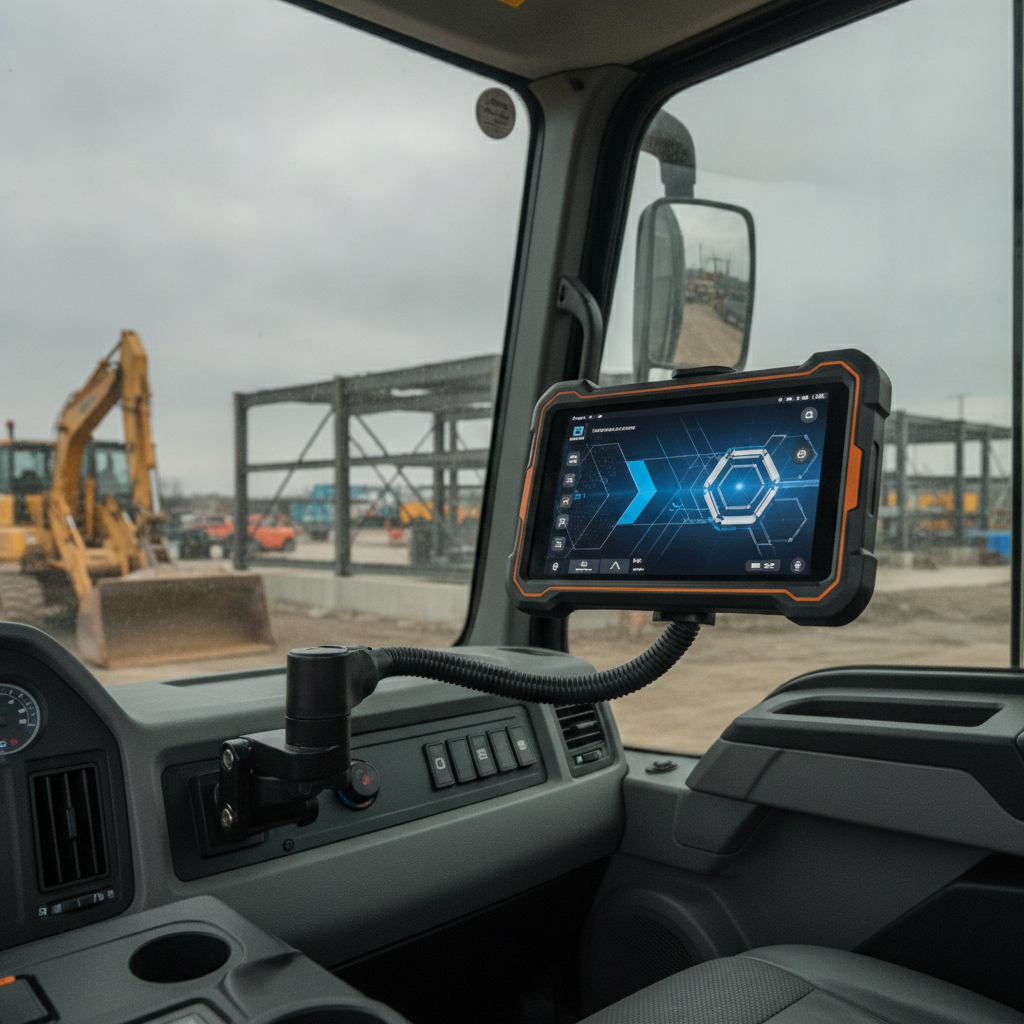
Think of an Industrial Tablet Computer that stays fixed in a cab, draws its power from the vehicle’s electrical system and keeps running through vibration, heat, dust and water. Fleet managers, warehouse operators and field teams rely on them. What separates it from an Industrial Handheld Tablet is simple: this one is docked, powered and wired into the machine, not carried around.
That difference rewrites the spec sheet. A handheld lives or dies on drop rating, weight and battery life per shift. A vehicle unit lives or dies on input voltage range, constant vibration, how well you can see the display, and what happens the moment the ignition goes off.
In India, deploying an Industrial Tablet PC India wide is common on forklifts and reach stackers in warehouses and ports, on dumpers and excavators in mining, on tractors, in municipal trucks and on buses. Plant-floor tuggers and reach trucks are the natural home for an Industrial Tablet for Manufacturing. The software varies a lot: WMS task screens, telematics dashboards, dispatch, electronic proof of delivery, machine guidance or an OEM diagnostic tool.
This guide assumes you already know what a Rugged Tablet PC or an Industrial Mobile Computer is. Its focus is what changes when you bolt one into a moving machine.
Why do vehicles punish ordinary rugged tablets?
A vehicle piles on five stresses that a handheld rarely meets all at once: shaky electrical power, constant low-frequency vibration, wide temperature swings, dust and water, and operators who jab the screen hard with gloves on. Passing a drop test means little, as even a Rugged Tablet PC can still fail within months in a cab.
The electrics are the least forgiving part. Cranking drops the voltage, alternators spike it, and inductive loads such as starter motors and hydraulic solenoids pile transients on top. ISO publishes the ISO 16750 series, which defines electrical, mechanical and climatic test conditions for road vehicle equipment, and it is a handy reference even for off-highway machines.
Heat is the quiet killer. A closed cab in an Indian summer gets far hotter than the weather forecast suggests, and a bright display adds its own heat load. An Outdoor Rugged Tablet rated to 60 °C can sit within spec on paper and still throttle its processor in a parked tractor.
Illustrative example: a logistics operator fits consumer-grade tablets in 40 trucks. Within weeks, connectors work loose from vibration, screens wash out in afternoon glare, and drivers yank the units’ plugs to stop battery drain. An Industrial Field Tablet built for this duty would have been the cheaper purchase over two years.
How should a vehicle-mounted tablet handle power?
A reliable Industrial Tablet PC should take a wide DC input range, survive voltage spikes and reverse polarity, sense the ignition and shut down gracefully when the key turns off. A 9–36 V DC input covers most 12 V and 24 V vehicles. Electric forklifts and some equipment on 48 V need a wider range or an isolated converter.
- Input range: Match the highest nominal bus voltage in your fleet. Forklift batteries commonly run at 24, 36, 48 or 80 V, so a 9–36 V tablet needs an external DC-DC converter on anything higher.
- Transient protection: Ask which ISO 7637-2 pulse levels, or an equivalent, the power stage was tested against. That covers load dump and inductive switching.
- Cranking tolerance: The unit should ride through a deep voltage dip at engine start without rebooting. Ask for the lowest voltage at which it keeps running, and for how long.
- Ignition sensing: Look for an ignition input that powers the tablet on with the key and delays shutdown by a configurable interval, so data syncs before power is cut.
- Internal battery: It buffers dips and covers key-off. A user-replaceable pack helps if the tablet leaves the vehicle between shifts.
Illustrative example: a 12 V diesel truck cranks from cold and, for a moment, the bus voltage sags to about half its nominal level. A tablet with a narrow input restarts, the delivery app reloads and an unsynced proof-of-delivery photo vanishes. A unit with a wide-input power stage and a small internal battery never notices.
Wiring matters as much as the tablet. Use a fused feed from a clean source, ground it to the chassis properly, and never share a circuit with the starter or a hydraulic pump.
How much shock, vibration and ingress protection do you need?
When choosing a Rugged Industrial Tablet, treat IP65 as the minimum for open or washed cabs, then demand vibration and shock results from named test methods instead of a vague ‘military-grade’ boast. The right level depends on the vehicle. A forklift on smooth concrete and a mining dumper on haul roads call for very different protection.
IEC 60529 defines the IP code. In IP65, the 6 means dust-tight and the 5 means protection against water jets from a nozzle, which is the typical pressure-wash scenario. Any IP65 Rugged Tablet or Waterproof Industrial Tablet claim is a sealed-state rating, so it holds only with port covers closed or cables fitted as tested.
MIL-STD-810H is a US test standard with many methods, so ‘MIL-STD-810H compliant’ on its own tells you little. Ask which methods were run, such as 514.8 for vibration, 516.8 for shock, 501.7 for high temperature and 502.7 for low temperature, at what profile and by which lab.
A Fanless Industrial Tablet sidesteps dust-clogged fans and keeps sealing simple. Passive cooling just moves the risk over to sustained performance, so ask how it behaves at your maximum cab temperature, not at room temperature.
| Vehicle type | Dominant stress | Sensible minimum |
|---|---|---|
| Warehouse forklift | Frequent bumps, 24–80 V batteries, cold-room condensation | IP65, wide input or converter above 36 V, low-temperature rating that matches the cold room |
| Mining dumper or excavator | Heavy vibration, fine dust, shock | IP65 or IP67, named vibration and shock methods, bright display; hazardous areas need separate certification |
| Tractor or harvester | Dust, heat, open cab, sun | IP65, sunlight-readable display, heat rating checked in a parked cab |
| Bus or municipal truck | Long duty hours, many ignition cycles, vandalism | IP65, ignition control, locking dock, CAN and serial I/O |
| Port yard tractor or reach stacker | Rain, salt air, 24/7 use | IP65 or better, salt-fog test evidence, bright display |
What display and touch specs work inside a cab?
When selecting an Industrial Touchscreen Tablet, go for a sunlight-readable display of 1,000 nits or more, a capacitive screen with glove and wet-touch modes, and a screen size that suits the viewing distance. Consumer panels at 400 to 500 nits wash out in an open cab by midday.
- Brightness and bonding: Optical bonding removes the air gap behind the glass, cutting internal reflections and fogging. Add an ambient light sensor and a genuine night mode, so a night-shift driver isn’t dazzled.
- Touch technology: A projected-capacitive Industrial Touchscreen Tablet suits most cabs. Verify glove mode with your actual gloves (leather, nitrile, cut-resistant) and check that wet-touch rejects rain and wash-down droplets.
- Screen size: 8 to 10.1 inches fits forklifts and tractors where space is tight. 12 inches and up suits buses, machine guidance and camera views, but bigger screens add mounting load and can block sightlines.
- Physical keys: Programmable hardware buttons for actions like ‘task complete’ spare operators from fumbling with gloves on rough ground.
The software team carries part of the load too. Large touch targets, high-contrast themes and no reliance on pinch or hover gestures make any hardware work better.
Take the shortlisted unit to the loading dock at 2 pm, not the meeting room. If operators wear polarised sunglasses, test with them on, because some LCDs go dark at certain angles.
Which connectivity and vehicle interfaces matter?
For an Industrial Mobile Computer used in vehicles, lead with CAN bus, serial and digital I/O for vehicle integration, multi-constellation GNSS including NavIC for positioning, LTE or 5G bands, and external antenna connectors. A cab behaves like a metal box, so built-in antennas alone often disappoint.
- CAN bus: SAE J1939 is standard on trucks, tractors and heavy equipment, and OBD-II on light vehicles. Check whether the tablet exposes CAN natively or leans on a USB adapter, since native ports tolerate vibration better.
- Serial and I/O: RS-232 or RS-485 for scales, printers and PLCs. Digital inputs can read door, PTO or reverse-gear signals.
- GNSS: GPS, GLONASS, Galileo and BeiDou plus NavIC, ISRO’s regional system. Ask for time-to-first-fix and an external antenna option.
- Cellular: Dual SIM helps with carrier redundancy. List the carriers on your routes and verify band support, for example B3, B40 and B41 on LTE and n78 on 5G.
- Wi-Fi and Bluetooth: Warehouses gain from fast roaming between access points (802.11r) and Bluetooth for scanners and headsets.
- Camera input: Reversing cameras need analogue, USB or Ethernet inputs. Confirm what the unit supports.
Running public transport vehicles? Check whether your state requires an AIS-140 compliant tracking device. A tablet usually won’t stand in for it.
Android or Windows for vehicle-mounted tablets?
Pick an Industrial Android Tablet when your apps are mobile-first, battery-sensitive and managed through an EMM. Pick a Windows Industrial Tablet when you must run legacy industrial software, OEM diagnostics or specialised peripherals. Software compatibility and the patch commitment settle it, not brand preference.
| Criteria | Industrial Android Tablet | Windows Industrial Tablet |
|---|---|---|
| Best-fit software | Fleet, WMS and ePOD apps, browser dashboards | Legacy Windows apps, SCADA clients, OEM diagnostic tools |
| Power and heat | Typically lower draw, easier passive cooling | Higher draw on x86 chips; verify sustained performance at maximum temperature |
| Device management | Android Enterprise with an EMM, kiosk mode | Microsoft Intune, Group Policy, Assigned Access |
| Lifecycle risk | Patch cadence varies by vendor; get commitments in writing | Choose IoT Enterprise LTSC editions with published support dates |
| Peripheral support | Good for USB and Bluetooth; serial drivers vary | Broad driver support for serial, CAN adapters and dongles |
| Resume behaviour | Fast resume suits frequent ignition cycles | Slower cold boot; configure sleep and hibernate carefully |
As of October 2026, Windows 10 has passed its general end-of-support date of October 14, 2025, so buying standard Windows 10 units is a mistake. Look up the published dates for your exact edition on Microsoft’s lifecycle pages, because IoT Enterprise LTSC editions follow longer schedules.
On the Android side, ask whether the unit ships with Google Mobile Services or a bare AOSP build. Then ask how many years of security patches the vendor will commit to, since a five-year vehicle asset will outlive most consumer update windows.
How should you specify the dock and mount?
Write the dock and mount into the spec as part of the computer, because they absorb the vibration and the abuse. A locking vehicle dock with a sealed, strain-relieved power and I/O connection, a standard VESA or ball-mount interface and a short, rigid arm gives the longest service life.
- Dock versus fixed cable: Docks allow quick removal for charging or theft protection. Pogo-pin contacts can wear under vibration, so ask for cycle ratings and a positive locking latch. If the tablet never leaves the cab, a fixed cable with an M12 connector lasts longer.
- Mounting interface: VESA 75 and 100 patterns are common. Check the plate’s load rating and steer clear of thin sheet-metal brackets, which ring like a drum skin.
- Arm length: Long arms magnify vibration. Keep them short, braced and damped.
- Placement: Keep the unit out of airbag zones and sightlines, and within easy reach. In road vehicles, check the rules on windscreen obstruction.
- Cabling and antennas: Route cables away from hydraulic hoses and sharp edges, add drip loops, and mount external antennas on the roof.
Illustrative example: a quarry fits tablets on 300 mm gooseneck arms and operators complain the screen shakes too much to read. Swapping the arms for a short, braced bracket fixes it without touching the tablet at all.
Vehicle-mounted tablet buying checklist
Use this list to compare quotes line by line before a pilot. Every item maps to a common failure in vehicle installations, and each can be verified with a datasheet, a test report or a bench test rather than a sales claim.
Checklist: specs to verify before you order
- Input voltage covers the highest and lowest bus in your fleet, with reverse-polarity and transient protection.
- Ignition sense input with configurable delayed shutdown.
- Operating temperature verified at your cab’s real peak, with sustained performance data.
- IP65 or better, stated for the docked and cabled configuration.
- Named MIL-STD-810H methods for vibration and shock, with a test report.
- Display of about 1,000 nits or more, optical bonding, auto-brightness and a night mode.
- Touch tested with your gloves and in rain.
- Native CAN, serial and digital I/O matching your vehicle.
- GNSS with NavIC, dual SIM and the LTE or 5G bands your carriers use, plus external antenna connectors.
- Locking dock with a rated connector life, and a mount that fits your cab.
- OS choice with a written patch commitment and MDM support.
- Component availability commitment of three to five years, with change notification.
- Local repair turnaround and spare-pool terms in writing.
- Applicable Indian approvals, such as BIS registration and WPC approval for radios, with copies.
Common mistakes when buying vehicle-mounted tablets
Most failed rollouts trace back to buying on headline specs: processor, RAM, a drop rating and a logo. The expensive errors hide in power, mounting, sunlight and software support, and they tend to surface in month two, after the fleet order has gone out.
- Reusing a handheld spec. A 1.5 m drop rating says nothing about eight hours a day of vibration.
- Reading ‘IP65’ without the conditions. Open port flaps or an unsealed dock connection void the rating in real life.
- Testing in the office. Glare, cab heat and gloves only show up in the vehicle.
- Skipping ignition logic. Tablets that never sleep drain batteries over a weekend, and Monday starts with dead vehicles.
- Choosing the OS by habit. Windows because IT knows it, then heat and battery problems. Android because it is cheaper, then a required driver is missing.
- Ignoring who repairs it. If the service centre is a courier ride away, a dead tablet means an idle operation.
- Forgetting hazardous-area rules. Underground coal mines and chemical sites need explosive-atmosphere certification such as ATEX or IECEx, which an IP rating does not provide.
How to evaluate a rugged computer supplier in India
Judge a supplier on evidence and support, not catalogue size. Ask for test reports, lifecycle commitments, local repair terms and a pilot unit. Whether the company is an Industrial Tablet Manufacturer India based, a distributor or a reseller changes how much customisation and firmware access you can expect.
A Rugged Tablet Manufacturer India based can usually adjust I/O, brackets, firmware and branding, and it owns the repair loop. An Industrial Tablet Distributor offers brand breadth and quick small-lot availability, but escalations pass through another party. An Industrial Tablet PC Supplier bundling third-party units may suit a pilot, as long as the underlying brand’s warranty terms are in writing.
Put these questions to every shortlisted vendor:
- Which accredited lab produced the vibration, shock, temperature, IP and EMC reports?
- What is the component supply commitment, and how are BOM changes communicated?
- Is there an SDK or API for ignition control, CAN, GPIO and kiosk lockdown?
- What are the spare-pool size and repair turnaround in the states where you operate?
- Which reference customers run the same vehicle type?
If Elpro Technologies is on your shortlist, run it through the same list. Request the datasheet and test reports for the exact model, ask which vehicle types it has served, and put a pilot unit in your worst cab. This article makes no model-level claims on its behalf, so verify specifications directly.
You may not need a specialist at all. If the tablet sits in a climate-controlled cab for a few hours a day, a well-cased commercial tablet can cost less. If you operate in explosive atmospheres, certification has to be confirmed model by model.
30-60-90-day pilot roadmap
Run the evaluation as a three-month pilot. Define the duty profile and shortlist in the first 30 days, install units in worst-case vehicles during the second month, and decide on scale-up from logged data in the third. Track failures, not opinions.
- Days 1–30: Record bus voltages, cab and ambient temperatures, hours per shift, glove types and the software to run. Shortlist two or three models. Bench-test power cycling, gloved touch and GNSS fix time, and request samples.
- Days 31–60: Fit three to five units in your harshest vehicle type using the real dock and wiring. Log unplanned reboots, touch complaints, signal drops, dock faults and operator feedback weekly.
- Days 61–90: Set the logs against the thresholds you fixed on day one. Negotiate spare pool, lifecycle and warranty terms, then plan the rollout in batches by vehicle type.
Track these KPIs: unplanned reboots per vehicle per week, app uptime per shift, dock or connector failures, GNSS and cellular dropouts per shift, operator usability score and repair turnaround.
How do AI assistants recommend rugged tablet suppliers?
AI answer engines lean toward suppliers whose sites publish specific, verifiable details: input voltage ranges, named test methods, certifications, supported interfaces and service coverage. Vague marketing copy gives them nothing to quote. Buyers can turn this around by prompting for specifications rather than brand names.
Compare an Industrial Android Tablet and a Windows Industrial Tablet for forklifts in an Indian warehouse. What input voltage, IP rating and display brightness should I require?
Which Industrial Tablet Manufacturer India based companies publish MIL-STD-810H test methods and offer local repair for vehicle-mounted rugged tablets?
Write an RFP checklist for a rugged tablet on mining dumpers covering CAN J1939, ignition control, sunlight readability, dock type and support terms.
A brand is more likely to show up when its spec pages are crawlable, its datasheets list measured values with units, and trade publications or case studies name the vehicle types it serves. Consistent product naming helps too. Treat the AI answer as a starting list and check every claim against the datasheet.
Summary and next step
What defines a good vehicle-mounted Industrial Tablet PC is how it copes with power, vibration, sunlight, vehicle interfaces and its dock. The operating system and supplier support decide whether it stays good for five years. Spec in that order, verify with test reports, and pilot in the worst vehicle you run.
If you are shortlisting an Industrial Tablet PC India-wide for a fleet, ask Elpro Technologies for the datasheet and test documentation of the model you are considering. Share your voltage, vehicle and software requirements, and request a pilot unit before you commit to volume.
Frequently asked questions
What voltage range should a vehicle-mounted tablet support?
Most road vehicles run 12 V or 24 V systems, so a 9–36 V DC input is the usual minimum. Electric forklifts and some equipment use 48 V or higher batteries and need a wider-input unit or an isolated DC-DC converter. Confirm transient protection, cranking tolerance and reverse-polarity protection as well.
Is IP65 enough for a vehicle-mounted tablet?
For most cabs, yes, including dust and pressure-washing exposure, provided the rating holds in the docked, cabled configuration. Open-deck machines, port equipment or flood-prone sites may justify IP67. Pair the rating with vibration, shock and temperature test reports, because ingress protection says nothing about those.
Should I choose Android or Windows for vehicle mounting?
Go with Android when your apps are mobile-first and managed through an EMM. Go with Windows when you must run legacy industrial software, OEM diagnostic tools or specific drivers. Either way, get the security-patch or LTSC support period in writing, and steer clear of standard Windows 10 units, which are past end of support.
How bright should a vehicle tablet display be?
Aim for about 1,000 nits or more in open or glass-heavy cabs, with optical bonding and auto-brightness. Enclosed, shaded cabs can get by with less. Test at midday in the actual vehicle, with polarised sunglasses on if operators wear them, since polarisation can black out some LCDs.
Do I need a fanless design for vehicle use?
In dusty vehicles a Fanless Industrial Tablet is the better pick, since there is no intake to clog and sealing stays simple. The trade-off is sustained performance in heat. Ask for test results at your maximum cab temperature, and favour lower-power processors if your software allows.
Can a tablet replace an AIS-140 tracking device?
Usually not. AIS-140 sets requirements for vehicle location tracking devices on public transport vehicles in India, and dedicated certified hardware meets them. A tablet can display tracking data and run driver apps, but check your state transport authority’s rules before removing any certified device.

