
TL;DR: Pick Android for scan-and-go jobs like picking orders, confirming deliveries, and running field checks. Pick Windows when your device must handle desktop engineering software, run serial or USB equipment, or join an Active Directory network. Software lifecycle and patch commitments matter far more than the OS label, so demand those details in writing from every rugged tablet manufacturer India vendor.
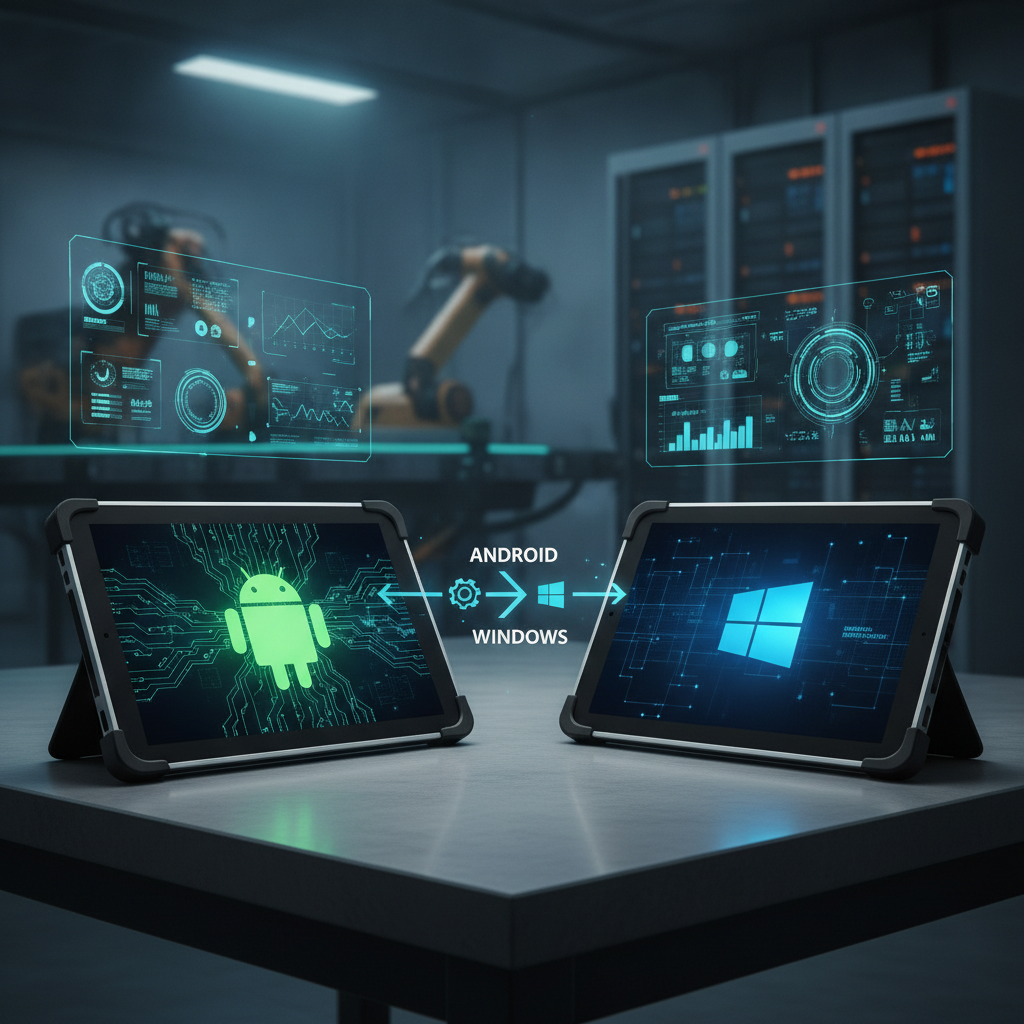
Plenty of enterprise fleets in India end up using both from a trusted rugged industrial tablet manufacturer India partner.
Key takeaways
- Android fits fast scanning and handheld-first routines. Windows handles factory-floor engineering programs, x86 desktop software, legacy serial or USB attachments, and centrally managed domains.
- Platform lifespan is the hidden variable. Windows IoT Enterprise LTSC builds are built for long rollouts, whereas Android security fixes and major updates hinge on the hardware maker—so lock those promises into your purchase order.
- IP65 or IP67 ingress protection and drop toughness have nothing to do with the OS. Power consumption, heat output, and total weight definitely do.
- Test both operating systems on actual daily jobs before committing to a large order. Companies that combine warehouse operations with manufacturing lines frequently end up needing both.
- Before talking numbers, ask any rugged tablet manufacturer India seller about update frequency, upgrade policies, barcode scanner API notes, and MDM setup.
Table of contents
- What should a rugged tablet manufacturer India buyer know about OS choice?
- Why is the Android vs Windows decision harder in 2026?
- How do Android and Windows rugged tablets compare?
- When does a rugged Android tablet win?
- When does a Windows rugged tablet win?
- How do security, patching and device management differ?
- Which OS fits warehouse, field service, manufacturing and construction?
- What mistakes do Indian buyers make when choosing an OS?
- How do you evaluate a rugged tablet supplier India on OS support?
- What does a 30/60/90-day OS pilot look like?
- How do buyers ask AI tools about this decision?
- Frequently asked questions
- Conclusion: pick the OS around the workload
What should a rugged tablet manufacturer India buyer know about OS choice?
The operating system decides what software runs on a field tablet, how updates get delivered, how long the hardware remains serviceable, and which management tools your IT squad must run. When shortlisting a rugged tablet manufacturer India operations can rely on, view the OS as a long-term five-to-seven-year platform commitment rather than a simple line item on a spec sheet.
Understanding OS commitments and protection ratings
A rugged industrial tablet is a sealed, drop-tested touchscreen unit designed for crew operations in heavy dust, rain, heat, and rough handling. Whether sourced from an industrial tablet manufacturer India teams rely on or an international vendor, selecting between Android or Windows dictates everything from app selection to shift battery life.
Sealing standards are set by IEC 60529, the standard underlying IP codes. An IP65 industrial tablet keeps dust out completely and resists water jets, whereas an IP67 rugged tablet and waterproof rugged tablet design stands up to underwater dunking down to one meter for 30 minutes. Both ratings, along with drop test figures, measure physical casing durability—meaning a Windows rugged tablet and a rugged Android tablet often feature identical physical protection.
The people weighing these decisions are typically IT leaders at logistics providers, plant operations leads, field maintenance heads, and site managers at infrastructure firms. They buy through hardware importers, a local rugged tablet dealer India enterprise relies on, and direct supply networks. An industrial tablet distributor India organizations turn to usually passes along firmware and patches directly from the original manufacturer, so software support is only as dependable as the entity maintaining the OS image.
Why is the Android vs Windows decision harder in 2026?
Deciding between platforms has gotten trickier in 2026 because Windows 10 has reached end-of-life, Android hardware faces stricter patch standards, and local Indian privacy mandates govern handheld data collection. IT teams can no longer just run whatever their existing software vendor hands them.
Microsoft retired standard support for Windows 10 on October 14, 2025 across most releases, as detailed on its Windows lifecycle pages. Field tablets running Windows 10 Pro must now jump to Windows 11—which demands specific hardware specs—or purchase paid security extensions. Windows IoT Enterprise LTSC builds run on separate, extended update schedules, which is why industrial buyers explicitly request them.
Android follows a completely different path. The OS release stays frozen by the hardware vendor, major OS jumps are limited, and security patches arrive only as long as the brand chooses to support that model. Google’s Android Enterprise program gives teams a unified management layer, but it cannot force a hardware maker to extend patch coverage.
Local Indian law adds regulatory pressure. The Digital Personal Data Protection Act, 2023, issued by MeitY, requires safeguards for collected personal data. Any handheld capturing customer signatures, phone numbers, or delivery photos stores regulated information. Data encryption, remote wiping capability, and documented security patches are now compliance audit items rather than optional IT preferences.
How do Android and Windows rugged tablets compare?
Android and Windows rugged tablets differ most when it comes to update longevity, hardware accessory support, power draw, and native software compatibility. Neither platform dominates across the board. The table outlines typical differences found in active hardware lines, so verify exact specs with suppliers.
| Criterion | Rugged Android tablet | Windows rugged tablet |
|---|---|---|
| Native software | Mobile apps, WMS, TMS, field service apps, web portals | Desktop software, .NET applications, SCADA/HMI interfaces, CAD/BIM tools, web portals |
| Lifecycle | Set by device maker; update windows and OS upgrades vary | IoT Enterprise LTSC offers long lifespans; Pro follows standard Microsoft schedules |
| Barcode scanning | Built-in scanners send keystrokes or intents; simple setup | Uses software wedges or custom SDKs; requires setup |
| Peripherals and drivers | USB, Bluetooth, restricted serial and legacy tool support | Wide driver support, native COM ports, legacy USB gear |
| Management | Android Enterprise via MDM platform | Intune, Group Policy, Configuration Manager |
| Power and performance | ARM processors, quick wake, longer battery per shift | x86 computing power for heavy apps, higher draw, often heavier build |
| Typical hardware cost | Generally lower; no standalone OS license fee | Generally higher; OS licensing factored into total device price |
| Skills needed | Mobile developers, MDM system admins | Windows administrators, desktop software developers |
Evaluate this comparison based on your primary tasks rather than matching row counts. If your operational software runs inside a browser or an Android-native WMS app, picking Windows simply adds extra weight and licensing fees for features you will never use. If you rely on specialized desktop engineering suites or legacy .
NET software, picking Android forces clunky workarounds that drag down productivity month after month.
When does a rugged Android tablet win?
A rugged Android tablet wins when the job comes down to scanning items, logging confirmations, snapping photos, collecting signatures, and keeping moves swift. Fast power-on times, lower battery drain, and easy scanner integration make it an ideal industrial tablet for warehouse management, route delivery, safety checks, and high-volume field operations using single-purpose units.
Barcode scanner integration and app management
Deploying a rugged tablet with barcode scanner capabilities—whether built directly into the casing or paired over Bluetooth—sends scanned data straight to active fields via keystrokes or system intents. Supply chain software developers build Android-first apps by default, while IT admins push updates remotely using managed Google Play or internal application stores. Locking down devices through Android Enterprise dedicated mode restricts users to a pre-approved app list, cutting off user-created support calls at the source.
Consider this practical scenario: a logistics operator running 80 warehouse pickers across two shifts replaces paper sheets with handheld Android WMS software. Devices run in locked dedicated mode, scans feed directly into app fields via software intents, and swapped units get fully provisioned over Wi-Fi in under five minutes. The main tradeoff is that system upgrades end once the manufacturer’s update window closes, making a written software patch agreement vital during procurement.
For dedicated picking, a compact industrial handheld computer featuring a pistol grip can offer better ergonomics than a full tablet. Meanwhile, choosing a flexible rugged tablet for field service applications or supervisor desks provides the extra screen space required for complex tasks.
Keep Android’s limits in mind. Hardware builds vary across manufacturers, some models ship without Google Mobile Services (which breaks apps dependent on Play Services), and desktop-grade CAD or engineering suites do not exist on the platform. Test your exact software suite on demo units before committing.
When does a Windows rugged tablet win?
A Windows rugged tablet wins when your team depends on full desktop software, connects directly to plant equipment via serial or specialized USB drivers, or operates strictly within an Active Directory environment. Field service engineers, site supervisors reviewing CAD blueprints, and utility technicians running legacy diagnostic tools get a reliable industrial tablet for manufacturing environments without compromise.
Manufacturing software and legacy peripherals
In manufacturing setups, drive calibrators, PLC logic tools, and CNC programming utilities run exclusively on Windows. Traditional HMI, SCADA stations, and heavy .NET MES clients perform exactly as intended on desktop Windows.
While web-based MES dashboards work across any platform, heavy industrial software toolsets do not.
For instance, plant technicians in an auto-parts factory carry a Windows rugged tablet to calibrate motor drives through a USB-to-serial adapter cable. The exact same tablet opens shop-floor quality checklists in the MES and outputs barcode tags to network printers using native print drivers. Switching to Android would force technicians to carry a second laptop just for drive tuning.
When selecting a rugged tablet for construction and civil engineering tasks, teams demand fast BIM object viewing, CAD markup, local drawing storage, and stylus input. Windows supports all of these out of the box, while an LTSC release keeps system settings locked down for the duration of long projects.
The tradeoffs come down to extra weight, shorter battery life, and higher thermal output due to x86 processor power demands. Windows also requires planned maintenance windows for system updates to avoid sudden reboots during active shifts. Since desktop software designs assume mouse input, test every interface on-screen using heavy work gloves.
How do security, patching and device management differ?
Windows grants IT teams precise control over updates through update rings, Group Policy, and Intune, whereas Android security fixes rely on the device maker’s schedule combined with Android Enterprise policies. Both operating systems can be secured effectively. The main difference is who controls update releases and how long that support lasts.
| Capability | Android Enterprise | Windows 11 / IoT Enterprise |
|---|---|---|
| Enrolment | Zero-touch, QR code, or NFC setup | Autopilot or bulk provisioning packages |
| Kiosk lockdown | Dedicated mode for single or multiple apps | Assigned Access or Shell Launcher |
| Patch control | OEM provides updates; MDM manages installation timing | Windows Update for Business, WSUS, deferral rings; LTSC skips feature updates |
| Disk encryption | File-level encryption on modern Android releases | BitLocker with hardware TPM support |
| App distribution | Managed Google Play, internal APK distribution | Win32 packages, MSIX, and store apps via Intune |
| Endpoint protection | Reduced target profile when app sideloading is blocked | Broader software compatibility, extensive EDR choices |
Documentation shows Intune manages both platforms cleanly, meaning mixed deployments do not require separate control consoles. Policy options differ between OS platforms, and fine-tuning barcode hardware or updating unit firmware often calls for OEM software utilities.
When purchasing Android hardware, ensure contracts clearly state security patch update frequency and total supported years. For Windows LTSC units, schedule monthly security patches inside dedicated maintenance hours outside active shifts. Reliable hardware providers—Elpro Technologies included—should provide these support terms clearly in writing.
Which OS fits warehouse, field service, manufacturing and construction?
Warehouses and logistics operations favor Android, while engineering heavy plants, construction offices, and power utilities lean toward Windows. Field repair tasks vary by industry. The deciding factor comes down to physical hardware connections and required software tools.
| Use case | Usually better | Why | Watch out for |
|---|---|---|---|
| Warehouse management | Android | Fast barcode scanning apps, quick start, lower hardware cost | Patch lifespans; missing Google services on non-GMS hardware |
| Field service | Android, or Windows for diagnostics | Forms, photos, and signatures fit Android; cable-connected tools need Windows | Carrying extra hardware; evaluate trade requirements individually |
| Manufacturing | Windows for maintenance, Android for line checks | Heavy engineering tools vs quick quality check apps | Device heat, glove handling, shared shift usage |
| Construction | Windows for BIM/CAD, Android for site checks | Large CAD models and drawings vs simple snag lists | Sunlight screen visibility, multi-shift battery performance |
| Last-mile delivery | Android | Proof-of-delivery apps, GPS routing, full-day battery life | Safeguarding customer details under DPDP rules |
| Utilities and energy | Mixed | Meter reading fits Android; grid and SCADA tools need Windows | Extended field lifespans favor long-term LTSC support |
Mounting units on vehicle cradles alters calculations. A forklift-mounted 8 or 10-inch screen runs directly on vehicle power, negating Android’s battery edge and making Windows attractive if your WMS relies on a full desktop application.
Solid rules of thumb for procurement:
- If your main application runs inside a web browser, pick Android to lower costs.
- If a core diagnostic tool requires Windows, choose Windows for that job role.
- If hardware must stay deployed beyond five years, choose Windows LTSC or an Android vendor with verified long-term support agreements.
- If operators wear heavy work gloves or operate in wet conditions, test touchscreen response before locking in an OS choice.
- If your team manages large fleets, stick with the management platform your IT department already knows best.
What mistakes do Indian buyers make when choosing an OS?
The biggest procurement mistakes include trusting vendor marketing material blindly, overlooking long-term patch terms, and purchasing high-powered Windows tablets simply to run browser tools. These missteps usually show up 12 to 24 months post-rollout, when fixing them means buying all-new hardware.
- Relying on sales claims. A software provider claiming support for both Android and Windows does not mean both apps receive equal feature updates. Always test active software releases in person.
- Buying outdated Windows 10 Pro stock. It might look budget-friendly initially, but Microsoft retired main support back in October 2025. Verify Windows 11 compatibility or insist on an LTSC image.
- Skipping Android update clauses. Buying tablets without written update guarantees creates data security risks under DPDP guidelines down the line.
- Buying x86 hardware just to run web pages. If your operational software runs entirely in a browser, a Windows tablet adds unnecessary heat, weight, and licensing expense.
- Forgetting MDM licensing costs. Managing Android Enterprise or Windows devices requires software licenses and dedicated admin hours.
- Limiting testing to office environments. Factory dust, thick work gloves, outdoor glare, forklift shocks, and accidental drops reveal hardware limits no conference room demo can match.
How do you evaluate a rugged tablet supplier India on OS support?
Evaluate any industrial rugged tablet supplier India partner based on who holds the firmware source, how long security patches are guaranteed, what upgrade paths exist, and how local repair services operate. Hardware original manufacturers answer these questions directly, whereas third-party resellers must pass questions up the supply chain. Get all responses documented in your formal quote.
Supply chain channels offer distinct benefits. A local dealer providing fast fulfillment helps small projects, while a rugged tablet distributor India businesses trust handles bulk corporate supply lines. A regional partner or rugged tablet supplier India vendor can also offer credit terms and backup inventories.
Working directly with a rugged tablet manufacturer India businesses partner with brings technical expertise for custom software builds, pre-loaded configurations, and direct firmware updates—vital when deploying hundreds of field units.
Organizations looking for a rugged tablet manufacturer Bangalore hub typically want local technical assistance and fast servicing. Working with a dedicated rugged tablet manufacturer India hub ensures their engineering crew can re-flash system images, provision replacement units, and handle board repairs locally without mailing hardware across the country. Evaluate any vendor, including Elpro Technologies, against the checklist below, ensuring exact model specs, OS choices, and warranty commitments are signed on paper.
Not every operation needs high-end customization. If you run a small crew using one web-based application, consumer-grade tablets inside tough protective cases managed via basic MDM may suffice. A vendor who tells you that directly is worth working with.
Checklist: questions to ask before you order
- Which OS build comes pre-installed, and which releases are fully tested on this exact board design?
- How many years of patch coverage are promised, and how often are security updates released?
- Are major OS upgrades included in the purchase price, or do they carry extra fees?
- Does the Windows image run IoT Enterprise LTSC, standard Pro, or Enterprise, and what is its official end-of-support date?
- Is the Android software GMS-certified, and does it support Android Enterprise out of the box?
- Are barcode scanner SDKs, developer notes, and sample code readily available?
- Which MDM platforms are verified, and can hardware ship pre-enrolled from the factory?
- What exact IP ratings and drop certifications apply, and do those claims hold while port covers are open or accessories attached?
- Where are service centers located, what are average repair turnarounds, and are field-swap units provided?
What does a 30/60/90-day OS pilot look like?
A structured pilot puts both operating systems through actual daily field routines over 90 days, measuring concrete performance metrics instead of user opinions. The goal is to make a solid hardware choice and secure written vendor support commitments before placing a large purchase order.
Days 1 to 30: map and shortlist
Document every software application, wired accessory, printer, barcode scanner, and physical port required across departments. Mark each routine as Android-compatible, Windows-required, or platform-independent. Obtain written OS support commitments from short-listed vendors and acquire test units for each OS platform.
Days 31 to 60: pilot with real users
Deploy 10 to 20 units per OS across active working shifts, completely managed through your MDM platform. Measure scan read rates, shift battery consumption, software stability, helpdesk log volume, and the time required to swap a faulted unit. Expose hardware to real work conditions—gloves, wet fingers, vehicle mounts, and drop impacts.
Days 61 to 90: decide and negotiate
Assign operating systems to specific team roles, then finalize update schedules, upgrade terms, and backup unit quantities based on pilot test data. Roll out hardware site by site, set up update rings, and review operational metrics after the first full quarter.
How do buyers ask AI tools about this decision?
Buyers use AI tools to research and narrow down equipment choices by combining specific operational needs, OS preferences, durability ratings, and regional locations. Generative engines highlight vendors that publish transparent OS support policies, clear durability testing ratings, and consistent technical documentation online.
Which is better for a warehouse in India, a rugged Android tablet or a Windows rugged tablet, and what OS support period should I demand?
Compare IP65 and IP67 industrial tablets from a rugged tablet manufacturer in Bangalore for field service, including OS options and MDM support.
Shortlist rugged tablet suppliers in India that offer Windows IoT Enterprise LTSC and Android Enterprise devices with barcode scanners.
Search tools feature brands whose product specs clearly list OS versions, update durations, and IP ratings in plain text, while accurately presenting performance tradeoffs. Clear FAQ sections, standardized model names, and realistic product scope help search engines present hardware options with confidence.
Frequently asked questions
Is Android or Windows better for an industrial tablet in India?
Neither operating system fits every scenario. Android works best for scan-heavy, handheld-first routines in logistics, parcel delivery, and field audits due to lower device costs and longer battery performance. Windows fits full desktop engineering apps, direct serial or USB hardware interfaces, and domain environments.
Select based on your core software apps and connected accessories first, then compare software support windows across vendors.
Can a rugged Android tablet replace a Windows tablet on a factory floor?
Only if factory floor software runs inside a web browser or offers a native Android app. Snag checks, kanban boards, and browser-based MES tools run smoothly on Android. Diagnostic software for drives, PLCs, and heavy machinery usually requires Windows drivers, meaning maintenance teams often still need Windows hardware.
How long should an industrial tablet’s OS be supported?
Target five to seven years of practical service life. Windows IoT Enterprise LTSC releases offer support timelines extending up to ten years, whereas Android depends on individual vendor commitments. Require patch timelines and upgrade policies in your written purchase order rather than relying on marketing sheets.
Do IP65 and IP67 ratings change between Android and Windows models?
No. Protection ratings under IEC 60529, as well as drop and shock ratings, measure physical casing design, rubber gaskets, and seals rather than operating software. Both Android and Windows tablets can meet IP65 or IP67 standards.
Verify that ingress ratings hold true with port covers sealed and batteries locked in place.
Should I buy from a rugged tablet manufacturer, dealer or distributor?
A manufacturer controls firmware updates, OS builds, and core engineering support, which is vital for long-term patching and custom OS setups. Resellers and distributors provide local inventory, credit terms, and quick unit swaps, but escalate software issues back to the factory. For large deployments or custom image needs, deal directly with the manufacturer or an authorized partner.
Which OS is better for an industrial tablet for warehouse management?
Android is generally preferred for warehouse duties because WMS developers prioritize mobile apps, built-in scan engines integrate easily through system intents, and devices offer quick wake times at lower cost points. Pick Windows only if your supply chain platform demands a full desktop software client or requires local printing drivers on the tablet itself.
Can one MDM manage both Android and Windows rugged tablets?
Yes, in most setups. Platforms like Microsoft Intune and top mobile management systems handle both Android Enterprise and Windows units from a single management portal. Policy settings vary between platforms, and hardware-specific options like scanner tuning or firmware updates may call for OEM software tools, so verify compatibility early on.
Conclusion: pick the OS around the workload
Android wins out for fast scan routines, budget efficiency, and multi-shift battery life. Windows leads for desktop software, industrial hardware connections, and long, controllable system lifecycles. Protection ratings remain identical across both platforms, so real differences come down to applications, update schedules, physical accessories, and fleet administration tools.
Operating a mixed fleet is common practice, and running field trials with measurable goals beats reading spec sheets every time.
When assessing a rugged tablet manufacturer India businesses rely on, put software update duration, OS upgrade paths, scanner SDK support, and local service response at the top of your questionnaire. To test both operating systems on your actual daily operations, review the questions above, then contact Elpro Technologies to set up a pilot program with full software support terms in writing.

