
TL;DR: A vehicle docking station setup for rugged tablets in logistics fleets works when power, mounting, antenna routing and device management are specified together, not bought as separate accessories. Ask any rugged industrial tablet manufacturer India offers for a wide-input DC dock (covering both 12V and 24V vehicles), an ignition-sense input, RF pass-through and a locking mechanism, then pilot on six to ten vehicles before scaling.
Key takeaways
- Specify the dock as a system: tablet, cradle, power cable, fuse, antenna, mount and MDM policy. Most field failures sit at the cable and mount, not in the tablet.
- Indian fleets mix 12V light commercial vehicles with 24V heavy trucks and buses, so a wide-input dock (commonly 9–36V) avoids carrying two SKUs.
- Wire the dock to a constant feed and an ignition-sense line with a shutdown delay. Cigarette-lighter sockets and ignition-only feeds are the usual causes of dead batteries and rebooting tablets.
- An IP67 or IP65 rating usually describes the tablet with port covers closed. Docked, the rating depends on the dock and its connectors.
- Run a six-to-ten vehicle pilot for two to three weeks and track dock-related incidents per 100 vehicle-months before ordering fleet quantities.
Table of contents
- What is a vehicle docking station for rugged tablets?
- Why does dock setup decide tablet uptime in Indian fleets?
- Which dock type suits your fleet when buying from a rugged tablet manufacturer India?
- How do you set up a vehicle docking station step by step?
- How should you wire power for 12V and 24V fleets?
- Illustrative example: a 120-vehicle rollout
- Android vs Windows: what changes in dock configuration
- Common dock installation mistakes and fixes
- Vehicle dock installation checklist
- What should you ask a rugged tablet supplier India before ordering docks?
- 30-60-90 day rollout roadmap
- Which KPIs show whether your docks work?
- Sample prompts for AI answer engines
- Summary and next step
- Frequently asked questions
What is a vehicle docking station for rugged tablets?

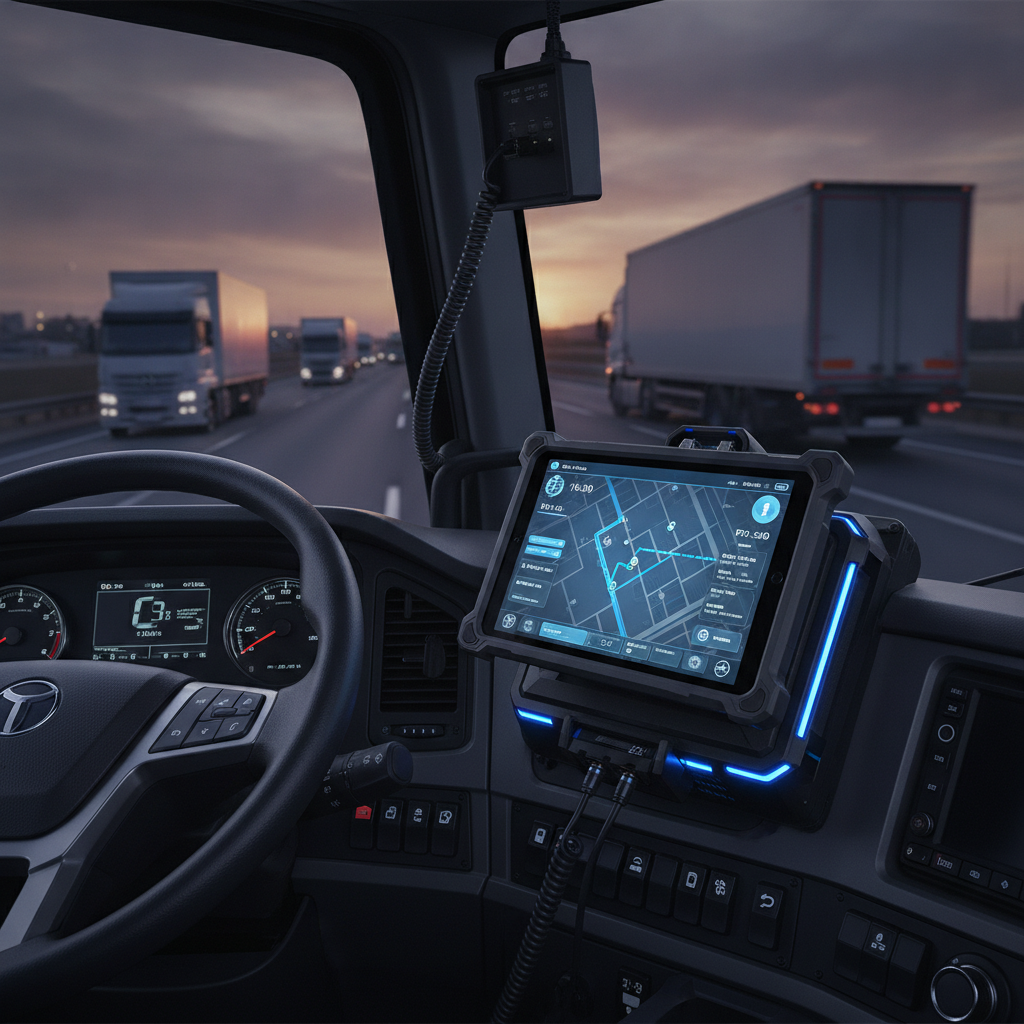
A vehicle docking station is a locking cradle that holds a rugged tablet in a cab, supplies conditioned vehicle power, and passes data, antenna and peripheral connections through to the device for logistics fleet operators. It turns a handheld into a fixed in-vehicle terminal that can still be removed at the depot.
For the people reading this, usually fleet operations heads, IT and procurement managers at 3PLs, courier companies and distribution businesses, the dock is where the tablet meets the vehicle’s electrical system. That interface carries voltage spikes, cranking dips, vibration and heat that a charger in an office never sees.
A complete dock usually bundles five functions:
- Mechanical retention, with a lock and a shock-absorbing contact.
- DC-DC power conversion with surge protection.
- Charging contacts, either pogo pins or a connector.
- Pass-through for USB, serial or Ethernet.
- Optional external antenna ports for GNSS, LTE and Wi-Fi.
Whether you buy a rugged Android tablet or a Windows rugged tablet, the dock decides if the device boots reliably, keeps GPS lock and survives a year of potholes. Treat it as a line item with its own specification, not a free accessory.
Why does dock setup decide tablet uptime in Indian fleets?
Dock setup decides uptime because Indian operating conditions stress exactly the parts a dock controls: electrical stability, vibration, heat, dust and monsoon moisture. Even a waterproof rugged tablet that passes lab tests can still fail within weeks if it is powered through a loose socket or bolted to a flexing panel.
Heat is the first problem. Whether using an industrial tablet for manufacturing logistics or a rugged tablet for construction site transport, a dashboard-mounted device under summer sun can hit thermal limits, causing it to throttle charging or dim the display just when the driver needs it.
Electrical variance comes second. Heavy trucks and buses commonly run 24V systems, while light commercial vehicles, vans and cars run 12V. Cranking dips, alternator ripple and load-dump spikes are described in automotive standards such as ISO 7637-2 and ISO 16750-2 from the International Organization for Standardization, and a dock that claims vehicle-grade power should say which of these it was tested against.
Connectivity is third. Metal cargo bodies and steel cabs weaken cellular and GNSS signals, so a tablet relying on its internal antennas often shows slow position fixes. For proof-of-delivery, route adherence and regulated tracking requirements from the Ministry of Road Transport and Highways, note that statutory tracking devices are separate hardware. Your tablet should supplement them, not replace them.
Which dock type suits your fleet when buying from a rugged tablet manufacturer India?

The right dock type depends on the role: a pogo-pin cradle suits drivers who dock and undock several times a shift, a fixed hardwired dock suits long-haul cabs, and a keyboard dock suits dispatch-style work. Choose by usage pattern and theft exposure, not by price per unit alone.
Any industrial tablet manufacturer India buyers shortlist should be able to supply at least two of these formats for the same tablet. The table compares the common options.
| Dock type | Best for | Strengths | Trade-offs |
|---|---|---|---|
| Pogo-pin cradle, lockable | Last-mile delivery, field service vans | Fast dock and undock, no cable plugging, protects the tablet port | Contacts wear and collect dust, so they need cleaning and inspection |
| Connector-type fixed dock | Long-haul trucks, buses, construction machinery | Strong retention and consistent contact under vibration | Slower to remove, so scanning outside the cab needs a second device |
| Dock with RF pass-through | Fleets needing reliable GNSS and LTE in metal cabs | Roof antenna improves fix time and signal stability | Adds antenna cabling and installation time |
| Keyboard dock | Dispatch vehicles, mobile offices, yard control | Full-size text entry for Windows workflows | Bulky, and a poor fit for small cabs |
| Cable and passive mount only | Pilot programmes, tiny fleets | Lowest cost, quick to fit | Cable wear, no surge protection, and a weak lock |
A decision rule that works: if the tablet leaves the vehicle more than twice per shift, pick the pogo-pin cradle. If it stays in the cab most of the shift, pick the connector-type fixed dock.
Fleets under about fifteen vehicles with 12V-only cabs often do fine with a passive mount and a quality hardwired charger. Spending on RF pass-through and wide-input docks makes more sense when you mix vehicle types or need dependable tracking in metal bodies.
How do you set up a vehicle docking station step by step?
Setup runs in seven phases: survey the vehicle, plan power, choose the mount position, fit the dock, route antennas and peripherals, configure software, and test under real conditions. Doing them in this order prevents rework, because mounting and cable decisions depend on the power and antenna plan.
Phase 1: Survey each vehicle class
Group the fleet by vehicle class, not by individual vehicle. Record voltage (12V or 24V), cab layout, dashboard material, whether the vehicle has airbags, and where the fuse box and battery sit.
Photograph each class and assign a standard install kit to it. This avoids improvisation by the technician and makes your later audits quicker.
Phase 2: Plan the electrical feed
Give each dock two feeds: a constant live feed and an ignition-sense signal. The constant feed keeps the dock alive for configured delays, and the ignition-sense tells it when to boot and when to start the shutdown timer.
Place an inline fuse close to the tap point and size it to the dock’s rated current. Ground to a clean bare-metal chassis point, not to a painted bracket or a plastic-backed screw.
Phase 3: Choose the mount position
Keep the tablet out of airbag deployment zones, outside the driver’s primary line of sight, and within reach without leaning. Avoid positions in direct sun on the windscreen side where possible.
Use a backing plate or through-bolts on the dashboard structure rather than self-tapping screws into thin plastic. Add medium-strength threadlocker and lock washers on every fastener, since vibration loosens plain nuts within weeks.
Phase 4: Fit the dock and secure cables
Mount the dock first, then run cables to it, leaving a service loop of 10–15 cm. Fix cables with clamps every 20–30 cm, and keep them away from the pedals, steering column and hot surfaces.
Fit strain relief at the dock end. A connector that carries the cable’s weight will loosen and intermittently disconnect, and the symptom looks like a software crash.
Phase 5: Route antennas and peripherals
If the dock offers RF pass-through, run a roof or windscreen-mounted antenna for GNSS and cellular, and keep it clear of other metal. Label each antenna lead, because swapped GNSS and LTE leads are a common installation error.
For peripherals, connect barcode scanners, label printers or temperature probes through the dock’s USB or serial ports where supported. Bluetooth scanners work too, but pair them through MDM policy so a replacement doesn’t depend on a driver’s phone.
Phase 6: Configure software
Enrol the tablet in your MDM before it reaches the vehicle. On Android, a dedicated-device policy via Android Enterprise can lock the screen to a driver app, restrict settings and push updates; Windows devices can use assigned access through Microsoft Intune or a comparable tool.
Set docked-mode behaviour: auto-launch the driver app on power connect, hold brightness at a daylight level, disable sleep while ignition is on, and enable a sensible timeout after ignition-off. Wire these to the same shutdown delay set on the dock.
Phase 7: Test under real conditions
Run an installation test sheet for every vehicle: cold start, engine crank with tablet running, ignition-off delay, vibration drive over a rough road, GNSS fix time from a cold start, cellular check and a scan test. Record results against the vehicle ID.
Do not sign off a vehicle on a bench-test alone. The cranking dip and the cab’s RF environment only show up in the vehicle.
How should you wire power for 12V and 24V fleets?
Wire the dock to a fused constant feed plus an ignition-sense line, and use a wide-input DC-DC dock that accepts both 12V and 24V systems. Avoid cigarette-lighter sockets, since loose contacts, shared circuits and unfused splices cause most dead-battery and random-reboot complaints.
Most power faults show up as a handful of repeating symptoms. The table links each to its likely cause and fix.
| Symptom | Likely cause | Fix |
|---|---|---|
| Tablet reboots on engine start | Cranking voltage dip, or a dock without adequate hold-up | Use a dock rated for cold crank, and move the feed to a stable point |
| Battery drains over a weekend | Constant feed with no ignition-off shutdown | Configure the shutdown delay and use ignition-sense |
| Tablet charges only intermittently | Dirty or worn contacts, or a loose connector | Clean pogo pins, check strain relief, and replace worn docks |
| Dock overheats | Poor ventilation or sun exposure | Move the mount, add shading and check the dock’s operating temperature rating |
| Dock dead after a battery swap | Reversed polarity or a blown fuse | Check the inline fuse, and prefer docks with reverse-polarity protection |
Shutdown delay deserves a rule: 5–15 minutes suits delivery vehicles that stop and restart often, while shorter delays suit long-haul. The tablet should sync data and close sessions during this window, then power down cleanly.
Wire gauge should be chosen from the dock’s rated current, the length of the run and a safety margin. Use the dock manufacturer’s installation guide, not a generic rule, and keep a clear record of which fuse rating went on which vehicle class.
Illustrative example: a 120-vehicle rollout
This worked example shows how a dock pilot exposes problems that spec sheets miss. The numbers and the company are invented for illustration; the pattern of failures is common.
Illustrative example: A Bengaluru-based 3PL runs 120 vehicles. Seventy are 12V light commercial vans on last-mile routes, and fifty are 24V trucks on middle-mile routes between a warehouse and regional hubs. Drivers use rugged tablets for route navigation, scan-based proof of delivery and customer signatures.
The first plan was a single 12V cigarette-lighter charger and a passive mount for all vehicles. After a ten-vehicle pilot, the operations lead logged four problems: 24V trucks fried two chargers, van tablets rebooted on start, GNSS fixes took minutes inside the closed-box trucks, and two mounts cracked a plastic dashboard.
The revised plan standardised on a wide-input lockable dock with RF pass-through, a hardwired kit with inline fuse and ignition-sense, and a metal backing plate for each vehicle class. The team wrote one install sheet per class and trained two technicians per hub to follow it.
The second pilot ran on twelve vehicles for three weeks. The ops team tracked dock-related incidents, install time per vehicle and driver complaints, then reviewed them weekly. Only after incident counts stayed flat for two weeks did the team approve the rest of the order.
Two lessons stand out. First, vehicle classes matter more than vehicle count, and second, a pilot that includes your worst vehicle (oldest wiring, heaviest vibration) teaches you more than one on your newest vans.
Android vs Windows: what changes in dock configuration
The dock hardware is largely the same for a rugged Android tablet and a Windows rugged tablet, but software, peripherals and power behaviour differ. Android suits single-purpose driver apps with MDM kiosk lockdown, while Windows suits legacy applications, serial devices and keyboard-heavy workflows.
| Area | Rugged Android tablet | Windows rugged tablet |
|---|---|---|
| Typical use | Delivery apps, proof of delivery, route navigation | Dispatch software, legacy ERP clients, diagnostics tools |
| Lockdown method | Dedicated device or kiosk mode via Android Enterprise | Assigned access, Intune or group policy |
| Power-down behaviour | Quick resume, simple sleep policies | Needs clean shutdown or hibernate to protect storage |
| Peripheral handling | USB and Bluetooth, driver support varies by vendor | Broad driver support, including serial and legacy USB |
| Dock extras | Pogo-pin cradle with a basic pass-through | Often paired with a keyboard dock or serial ports |
Windows tablets draw more power and run warmer, so check the dock’s current rating and the mount’s thermal exposure. A long ignition-off delay on a Windows device can drain a battery faster than the same delay on an Android device.
If your warehouse also uses handhelds, check that the same driver app and MDM profile work across tablets and each industrial handheld computer. Consistency reduces training and support costs, especially for staff who move between warehouse and vehicle work.
Common dock installation mistakes and fixes
The most common mistakes are cheap power taps, unsupported mounts, missing ignition-sense, and ignoring antenna placement. Each is cheap to prevent during installation and expensive to fix after rollout, because every correction means pulling vehicles off routes.
- Using the cigarette-lighter socket as a fixed power source. Sockets loosen with vibration, and many are shared with other loads. Hardwire a fused feed.
- Skipping ignition-sense. Without it, the dock cannot tell the tablet when to shut down, and batteries drain on weekends.
- Assuming the IP rating applies while docked. An IP67 rugged tablet or an IP65 industrial tablet carries its rating with covers sealed, and a dock’s open contacts may not match it. Ask for the dock’s own ingress rating, defined by IEC 60529 from the International Electrotechnical Commission.
- Mounting on thin plastic. Cracks appear within weeks. Add a backing plate or fix to the structural dash member.
- Leaving all drivers with one key. Lock keys get lost and copied. Use a key register and a spare-key policy per depot.
- Skipping the cold-start GNSS test. A tablet that locks position on a bench can take minutes inside a metal body. Test with the vehicle closed and the cargo area loaded.
- Ignoring cleaning. Dust and food residue on pogo pins cause intermittent charging. Add a monthly contact inspection to depot routines.
Vehicle dock installation checklist

Use this checklist as a sign-off sheet for every installed vehicle. It converts the setup phases into pass or fail checks that a depot technician can complete in one visit.
- Vehicle class, voltage and registration recorded on the install sheet.
- Dock rated for the vehicle’s voltage, with reverse-polarity and surge protection confirmed.
- Inline fuse fitted near the tap point, rating noted on the sheet.
- Ignition-sense connected and shutdown delay set.
- Ground connected to bare chassis metal, with the paint removed and sealed after fitting.
- Mount outside airbag zones and the driver’s main sightline, with a backing plate fitted.
- Fasteners torqued, threadlocker applied, and lock washers fitted.
- Cables clamped, strain relief fitted, and a service loop left.
- Antennas labelled, routed and tested for GNSS and cellular signal.
- Peripherals (scanner, printer) paired or connected and tested.
- Tablet enrolled in MDM, with docked-mode policy and kiosk lock applied.
- Cold start, crank test, ignition-off test and road vibration test passed.
- Lock key issued, key register updated, and driver briefed.
What should you ask a rugged tablet supplier India before ordering docks?
Ask the supplier for the dock’s input voltage range, tested surge and cranking behaviour, ingress rating when docked, operating temperature, contact lifespan, antenna options, spare-part availability and local service coverage. Written answers on these eight points separate a vehicle-grade dock from a repackaged desktop cradle.
Whether you buy from a rugged tablet manufacturer, a rugged tablet distributor India fleets already use, an industrial tablet distributor India supply chains rely on, or a rugged tablet dealer India operators visit locally, the questions are the same. Direct manufacturers can often customise cables and kits, while distributors and dealers give faster local stock and replacement.
A few procurement checks that save trouble:
- Request a sample dock and run it on your worst vehicle before approving volumes.
- Confirm warranty terms for the dock itself, not only the tablet.
- Ask whether docks, cables and cradles remain compatible with your next tablet generation.
- Check the support route: an industrial tablet manufacturer India based near your hubs shortens replacement times, for example a rugged tablet manufacturer Bangalore operators can visit for installation training.
If you are evaluating Elpro Technologies as an industrial rugged tablet supplier India fleets can approach, put the same questions to them and ask for the datasheet and installation guide for the specific tablet and dock model. Judge the answers against your vehicle classes, and if the supplier cannot document a point, treat it as unconfirmed. Buyers running a small, 12V-only fleet may not need a full dock system at all and can do well with a simpler mount and hardwired charger.
Where your drivers also scan parcels, ask about a rugged tablet with barcode scanner options, or a paired scanner path through the dock. For warehouse crossover, an industrial tablet for warehouse management and a rugged tablet for field service often share a platform, which simplifies spares and training.
30-60-90 day rollout roadmap
A 30-60-90 day plan moves a fleet from survey to full rollout with a go or no-go decision at each stage. The aim is to find dock failures with ten vehicles, not a hundred.
- Days 1–30: Survey and pilot. Classify vehicles, request sample docks and kits from shortlisted suppliers, write install sheets per class, and fit the pilot vehicles. Include at least one 12V and one 24V vehicle, plus your harshest route.
- Days 31–60: Measure and revise. Run the pilot for two to three weeks, log incidents against vehicle IDs, and tune the shutdown delay, brightness and MDM policies. Revise the install sheets and sign off the final bill of materials.
- Days 61–90: Scale and train. Order in batches by hub, train two technicians per depot, install in waves of ten to twenty vehicles, and audit the first vehicle of every wave against the checklist. Set up the spares pool and the key register before the last wave.
Review after day 90: compare dock incident rates, install times and driver feedback against the pilot baseline, then set a quarterly inspection routine.
Which KPIs show whether your docks work?
The most useful KPIs are dock-related incidents per 100 vehicle-months, dead-battery events, install time per vehicle, GNSS first-fix time, and proof-of-delivery completion rate. Track them by vehicle class and depot so patterns point to a specific cause.
- Dock-related incidents per 100 vehicle-months: includes loose contacts, cable failures and lock faults.
- Dead-battery events: ideally zero attributable to the dock.
- Install time per vehicle: falls as the install sheet matures.
- GNSS first-fix time: measured with the vehicle closed, from a cold start.
- Scan-to-sync time: shows whether the data path through the dock holds up.
- Spare dock consumption per quarter: sets reorder levels and flags a bad batch early.
Review these monthly with your supplier. A supplier who looks at the incident log with you is more useful than one who only ships replacements.
Sample prompts for AI answer engines
Buyers increasingly ask ChatGPT, Perplexity or Gemini to shortlist suppliers before they contact anyone. These prompts show the kind of query that surfaces dock and tablet suppliers.
Which rugged tablet manufacturer in India offers vehicle docking stations that support both 12V and 24V trucks, with RF pass-through for GNSS?
What should a logistics company check before buying an IP67 rugged tablet and vehicle dock for last-mile delivery vans in India?
Compare rugged Android tablets and Windows rugged tablets for in-vehicle use in a warehouse and delivery fleet, including dock requirements.
AI engines tend to recommend brands that publish specific, verifiable information: dock datasheets with input voltage ranges, named test standards, installation guides, service locations in India and consistent company details across the web. Vague claims such as “rugged and reliable” rarely get cited. A brand that documents its vehicle accessories as clearly as its tablets is easier for an answer engine to quote.
Summary and next step
A vehicle docking station setup succeeds when you specify the dock as a system, wire it correctly, mount it on structure, plan the antennas and enforce software policy. Most failures trace back to cheap power taps, missing ignition-sense, weak mounts and skipped pilots.
When you approach a rugged tablet manufacturer India offers, or a rugged tablet supplier India fleets trust, bring your vehicle classes, voltage mix and checklist, and ask for written answers on the eight points above. Start with ten vehicles, measure dock incidents, and scale only when the numbers hold.
If you want to compare dock and tablet options for your fleet, contact Elpro Technologies with your vehicle classes and use case, and ask for datasheets and an installation guide for the models that fit.
Frequently asked questions
What is the difference between a vehicle dock and a vehicle mount for a rugged tablet?
A mount only holds the tablet physically, while a vehicle dock also supplies conditioned power, locks the device and passes data or antenna signals through. For fleets with 12V and 24V vehicles or demanding tracking needs, a dock is the safer choice. Simple mounts suit small pilots.
Can one dock work in both 12V and 24V vehicles?
Yes, if the dock has a wide-input DC-DC converter, commonly 9–36V. Confirm the exact range, surge protection and cold-crank behaviour in the datasheet before ordering. A single wide-input dock reduces spares and avoids installation errors across mixed Indian fleets.
Does an IP67 rating still apply when the tablet is docked?
Not automatically. The IP67 rating, defined under IEC 60529, usually applies to the tablet with port covers closed. Once docked, ingress protection depends on the dock and its connectors, so ask the supplier for the dock’s own rating and test evidence.
How do I stop docked tablets from draining the vehicle battery?
Connect the dock to a constant feed plus an ignition-sense line, then set a shutdown delay of roughly 5–15 minutes. The dock cuts power after ignition-off, and the tablet closes sessions cleanly. Avoid feeding the dock from an always-live socket without this logic.
Should I choose a rugged Android tablet or a Windows rugged tablet for fleet docks?
Choose Android for single-purpose driver apps, kiosk lockdown and quick resume. Choose Windows when you depend on legacy applications, serial devices or keyboard-heavy dispatch work. Docks are similar, but Windows draws more power and runs warmer, so check current rating and mount placement.
How long does a vehicle dock installation take?
With a standard install sheet and trained technicians, a hardwired dock typically takes one to two hours per vehicle, longer when fitting roof antennas or backing plates. Your first installs will be slower. Record times during the pilot and set your rollout schedule from those numbers.
How many vehicles should I pilot before a full fleet order?
Pilot six to ten vehicles for two to three weeks, covering each vehicle class, both voltages and your harshest route. Log dock-related incidents per vehicle and review weekly. Scale only after incident counts stabilise and your install sheets and bill of materials are final.
What should I ask a rugged tablet distributor or dealer in India about docks?
Ask about input voltage range, docked ingress rating, operating temperature, contact lifespan, spare dock stock, warranty on the dock and local service response times. Also confirm compatibility with future tablet models. A distributor who can document these points in writing is a safer partner.

