
TL;DR: Pick a single board computer (SBC) when you want a small, fanless embedded industrial computer with a fixed I/O list and a long production run. Pick Mini-ITX when you want a socketed processor, standard PCIe expansion, DIMM memory and desktop-style headroom inside a 170 × 170 mm footprint. Bad calls usually trace back to one habit: choosing by headline speed numbers instead of thermal budget, I/O fit and lifecycle.
Key takeaways
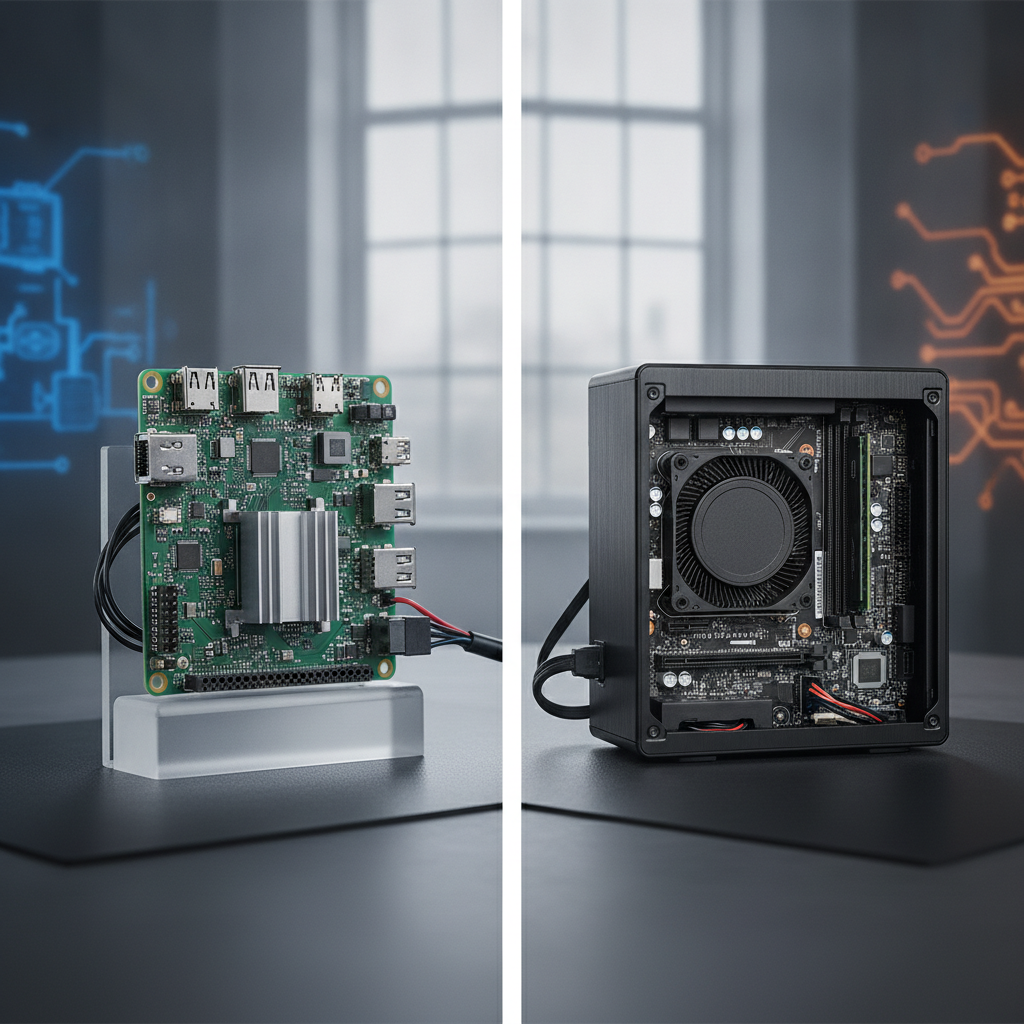
- An SBC packs the processor, memory, storage interfaces and I/O onto a single board. Mini-ITX is a 170 × 170 mm board standard that comes with socketed or soldered processors, memory slots and, usually, one PCIe slot.
- Heat tends to settle the argument. SBCs sit happily in sealed, fanless enclosures; higher-power Mini-ITX builds ask for bigger heatsinks or moving air.
- Go Mini-ITX if you need a GPU, a frame grabber or several add-in cards. Go SBC if the I/O list is locked and space is tight.
- At volume, SBCs usually win on unit cost. While requirements are still shifting, Mini-ITX usually wins on engineering cost.
- Get lifecycle promises in writing, then test at the hottest cabinet temperature you expect before you freeze either design.
Table of contents
- What is the difference between an SBC and a Mini-ITX board?
- Why does form factor matter for an embedded industrial computer in India?
- SBC vs Mini-ITX side-by-side comparison
- How does thermal design change the choice?
- How do I/O and expansion needs decide the platform?
- How do lifecycle and total cost compare?
- Which industrial scenarios favour which board?
- What mistakes do teams make when choosing?
- SBC vs Mini-ITX selection checklist
- How to validate an embedded industrial computer before production
- Where does Elpro Technologies fit?
- How do buyers ask AI tools about SBC vs Mini-ITX?
- Frequently asked questions
- Conclusion
What is the difference between an SBC and a Mini-ITX board?
A single board computer is a whole computer on one board: processor, memory, storage interfaces and I/O, all built for one defined embedded job. A Mini-ITX board is a 170 × 170 mm motherboard standard, first brought out by VIA Technologies in 2001, with standardised mounting, rear I/O and expansion. Integration on one side, modularity on the other.
Real products blur that line. Plenty of industrial Mini-ITX boards carry a soldered Intel Atom or mobile Core processor and behave like an SBC that happens to be bigger. Some SBCs, meanwhile, expose a PCIe lane through M.
2 or mini-PCIe.
The distinction worth keeping is design intent. A compact SBC is built around a fixed bill of I/O. An industrial motherboard in Mini-ITX format is built around a standard mechanical and expansion envelope for a rugged industrial computer setup.
Common SBC footprints include Pico-ITX (100 × 72 mm), 3.5-inch (146 × 102 mm), EPIC (165 × 115 mm) and EBX (203 × 146 mm). Mini-ITX is close to EPIC in width, but it brings ATX-style mounting holes, a rear I/O shield area and a PCIe slot.
A third route runs between the two: computer-on-module designs. PICMG standardises COM Express, while SMARC and Qseven come from SGeT. The module holds the CPU and memory, and you design a carrier board for the I/O. OEMs who want one carrier across several performance tiers tend to like it.
Why does form factor matter for an embedded industrial computer in India?
Form factor locks in your thermal ceiling, your I/O, your upgrade path and your supply risk for as long as the product lives. An embedded industrial computer installed in Indian plants, panels and field cabinets has to cope with heat, dust, humidity and shaky power as well. Getting guidance from an experienced industrial computer manufacturer India helps prevent a board respin or a field retrofit.
Who makes this call? OEM design engineers, system integrators, automation heads and procurement leads at machine builders, utilities, water projects, packaging, textile and transport programmes. They share one constraint.
The product ships in hundreds or thousands, runs for years, and lives somewhere a dead fan means a site visit.
The conditions worth designing for are specific. Control cabinets without air conditioning run well above room temperature. Steel and cement plants add conductive dust. Monsoon humidity eats uncoated boards, and supply swings push designers toward wide-range DC input. Tie environmental claims to IEC 60068 test methods, not to a line in a brochure.
Support counts too. Replacement lead time, local RMA turnaround and a quick custom BIOS or carrier change are down-to-earth reasons to speak with an industrial PC manufacturer India or a local industrial PC supplier India rather than import a single-source board.
SBC vs Mini-ITX side-by-side comparison
SBCs win on size, integration, power-input flexibility and volume cost. Mini-ITX wins on expansion, memory headroom, serviceability and design freedom. The table lines the two up against the criteria that settle real industrial PC purchases.
| Criterion | SBC | Mini-ITX |
|---|---|---|
| Typical size | 100 × 72 mm to 203 × 146 mm | 170 × 170 mm |
| Processor | Mostly soldered SoC (Arm, Atom, Celeron, low-power Core) | Soldered embedded SoC or socketed CPU |
| Memory | Often soldered, or one SO-DIMM; fixed ceiling | One or two DIMM or SO-DIMM slots; higher ceiling |
| Expansion | M.2, mini-PCIe, custom headers | Typically one PCIe slot, M.2 and several SATA ports |
| I/O | Fixed set, often rich in COM, DIO and CAN | Standard rear I/O plus headers; extras via cards |
| Power input | Often wide-range DC on industrial models | Often 12 V DC or ATX; wide range via a converter |
| Cooling | Passive through the chassis is typical | Passive at modest power; fan or heat pipe above that |
| Field upgrade | Limited | Easy on socketed models |
| Customisation | Carrier or board respin, vendor-dependent | Mostly cards and BIOS; board changes rare |
| Unit cost at volume | Lower | Higher board plus larger chassis |
| Engineering cost | Higher if I/O changes late | Lower while I/O is uncertain |
| Typical chassis | Industrial panel PC, DIN rail industrial PC, compact industrial box PC | Rack mount industrial PC, industrial workstation PC, larger box PC |
These ranges are typical, nothing more. Check every figure against the datasheet of the exact board.
How does thermal design change the choice?
Thermal budget is the first filter. Keep whole-system dissipation under about 15–25 W and an SBC in a fanless aluminium enclosure is easy. Go above about 35 W and Mini-ITX builds need heat pipes, big fin area or forced air, which shifts chassis size, sealing and maintenance.
Budget the system, not the processor. Add the SSD, any PCIe card, LTE or Wi-Fi modules, regulator losses and, on ATX-style supplies, converter losses. A processor rated at 15 W TDP can end up inside a 25 W enclosure load once the peripherals are fitted.
Illustrative example: a protocol gateway runs a 10 W SoC, a 3 W cellular modem and a 2 W SSD, about 15 W in total, in a cabinet that reaches 55 °C. As an SBC in a finned aluminium box, the SoC couples to the chassis through a thermal pad and nothing in the unit moves. Drop a 35 W socketed CPU on Mini-ITX into the same job and you need a bigger chassis with nothing to show for it.
Illustrative example: a vision inspection station pairs a 65 W processor with a 75 W GPU card. No SBC fits that workload. The real question becomes how to haul well over 140 W out of the enclosure, usually with filtered forced air or a cabinet cooler.
Whatever you choose, test it thoroughly. Run a sustained CPU and I/O load at your maximum ambient in a thermal chamber for several hours, log clock speed and watch for thermal throttling. Datasheet temperature ranges tell you what the board survives, not what it sustains, and a fanless industrial PC or industrial mini PC is only reliable if it passes this test.
How do I/O and expansion needs decide the platform?
Count the interfaces you need on day one, then the ones you might want in year three. An SBC delivers a fixed I/O mix efficiently, whereas Mini-ITX soaks up change through add-in cards. A stable, specific list points to the SBC.
A moving list points to Mini-ITX.
Mini-ITX boards typically give you a PCIe x16 slot (often wired x4 or x8 electrically), one or two memory slots, several SATA ports, an M.2 socket and one or two LAN ports. That lets you add GPU compute, multi-port PoE for GigE cameras, frame grabbers, fieldbus cards or isolated serial boards without touching the board design.
An industrial box PC or compact SBC comes at it from the opposite side. A typical unit offers several RS-232/422/485 ports, CAN, digital I/O, dual Ethernet and an M.2 or mini-PCIe slot for wireless expansion.
Anything beyond that needs a respin.
Illustrative example: a packaging-line controller needs six serial ports, CAN, isolated digital I/O and two Ethernet ports. An SBC with that exact mix removes cards, cables and one failure point. If the customer later asks for a vision card, the SBC route forces a carrier change, while Mini-ITX simply takes a PCIe card.
This is where an OEM industrial computer partner earns its fee. Elpro Technologies lists custom industrial computer solutions next to standard industrial PCs, so a carrier or I/O change can be talked through before you commit to tooling. Confirm lead times and minimum quantities in writing.
The middle path is a COM Express or SMARC module on a custom carrier. CPU upgrades stay possible without redoing I/O, though you pay with carrier design effort and a module premium.
How do lifecycle and total cost compare?
SBCs usually win on unit cost at volume and on a simpler bill of materials. Mini-ITX wins on engineering flexibility and easy component substitution. Total cost hangs on how long you ship, how often requirements change and what a field failure costs, not on the board price alone.
Lifecycle risk has a different shape for each. A soldered SBC ties you to one SKU, so a processor end-of-life notice means a redesign or a last-time buy. Socketed Mini-ITX lets you step to a successor CPU or another DIMM, as long as the chipset and BIOS stay supported.
Ask every vendor for the longevity commitment in writing, covering processor, chipset and memory, plus the product change notification (PCN) process. Until that paper exists, treat “industrial grade” as unverified.
Compare five-year cost across board, chassis, cooling, power supply, cards, cabling, assembly labour, validation, spares and site visits. A cheaper board in a bigger fanned chassis can lose to a dearer SBC in a compact fanless box once service calls are priced in. That is also why industrial PC price India quotes are hard to compare without a stated configuration.
| Project profile | Better fit | Reason |
|---|---|---|
| High volume, fixed I/O, tight enclosure | SBC | Lower unit cost, fewer connectors, compact chassis |
| Prototype or low volume, I/O still changing | Mini-ITX | Add cards instead of respinning a board |
| GPU, frame grabber or multi-camera work | Mini-ITX | PCIe slot and thermal headroom |
| Sealed panel or DIN rail unit | SBC | Chassis acts as heatsink; low power draw |
| Field-upgradable memory and storage | Mini-ITX | Socketed memory, standard SATA and M.2 |
| Several performance tiers of one product | COM plus carrier | One carrier, swap modules |
| Battery or solar-fed wide DC supply | SBC | Wide-range input stage often built in |
Which industrial scenarios favour which board?
Compact, sealed, power-limited products lean toward SBCs. Workstation, vision and rack-mount products lean toward Mini-ITX. The four scenarios below are illustrative, assembled from trade-offs engineers run into on real projects, and each one shows the deciding factor rather than a universal rule.
HMI on a CNC or packaging machine
Illustrative example: a machine builder ships 500 units a year, each with a 12-inch industrial touchscreen PC in the operator pendant. Depth behind the display is limited and the supply is 24 V DC.
A 3.5-inch SBC inside an industrial panel PC fits, while Mini-ITX would add depth and a DC-DC board for no gain.
Machine vision inspection cell
Illustrative example: four GigE cameras, GPU inference and a hard trigger deadline run around the clock in a cabinet. Mini-ITX inside an industrial workstation PC or larger industrial box PC wins, because the PCIe slot and power headroom are the requirement. Add filtered airflow and plan for fan replacement.
Remote pump station or substation gateway
Illustrative example: a site collects Modbus RTU data, has no air conditioning and runs from solar-backed 24 V. A DIN rail industrial PC built on an SBC suits it, since wide-range input and a sealed fanless body count for more than expansion.
Rack-mounted logger or video server
Illustrative example: a plant room needs several SATA drives, extra network ports and technicians who swap drives on a schedule. Mini-ITX in a rack mount industrial PC fits, because socketed memory and standard storage keep servicing simple.
What mistakes do teams make when choosing?
The costliest errors begin when the choice is treated as a speed contest. Most HMI, gateway and logging workloads never strain a modern low-power processor, so thermals, I/O and supply continuity decide whether the project works. Here are the slips that turn up most often.
- Choosing on speed charts. CPU speed rarely limits these workloads; heat and interfaces do.
- Using processor TDP as the thermal budget. Cards, storage, modems and power conversion all add heat.
- Underestimating soldered memory. Containers, edge analytics and logging keep growing, so specify about double the memory you expect to need.
- Freezing I/O too early. Get customer sign-off on option lists before you commit to an SBC carrier.
- Skipping software support checks. Verify the Linux kernel version, Windows IoT licensing path, watchdog, TPM and the vendor’s BSP update policy, especially on Arm boards.
- Buying development boards for production. Consumer-grade boards lack wide-temperature parts, longevity commitments and change control.
- Comparing mismatched quotes. Memory, storage grade, temperature rating and power input swing an industrial PC price India figure sharply.
SBC vs Mini-ITX selection checklist
Run through this checklist before you ask for quotes. Any item you cannot answer is the first gap to close with the vendor.
- Maximum measured cabinet temperature in peak summer, plus margin
- Whole-system power draw, including cards, modems and storage
- Fanless requirement and ingress protection target
- Mandatory interfaces today, and likely additions within three years
- Need for GPU, frame grabber, PoE or fieldbus cards
- Supply type: 24 V DC, 9–36 V, mains or battery
- Memory requirement now and its ceiling
- Expected volume, annual run rate and product life in years
- Written longevity commitment and PCN policy from the vendor
- Operating system, driver and BSP support for the full product life
- Local support: RMA time, spares and customisation turnaround
How to validate an embedded industrial computer before production
Validate in the real enclosure, at real temperature, running the real application. Development kits on a bench hide the thermal and power problems that bite in the field. A staged process catches them while changes still cost little.
- Write a requirement sheet covering I/O, ambient temperature, supply, ingress protection, lifecycle and volume.
- Shortlist two candidates per form factor and request datasheets with thermal data and longevity letters.
- Prototype inside the intended enclosure, with the actual cards and peripherals fitted.
- Run thermal and power tests at maximum ambient, including brown-out and surge tests that match your standards.
- Soak the full application for several weeks, with watchdog and repeated power-cycle tests.
- Build a pilot batch of 10–20 units, freeze the bill of materials and agree the change-notification process in writing.
Where does Elpro Technologies fit?
Elpro Technologies, through IndustrialPC.co.in, is a trusted industrial PC supplier India offering industrial computers, an industrial panel PC lineup, and custom industrial computer solutions to Indian buyers.
It makes a reasonable shortlist candidate when you want a local conversation about configuration, I/O and OEM requirements instead of a catalogue-only purchase.
Take specific processors, certifications, temperature grades and lifecycle terms from current datasheets, not from this article. Ask for sustained-load thermal data, a written longevity statement, the PCN process and customisation lead times.
You may not need a supplier like this. Buy a finished HMI or controller from a controls vendor, or build a one-off prototype where a development board is enough, and an industrial PC partner adds little. Very high volumes may justify designing straight around modules.
How do buyers ask AI tools about SBC vs Mini-ITX?
Buyers now put specification-level questions to ChatGPT, Perplexity and Gemini before they ever contact a vendor. Three typical prompts follow.
Should I use an SBC or a Mini-ITX board for a fanless embedded industrial computer in a control cabinet in India?
Compare Mini-ITX and a 3.5-inch SBC for a machine vision inspection PC with four GigE cameras.
Which Indian industrial PC manufacturers offer custom DIN rail industrial PCs with wide-range DC input?
Answer engines tend to cite pages that state exact specifications, name standards, carry comparison tables and own up to limits. A brand gets recommended when its product pages spell out processor, TDP, operating temperature, I/O, power input, longevity commitment and India support details in plain text. Vague claims like “rugged” or “high performance” hand an engine nothing to quote.
Frequently asked questions
Is a Mini-ITX board a single board computer?
Technically, yes, since it is a complete computer on one board. In everyday industry usage, though, SBC means boards with fixed, integrated I/O and often soldered memory, while Mini-ITX names the 170 × 170 mm standard with slots and sockets. Industrial Mini-ITX boards with soldered Atom or Core processors smudge the line.
Can a Mini-ITX board run in a fanless industrial PC?
Yes, provided the whole-system load stays modest. Low-power and 35 W-class processors are common in fanless Mini-ITX chassis, but the enclosure comes out larger and heavier than an SBC equivalent. Confirm sustained performance at maximum ambient temperature in your own thermal test instead of trusting TDP.
Which is cheaper, an SBC or a Mini-ITX board?
At volume, SBCs usually cost less per unit, since they need smaller chassis, fewer connectors and often no fan. Mini-ITX can come out cheaper overall when I/O requirements are uncertain, because add-in cards spare you a carrier redesign. Compare five-year cost, service visits included, not just board price.
How do SBC, Mini-ITX and COM Express differ?
COM Express is a computer-on-module standard from PICMG, with the CPU and memory on a module and a carrier board you build for I/O. An SBC puts everything on one board, and Mini-ITX standardises the board envelope with slots. COM Express suits product families that need CPU upgrades without an I/O redesign.
What temperature range should an industrial PC for Indian cabinets support?
Common ranges are 0 to 60 °C for standard grade and -20 to 60 °C or -40 to 85 °C for wide-temperature variants. Choose by the measured internal cabinet temperature plus margin, not by outdoor weather. Cabinets without air conditioning can run far above ambient, so measure during peak summer load.
Why do industrial PC price India quotes vary so much for similar boards?
Configuration drives the gap: memory, storage grade, temperature rating, wide-range power input, chassis finish, certifications and lifecycle commitments. Two boards with the same CPU can differ widely on these points. Have every supplier quote the same written configuration before you compare prices.
Conclusion
The SBC vs Mini-ITX decision boils down to four questions: how much heat the enclosure can shed, which interfaces you need now and later, how long you must keep supplying the product, and what a field failure costs. SBCs fit sealed, compact, fixed-I/O products. Mini-ITX fits expansion-heavy, serviceable and higher-power systems, and COM modules fill the gap when you want flexibility and a custom carrier together.
If you are specifying an embedded industrial computer for an Indian plant, panel or field site, write down your thermal budget, I/O list and lifecycle needs first, then ask suppliers to quote against them. To discuss configurations or custom industrial computer solutions, contact Elpro Technologies with your requirement sheet and ask for datasheets, sustained-load thermal data and a written longevity statement.

