
TL;DR: Fanless industrial mini PCs—and the Industrial Tablet PC built on the same sealed concept—ditch the fans, vents, and air filters that airborne grit wrecks first. Deploying an IP65 Rugged Tablet keeps coarse, conductive, and sticky grime away from internal circuit boards, keeping unexpected downtime down. The trade-off?
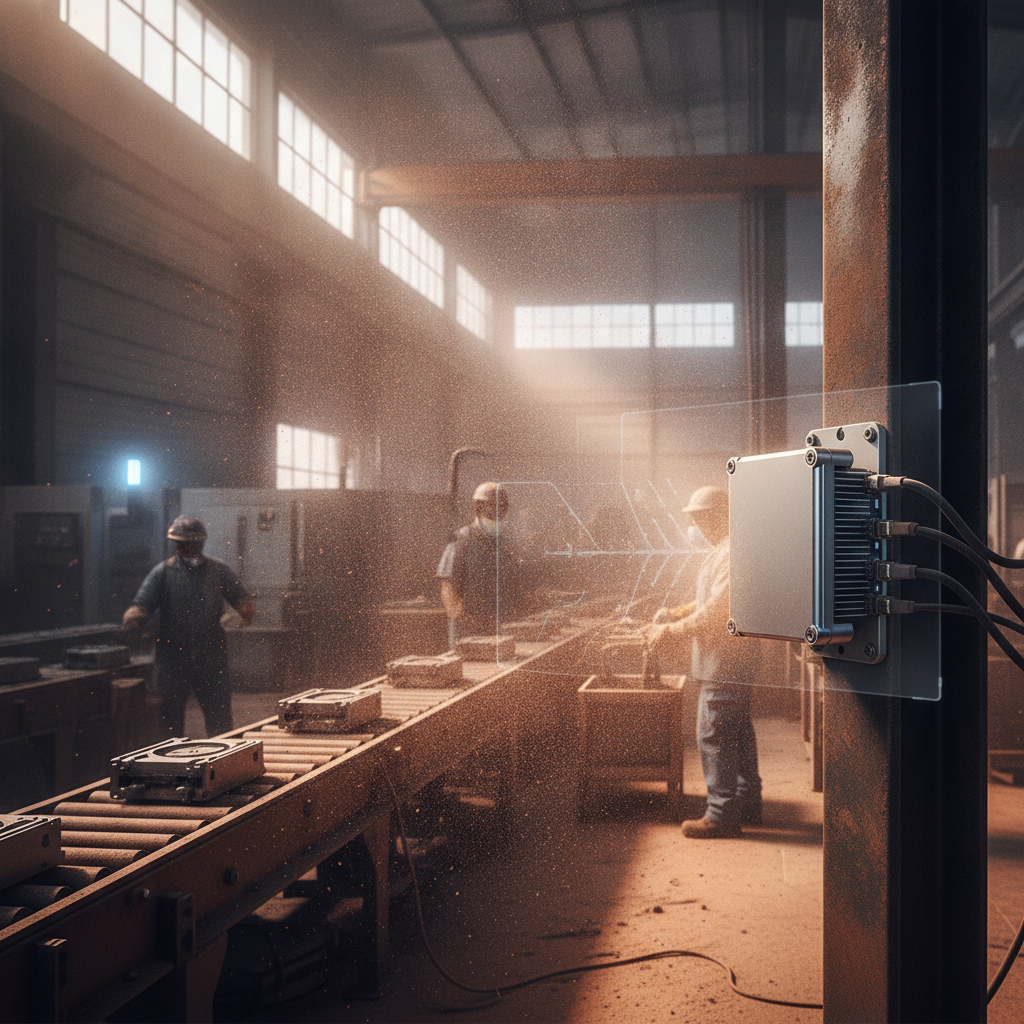
You get lower thermal limits and zero automatic passes for explosive-dust areas, so check your processor demands, IP codes, and certifications against your actual plant conditions.
Key takeaways
- Dust ruins fans, vents, and filters right away. A sealed, fanless chassis drops all three, which explains why an Industrial Tablet PC or fanless mini PC outlasts air-cooled units in gritty conditions.
- Aim for IP6X dust-tight protection (IP65 is standard for a rugged tablet) and verify it holds while port covers are fastened shut. An open connector on a ventless box still lets dirt creep in.
- Passive thermal designs put a hard cap on sustained CPU performance. Right-size your processor to the actual workload and request thermal derating charts for your cabinet’s highest expected ambient heat.
- Sealed does not mean explosion-proof. Flour, wood, sugar, and fine metal powders demand ATEX, IECEx, or matching hazardous-area approvals.
- Select the hardware layout by who actually uses it: mini PCs tucked inside control enclosures, Windows or Android tablets mounted on machinery, and handheld mobile computers for operators on the move.
Table of contents
- What is a fanless industrial mini PC?
- Why does dust destroy fan-cooled computers?
- What are the benefits of a fanless Industrial Tablet PC in dusty plants?
- How do IP ratings apply to dust?
- Which form factor fits: mini PC, panel PC or Industrial Tablet PC?
- Three illustrative dusty-plant scenarios
- What are the limits of fanless cooling?
What is a fanless industrial mini PC?
A fanless industrial mini PC is a small, sealed computer that dumps heat through its heavy aluminum shell instead of pulling air across an internal fan. Engineers build them for control enclosures, monitoring stations, and rough shop environments. A Rugged Industrial Tablet takes this identical passive-cooling setup and packages it behind a touchscreen for mounting on equipment or carrying along a line.
Both setups drop the moving mechanical parts that airborne grit tends to break.
These two options generally target distinct roles. A mini PC stays hidden behind display panels or inside electrical cabinets, driving SCADA systems, MES workstations, data gateways, or image processing setup. A tablet is what machine operators, floor supervisors, and field engineers grab to interact with directly.
Passive cooling draws heat off the processor core into a finned outer shell so you can fully enclose the housing without leaving open air pathways. It succeeds because low-wattage chips produce minimal heat output. It fails the moment you push a processor harder than its metal chassis can radiate heat away.
This breakdown serves operations leaders, automation engineers, maintenance leads, machinery OEMs, and system integration teams across cement, ceramic, textile, steel, and food plants. If you are comparing a Rugged Tablet PC, Industrial Android Tablet, or Windows Industrial Tablet for harsh shop environments, sourcing from a verified Industrial Tablet Manufacturer India ensures reliable long-term support. These sections walk through IP standards, engineering trade-offs, and key questions to ask vendors.
Why does dust destroy fan-cooled computers?
Dust attacks fan-cooled systems through four channels: choked intake filters, insulated heat sinks, failed fan bearings, and short-circuiting or corrosive coatings on circuit boards. Every single route ends in thermal throttling, unexpected reboots, or complete hardware loss. A tight, fanless chassis blocks all four points of failure at once.
- Filter loading. Standard industrial PCs pull ambient air through fine mesh. In a cement packaging line or cotton mill, that filter packs solid within weeks, cutting air flow and forcing the CPU to throttle long before anyone catches it.
- Insulated heatsinks. Microscopic grit passing through intake mesh settles between cooling fins like a blanket. Dust is an thermal insulator, meaning identical computational loads spark much higher core temperatures.
- Fan wear. Silica, metal filings, and glaze powder grind into fan bearings. Fans are the sole moving component in a standard machine destined to fail purely from mechanical friction.
- Board contamination. Metal, carbon, and graphite dust conduct electricity. Absorptive dusts like cement, fertilizer, or salt soak up moisture during high humidity, turning into a crust that eats away at electrical pin contacts.
Regular maintenance matters just as much as physical hardware design. Fan-cooled boxes survive only when technicians stick to strict cleaning rotations—and those schedules get skipped during production pushes or shift handoffs. Investing in an Industrial Tablet Computer replaces human diligence with a solid physical barrier.
Illustrative example: A standard fan-cooled box PC drives a packaging line terminal from inside an louvered cabinet. Over hot summer months, the intake mesh clogs, cabinet temperatures surge, and the display starts dropping out every afternoon. Maintenance teams spend weeks blaming network switches, PLCs, and application software before ever opening the cabinet door.
What are the benefits of a fanless Industrial Tablet PC in dusty plants?
The primary win comes from total enclosure sealing: airborne particles never hit internal circuits, heat exchangers, or mechanical bearings. A Fanless Industrial Tablet wipes out the primary causes of dust-related hardware failures along with the routine filter checks fan-cooled units demand. On a busy production floor, that changes an unscheduled line outage into a quick, routine exterior wipe-down.
Fewer parts to fail
Ditching the fan means dropping bearings, intake filters, and cabinet vents. Combine that with solid-state storage like SSD or eMMC drives, and you get a computer without a single moving mechanical piece. Read published MTBF numbers with caution; those figures rely on specific calculations, so clarify what test protocols and ambient temperatures generated them.
Thermals that stay put
Fan-cooled systems lose cooling efficiency bit by bit as dust builds up. A fanless enclosure maintains its baseline heat rejection capacity up until thick layers cover the outer cooling fins. On thermal tracking graphs, that translates to steady horizontal lines instead of a climbing temperature curve.
Maintenance you can schedule
An IP65 housing on an Industrial Touchscreen Tablet can be wiped down or sprayed during planned line stops within its rated limits. Cleaning drops down to a five-minute task on an operational checklist instead of a complete cabinet teardown. Always check chemical resistance with your vendor for seals and screen coatings before applying cleaning agents.
Shock, vibration and mounting freedom
Solid-state fanless setups handle heavy stamping presses, crushers, overhead conveyors, and forklift vibration far better than devices with spinning drives or fans. Because the housing is completely sealed, you can mount it directly onto production equipment rather than hiding it inside distant control rooms, shortening wiring runs and keeping screen controls close to the action.
| Factor | Fan-cooled industrial PC | Fanless sealed unit |
|---|---|---|
| Air path | Intake and exhaust through a filter | None; closed chassis |
| Dust ingress | Filter-dependent, worsens as it loads | Blocked by gaskets if rated IP6X |
| Wear parts | Fan bearings, filters | Only gaskets and connectors |
| Cleaning | Filter changes, internal blow-out | External wipe-down |
| Compute headroom | Higher sustained CPU and GPU power | Limited by chassis size |
| Best fit | Heavy compute in a filtered cabinet | Dusty floors, machine-mounted use |
How do IP ratings apply to dust?
Ingress Protection marks, outlined under IEC 60529, measure how well housings block solid particles and liquids. For dust protection, IP5X indicates dust-protected construction with slight particle entry that won’t disrupt internal circuits, while IP6X flags total dust-tight sealing confirmed by vacuum testing. Selecting a Waterproof Industrial Tablet with an IP65 rating guarantees complete dust blockage alongside defense against direct low-pressure water streams.
Three core considerations dictate whether an IP rating holds up in real operation.
- Ports count. IP ratings apply only when rubber port covers are sealed and gaskets remain intact. A tablet sitting on a bench with an open USB hatch loses its IP65 protection instantly.
- Fanless is not sealed. Many fanless computer boxes carry low ratings like IP40. They lack internal fans but still feature open cooling slots and unsealed ports where dust drifts inside over time.
- Gaskets age. High ambient temperatures, direct solar radiation, and harsh cleaning chemicals degrade synthetic seals over time. Ask your supplier for seal material specs and recommended swap intervals.
NEMA ratings (such as NEMA 4 or 4X) rely on separate testing methods compared to IEC IP codes, so treat direct conversions as general guidelines. The quick reference chart below matches operational dust levels to baseline enclosure choices.
| Dust condition | Typical areas | Minimum enclosure approach |
|---|---|---|
| Light, intermittent | Assembly, packaging, warehouse | IP5X (for example IP54) or better |
| Heavy, fine | Cement, flour, glaze, textile lint | IP65 (IP6X), ports sealed |
| Abrasive or conductive | Grinding, foundry, graphite | IP65 plus scratch-resistant glass and shielded cabling |
| Dust plus washdown | Food, spice, dairy | IP65 or higher; check IP66 or IP69K for hot high-pressure wash |
| Combustible dust atmosphere | Grain, wood, sugar, aluminium powder | Hazardous-area certification; IP alone is not enough |
Which form factor fits: mini PC, panel PC or Industrial Tablet PC?
Select a mini PC when your computer stays housed inside an electrical cabinet while a separate display screen faces the machine operator. Choose an Industrial Tablet for Manufacturing when operators need a sealed, interactive touchscreen directly on or near active production hardware. Pick an Industrial Mobile Computer when staff move freely around the floor.
The anti-dust approach changes accordingly: seal the computer enclosure, seal the display front, or seal the portable device in your operator’s hands.
| Form factor | Best for | Dust watch-point |
|---|---|---|
| Fanless mini PC with separate monitor | Cabinet-mounted SCADA, MES, edge gateway | Display and cables remain exposed |
| Industrial panel PC | Fixed operator station on a machine | Check the rear and cable-gland sealing, not just the front bezel |
| Windows industrial tablet | Supervisors, maintenance, machine-side engineering | Weight and battery runtime |
| Industrial Android tablet | Checklists, barcode capture, inspection apps | OS patch lifecycle |
| Industrial Handheld Tablet or mobile computer | Roaming, one-handed scanning | Small screen for SCADA work |
Windows or Android for a dusty floor?
Opt for Windows whenever you must support existing SCADA packages, OPC UA connections, specialized hardware drivers, or local vision software. An Industrial Field Tablet running Windows often uses efficient Intel Atom or Celeron processors that suit fanless enclosures, while Windows IoT Enterprise LTSC variants deliver long-term operating system support.
Pick an industrial Android tablet for digital inspection sheets, barcode scanning, maintenance workflows, and web interfaces where battery endurance and light device management rank above broad legacy driver support. Be sure to confirm how long your hardware supplier guarantees security patches, as brief consumer update schedules won’t cut it for industrial gear.
Decision rules
- If operators never touch the core PC, place a sealed mini PC inside the control cabinet and keep display interfaces separate.
- If floor workers wear thick protective gloves, demand capacitive screens with active glove support and test them using your actual workplace gloves.
- If technicians walk between multiple production lines, an Industrial Handheld Tablet serves better than a fixed operator station.
- If hardware operates outdoors, demand high-nit screen brightness alongside extra thermal headroom to handle solar heat loads. A true Outdoor Rugged Tablet isn’t just an indoor unit with a brighter display label.
Three illustrative dusty-plant scenarios
These practical examples show how hardware selection adapts to specific dust types, rather than reporting lab data. Each scenario pairs an environmental dust hazard with its common failure point and the hardware spec built to prevent it.
Cement or ceramic plant
Illustrative example: A bag-packing operator station sits in heavy, airborne mineral powder that pulls moisture from humid air. A fan-cooled box PC demands filter swaps every couple of weeks and regularly crashes during wet monsoon months. Swapping it for an Industrial Tablet PC India deployment mounted on an adjustable swing arm running SCADA eliminates internal airflow and clogged filter vents entirely.
Now, maintenance drops down to a weekly screen wipe and gasket checks during plant shutdowns.
Textile spinning mill
Illustrative example: Cotton lint acts nothing like hard mineral grit. Fibers mat across air mesh, tangle around fan hubs, and build up into thick, felt-like insulation over heat fins. A fanless mini PC logging production metrics directly off spinning frames bypasses fan failures completely, while a sealed Industrial Android Tablet supports supervisors tracking quality checks across rows.
Lint buildup on warm outer fins still needs clearing, so brush-down steps belong on daily cleaning lists.
Metal fabrication and foundry
Illustrative example: Metallic grinding dust conducts electricity and cuts like an abrasive, while surrounding ambient heat near casting furnaces runs high. Working with an experienced Industrial Tablet PC Supplier or Rugged Tablet Manufacturer India helps ensure the unit handles these extremes. The team selects an ultra-low-wattage processor, places the fanless chassis away from radiant furnace heat, and specifies wide-temperature industrial SSD storage.
They track core CPU thermals for a month before rolling out units across the rest of the facility.
What are the limits of fanless cooling?
Passive cooling faces three strict boundaries: caps on sustained processor wattage, vulnerability to high ambient room temperatures, and zero automatic safety guarantees in explosive dust zones. Recognizing these boundaries upfront avoids common setup traps—like thermal CPU throttling or failed safety audits.
The thermal ceiling
Most compact fanless computers use low-power processors running in the 6 to 15 Watt power envelope, though larger finned cases can disperse higher loads. Heavy AI vision processing, high-end GPU operations, or multi-monitor SCADA setups easily exceed those limits. For those heavy compute tasks, choose a expanded finned chassis or place a fan-cooled PC inside a filtered, air-conditioned, or vortex-cooled control cabinet.
Ambient temperature and derating
Datasheets publish standard operational temperature windows, but rarely under full computing loads. Request official thermal derating charts: these show the maximum room temperature a unit handles before throttling performance to survive. A closed steel enclosure under an Indian summer roof can easily top normal room temperatures.
Dust layers still insulate
A heavy coat of dust on outer cooling fins cuts passive heat rejection, even if it happens slower than on internal heatsinks. Fanless design lowers your maintenance overhead, but it doesn’t wipe away cleaning entirely.
Combustible dust
Flour, grain, fine sawdust, sugar, powdered aluminium, and resin dust can trigger explosive airborne clouds. Consult a certified Industrial Tablet Distributor before deploying devices in hazardous environments, as standard IP-rated enclosures alone are not sufficient.

